Discount Links
A discount link is a store URL with a discount code pre-applied. When a customer clicks it, Adsgun automatically activates the discount – no manual code entry required.
1 How discount links work
A discount link is a regular URL from your store with an adsguncode parameter appended to it. When a customer visits that URL, Adsgun reads the parameter and automatically applies the associated discount to their session – no manual code entry at checkout required.
For example, a link to your collections page with a 30% off discount applied would look like this:
You can use these links anywhere – email campaigns, social media ads, influencer content, SMS, or any other marketing channel where you want the discount to apply automatically without asking customers to copy and paste a code.
2 Navigating to Discount Links
-
Open the Adsgun app from your Shopify Admin.
-
In the Adsgun sidebar, click Discounts.
-
At the top of the Discounts page, click the Discount Links tab.
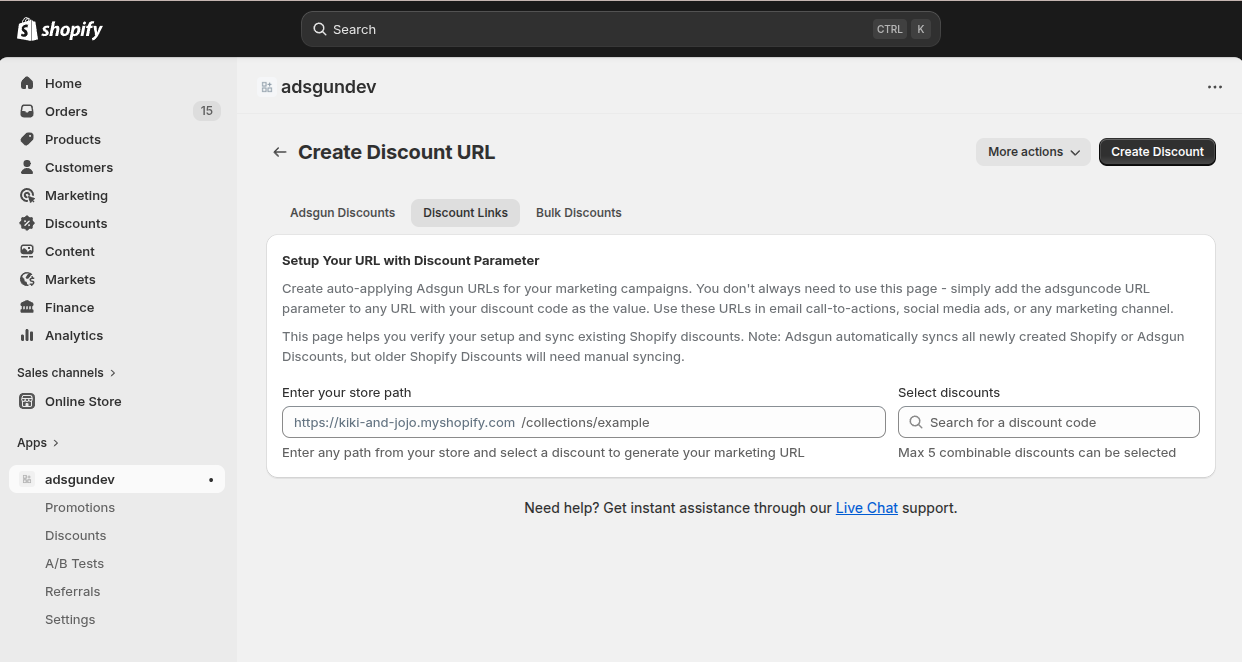
3 Creating a discount link
-
Enter your store path
In the Enter your store path field, type the path of the page you want the link to land on. This is the part of the URL after your store domain – for example /collections/all, /products/summer-dress, or just / for the homepage. Your store’s base URL is shown as a prefix so you only need to enter the path. -
Select your discounts
Click the Select discounts field and search for the discount code you want to apply. You can select up to 5 combinable discounts per link. The selected discounts appear below the field showing the discount name, status, and a summary of the rules. -
Click “Create Discount”
Once your path and discounts are set, click the Create Discount button in the top right. Adsgun will generate your marketing URL instantly.
4 The generated URL
After clicking Create Discount, a green Generated URL Ready! banner appears at the top of the page. It shows the full marketing URL with the adsguncode parameter and your selected discount code appended to the store path you entered.
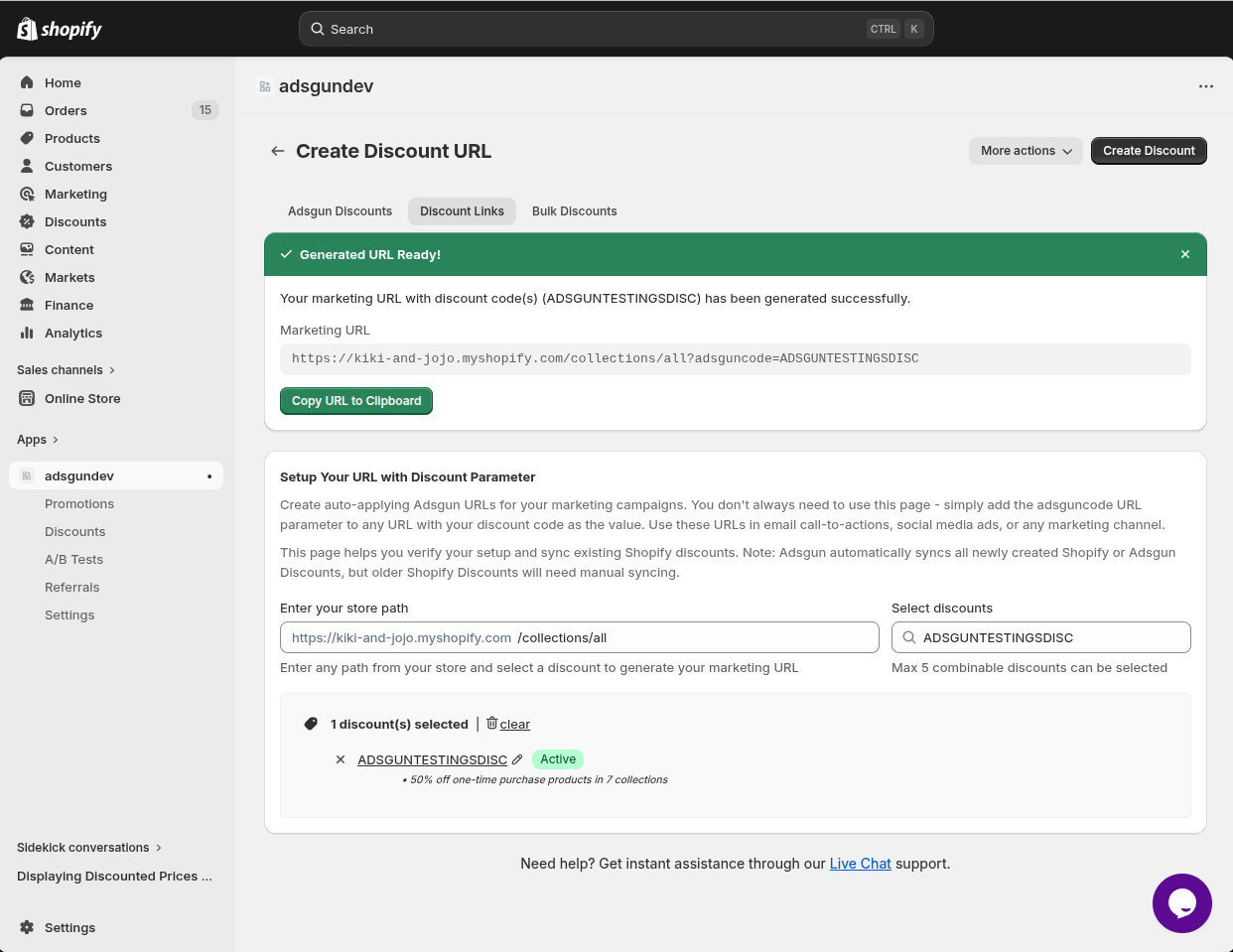
Click Copy URL to Clipboard to copy the full URL. You can now paste it directly into your email campaign, ad creative, bio link, or any other marketing channel.
5 Use cases
-
Email marketing
Include a discount link in your promotional emails as the call-to-action button. When subscribers click through, the discount is already applied – no extra steps at checkout. This reduces friction and improves conversion compared to asking customers to copy a code.
-
Social media ads
Use a discount link as the destination URL in Meta, TikTok, or Google ad campaigns. Customers who click your ad land directly on the targeted page with the discount already active.
-
You earn commission
You earn 50% of Adsgun’s revenue from each referred store during their first month. After that, you continue earning an ongoing commission based on your current tier (10%, 15%, or 20%).
-
Influencer & affiliate campaigns
Give each influencer a unique discount link pointing to a specific landing page. Their audience gets the discount automatically on click, and you can track performance per link using UTM parameters combined with the adsguncode parameter.
-
Bio links & landing pages
Add a discount link to your Instagram bio, Linktree, or any landing page. Anyone who taps the link arrives at your store with the discount pre-applied, making it feel like a personalized offer.