How to Set Up the Adsgun App on Shopify
This guide explains how to set up Shopify discounts with Adsgun. Adsgun is a powerful Shopify app that helps you create advanced, stackable promotions and dynamic discount displays directly on your storefront. This guide explains the only correct setup steps for Adsgun — from theme integration to schema JSON configuration and discount link parameters.
1 Enable Adsgun in Your Shopify Theme
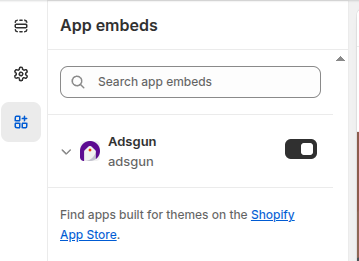
- Install the Adsgun app from the Shopify App Store.
- Open the app and start the Quick Start guide.
- Select your active theme and enable the app extension.
This allows Adsgun to display discounted prices on product and collection pages.
2 Create a Promotion
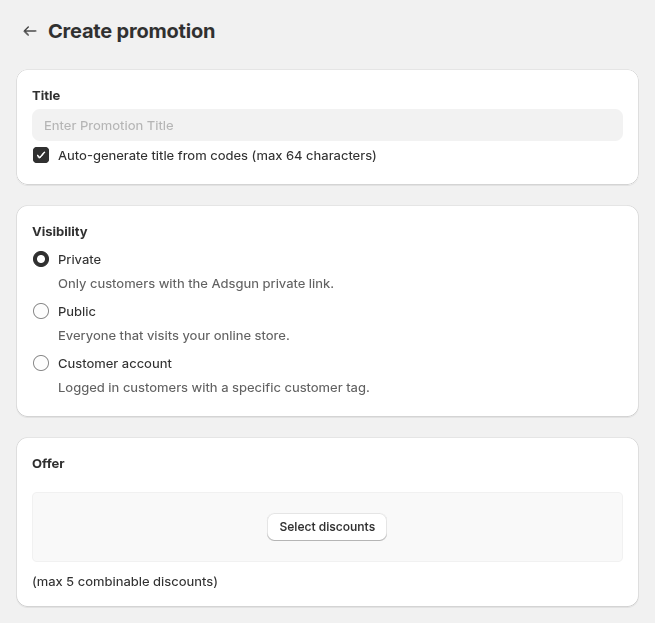
Visibility Options
- Private Promotion: Applies only via a unique link (great for campaigns or influencers).
- Public Promotion: Visible to all store visitors or triggered by URL conditions.
Offer Configuration
Choose between:
- Shopify Discounts: Use existing Shopify discount codes.
- Adsgun Discounts: Create complex, stackable discounts (Buy X Get Y, order-level, product-level, or shipping discounts).
Each discount adds to a progress bar; you can combine 20+ simple discounts or fewer complex ones.
3 Configure Schema JSON
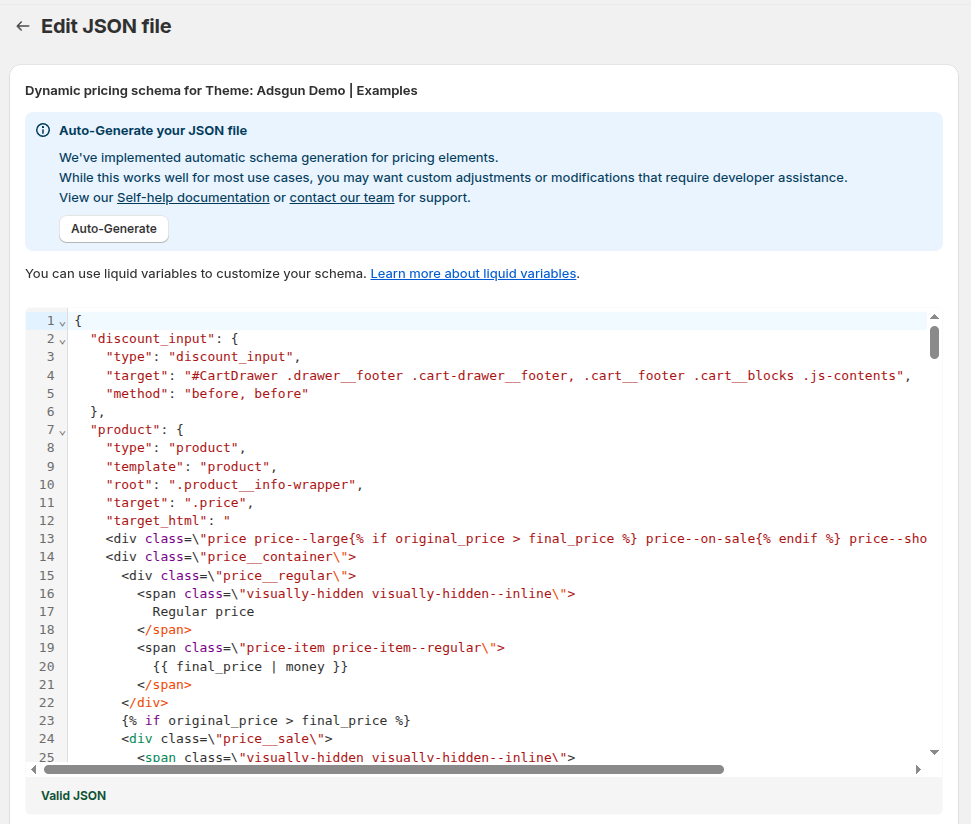
Schema JSON defines where and how discounted prices appear in your theme. Use your theme’s HTML structure and Liquid variables.
You can find Schema Setup Guide here.
Tip: Adsgun’s live chat support can configure this file for you in minutes if you’re not a developer, free of charge.
Optional — Dynamic Discounts and Campaign Triggers
Discount Links
Apply discount codes via link parameters:
?adsguncode=DISCOUNT1,DISCOUNT2Add this parameter to your ad URLs or email CTAs to auto-apply discounts.
URL-Based Public Promotions
Trigger public promotions using URL paths or parameters like:
campaign_id=123Ideal for Google Ads or Meta campaigns that need unique offers per campaign.
Summary
| Step | Action | Purpose |
|---|---|---|
| 1 | Enable app extension | Allow Adsgun to render discounts on your theme |
| 2 | Create promotions | Define visibility and offer type |
| 3 | Configure schema JSON | Show final discounted prices dynamically |
| 4 | Optional link codes | Auto-apply discounts via URLs |
| 5 | Optional URL triggers | Activate public promos via URL conditions |