
How to Show Strike-Through Pricing for Shopify Discount Codes
Most Shopify stores show discount code savings only at checkout. Here is how to show the Shopify discount code price on product pages and collection pages before checkout.
The Problem: Discount Code Redemption Rate
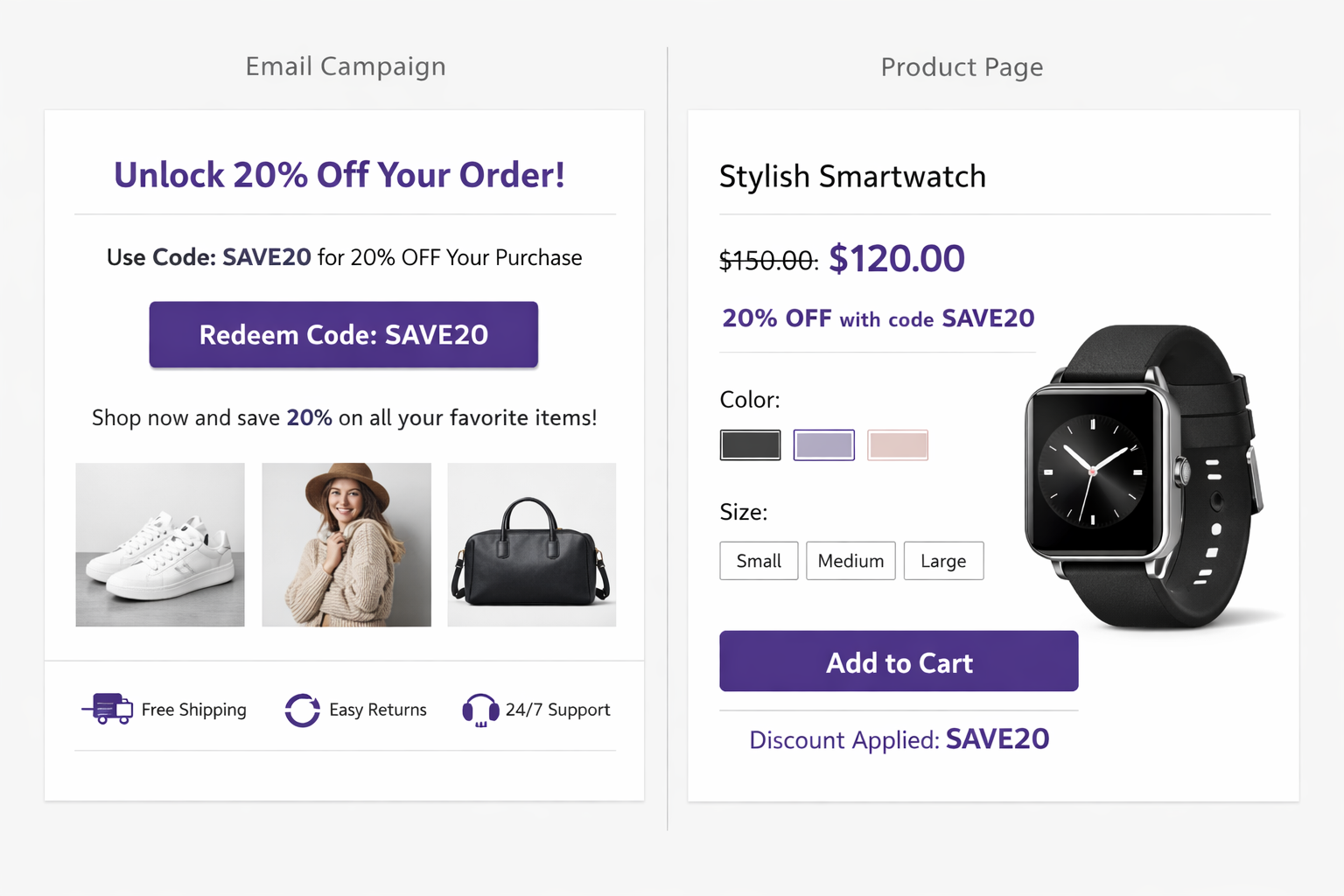
Merchants looking to show the Shopify discount code price on product page run into the same issue: the offer exists, but the shopper cannot see the discounted price where buying decisions actually happen. Shopify applies discount codes in checkout flows, not as a native product-page pricing display.
You create a discount code SUMMER25 for 20% off and send it to your email list. You expect your best customers to use it immediately.
The reality: 40% get the email, 10% click, 2% add to cart, 0.5% reach checkout and remember to use the code.
That’s a 99.5% failure rate. Most customers who get the code never redeem it because:
- They don’t see the savings on product pages (so they don’t know if the code is worth using)
- They forget to enter the code at checkout
- They assume “SUMMER25” is a scam
Showing strike-through pricing for the code on product pages solves all three.
Use Cases: Where Discount Codes Make Sense
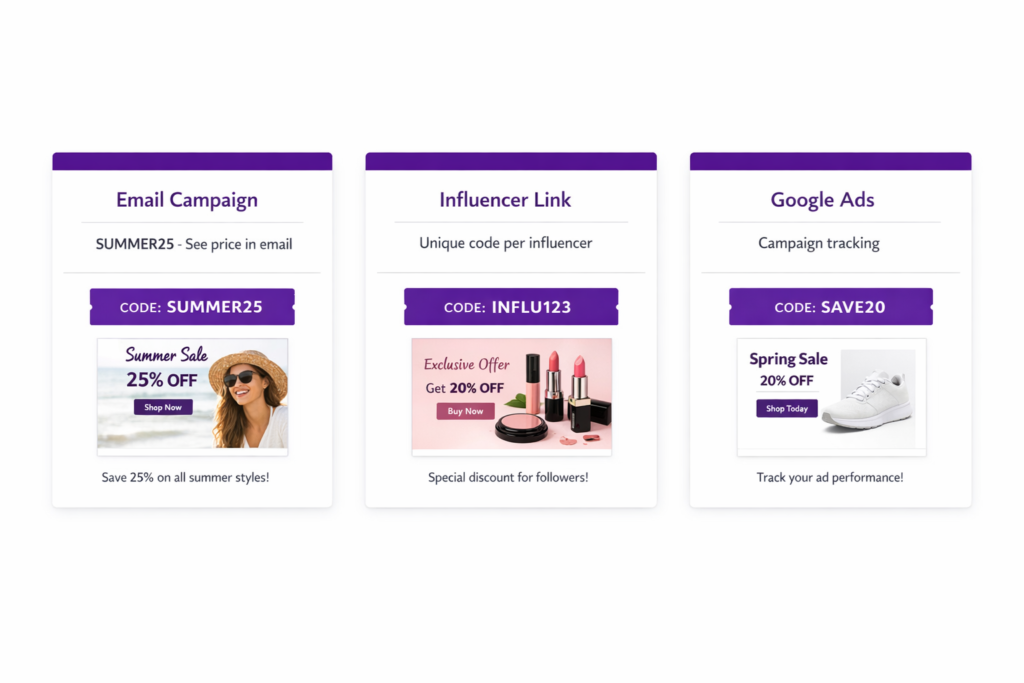
Discount codes are valuable for:
Email campaigns:
“Hi Sarah, here’s 20% off just for you: SUMMER25” with a link. Customers click and see the discount applied automatically.
Influencer programs:
Each influencer gets a unique code (INFLUENCER_SARAH, INFLUENCER_MIKE). You can track which influencer drove sales by code redemption. And when customers use the code, they see a discount that makes the product more appealing.
Paid advertising:
Campaign-specific codes let you track ROI by channel. Code “GOOGLEADS25” tells you how many sales came from Google Ads. Showing the discount on product pages means customers see the savings before deciding to buy.
Customer segments:
VIP customers get “VIP25” for 25% off. Regular customers get “REGULAR15” for 15% off. Segment-specific pricing becomes visible when they use their code.
Referral programs:
“Refer a friend with code REFERRAL15” and earn a discount yourself. When your friends click your referral link with the code, they immediately see the discount, making them more likely to buy.
The common thread: these are all targeted campaigns where you control the link and want to track results by code.
The Problem: Customers
- Don’t See the Discount Until Checkout
- A customer receives an email: “Use code SUMMER25 for 20% off. Shop here.”
- They click and land on a product page. Once there, the product appears at full price ($100). However, there’s no mention of “20% off” or a discounted price of $80 anywhere on the page.
- Their thought process: “How much is 20% off this? Let me do math… $100 × 20% = $20, so $80. That’s okay but not amazing. Let me check a competitor.”
- They leave without buying.
If they’d seen the price already calculated as “$80” (strike-through from $100), the visual impact is stronger. They immediately think “oh, that’s a good deal.”
This is psychological. Seeing a struck-through price is more compelling than doing mental math.
Three Methods to Show Discount Code Pricing
Method 1: URL Parameters (Limited)
Shopify supports auto-applying codes via URL: mystore.com/product?discount=SUMMER25
When the customer lands on this URL, the code is pre-filled at checkout (though not visible on the product page).
Pros:
- Free
- Pre-fills the code so customer doesn’t have to type it
- Works for any discount code
Cons:
- Doesn’t show the discounted price on product page (customer still sees full price)
- Doesn’t track which discount code is being used
- Customer doesn’t see savings until checkout
When to use:
Only if you want to make code entry easier but don’t need price visibility on product pages.
Method 2: Manual Pricing (Brittle)
You could manually calculate the discount and set compare at price to match.
For example:
- Code: SUMMER25 (20% off)
- Product price: $100
- 20% off = $80
- Set compare at price to $100 and selling price to $80
Pros:
- Shows the discounted price on product page
- Free
Cons:
- Manual work (calculate, update compare at price)
- Only works if code discount is fixed percentage/amount (can’t handle tiered discounts)
- Gets out of sync when you change codes
- Works for only one code per product (what if customers have different codes?)
When to use:
Never, really. It’s too fragile and manual. Only mention it for completeness.
Method 3: Adsgun (The Right Solution)
Adsgun reads discount codes from the URL and displays strike-through pricing automatically.
How it works:
- Customer receives email: “Use code SUMMER25: [link to mystore.com/products/winter-coat?discount=SUMMER25]”
- Customer clicks the link
- Adsgun reads “SUMMER25” from the URL
- Adsgun validates the code is active and eligible
- Adsgun calculates the discounted price (20% off $100 = $80)
- Adsgun displays on product page: “Was $100, Now $80” with a badge “Code: SUMMER25”
- Customer sees the savings immediately and is more likely to add to cart
- At checkout, Adsgun auto-applies the code (customer doesn’t have to type it)
Pros:
- No code needed on product pages (clean UI)
- Works for unlimited codes
- Auto-applies code at checkout (reduces friction)
- Works with percentage, dollar, and complex discounts
- Tracks which code was used (for analytics)
- Real-time code validation (code expires, prices update instantly)
- Works for email campaigns, influencer links, paid ads
Cons:
- Monthly subscription ($19-249)
When to use:
Anytime you run discount codes. Which is most stores.
Complete Adsgun Setup for Discount Codes
Step 1: Create the discount code in Shopify
Go to Settings > Discounts > Create Discount.
Choose “Discount codes” type.
Set:
- Code: SUMMER25
- Discount: 20% off
- Products: All products (or specific ones)
- Ac
- tive dates: Set start/end dates
Save.
Step 2: Install Adsgun
Go to apps.shopify.com/adsgun and install.
Step 3: Create a promotion in Adsgun
Go to Apps > Adsgun > Create Promotion.
Step 4: Configure for discount codes
Choose “Display discount codes” mode (instead of automatic discount mode).
Select the code: SUMMER25.
Step 5: Choose display options
Enable:
- Show on product pages
- Show on collection pages
- Auto-apply at checkout
Choose the display format:
- “Was $100, Now $80”
- “Code SUMMER25: Save 20%”
- Custom
Step 6: Publish
Click Publish.
Step 7: Generate campaign links
For email campaigns, use links like:
mystore.com/products/winter-coat?discount=SUMMER25- Or use UTM parameters:
mystore.com?discount=SUMMER25&utm_source=email&utm_campaign=summer
Step 8: Test
Send yourself an email with the link. Click it. Verify:
- Product page shows struck-through pricing
- Code is auto-applied in cart/checkout
- No typing needed
Real-World Campaign: Email Campaign with Adsgun
Let’s walk through a real scenario:
Campaign goal: Re-engage inactive subscribers with a 20% off code.
Steps:
- Create code COMEBACK20 in Shopify (20% off all products, 10-day window)
- In Adsgun, create a promotion for COMEBACK20, enable product page display, enable auto-apply
- In your email tool, create a campaign with:
– Subject: “Come back for 20% off: COMEBACK20”
– Body: “You haven’t shopped with us in a while. Here’s 20% off to welcome you back.”
– Link: mystore.com/?discount=COMEBACK20
- Send to inactive subscribers (not opened email in 30+ days)
- Recipients click the email link
- Land on your site with COMEBACK20 activated
- Browse product pages and see “Was $50, Now $40” with badge “Code: COMEBACK20”
- Add product to cart
- At checkout, code is auto-applied
- Complete purchase
Results:
- High click rate (clear offer, known discount)
- High add-to-cart rate (discount visible on product page, not at checkout)
- High checkout completion (code auto-applied, no friction)
- Easy tracking (can measure COMEBACK20 redemption vs. other codes)
Influencer Program: Unique Codes per Influencer
Another use case:
Setup:
- Create 10 discount codes (INFLUENCER_SARAH, INFLUENCER_MIKE, etc.)
- Each code gives 15% off
- In Adsgun, create 10 promotions (one per influencer)
- Enable product page display for each
Campaign:
- Sarah posts on Instagram: “Use my code INFLUENCER_SARAH for 15% off”
- Her followers click her affiliate link (with the code in the URL)
- They land on product pages and see “Was $100, Now $85 – Use code INFLUENCER_SARAH”
- They feel like they’re getting a special deal from Sarah
- Higher conversion + you know exactly how many sales came from Sarah
Ready to Show Discount Code Pricing?
If you’re running discount codes, they’re probably going to waste. Most customers never see the discount until checkout, so they don’t redeem.
Show strike-through pricing for codes and watch redemption rates climb.
Try Adsgun free for 7 days. Set up a discount code and see customers actually use it because they see the savings upfront.




