
Shopify Multi-Market Promotions: Different Discounts Per Country
Your US sale and your EU sale don't need to be identical. Learn how to run Shopify market-specific promotions per region using Adsgun and Shopify Markets.
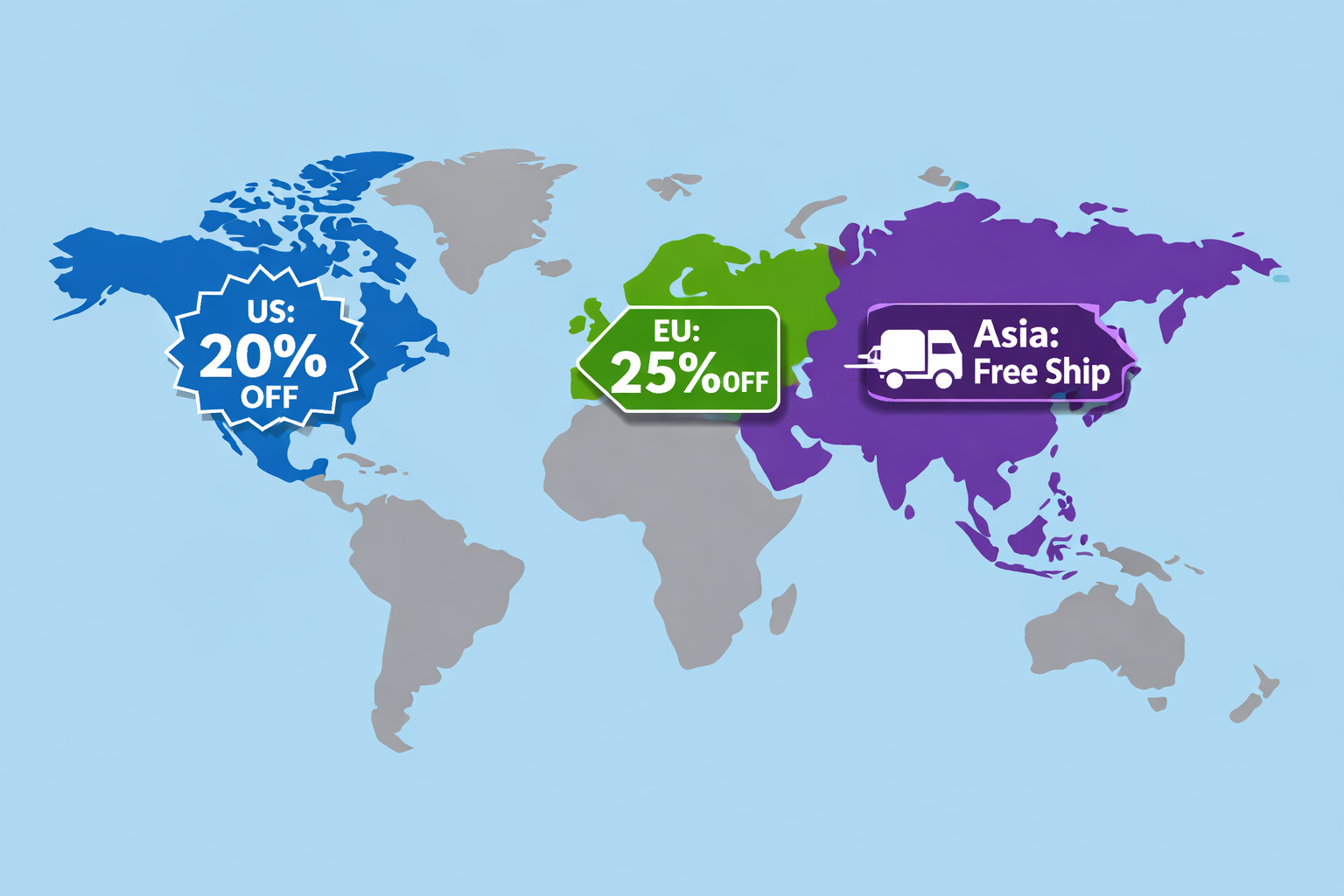
You sell globally. Your products are available in the US, Canada, Europe, and Australia. But your promotional strategy is not regional, it is global.
You run a Black Friday sale: 20% off everything, in every market, at the same time. Setting up Shopify market-specific promotions solves exactly this problem, and this guide shows you how to do it using Shopify Markets and Adsgun.
But here is the issue:
- U.S. market: Black Friday is THE shopping event. 20% might be enough to drive urgency.
- EU market: Black Friday is not as culturally dominant. Competitors in the EU might be running 30% off. Your 20% looks weak.
- Australia market: Black Friday falls in November, which is their spring. The holiday is less relevant there, and customers are already preparing for Christmas. A “Spring Summer Sale” would resonate better.
- Canada: Similar to the U.S., but with its own promotional calendar. Boxing Day in December is a massive shopping event.
A global promotion works for efficiency, but a regional promotional strategy works for conversion and relevance.
This guide shows you how to run different promotions per country on Shopify using Shopify Markets and Adsgun.
Understanding Shopify Markets
Shopify Markets is a built-in feature that lets you manage different regional versions of your store from a single admin:
- Multiple currencies (USD, EUR, GBP, CAD, AUD, and more)
- Multiple payment methods per region
- Multiple languages
- Separate inventory and pricing per market
When a customer visits your store, Shopify detects their region and shows them the right currency, language, and pricing automatically. According to Shopify, 92% of shoppers prefer purchasing from websites that display prices in their local currency, which makes proper market setup critical for international conversion rates.
With Adsgun, you can layer market-specific promotions on top of this infrastructure. A customer browsing from Germany sees your EU promotion with EU pricing. A customer from Canada sees the Canadian offer. Everything is managed from one place, without needing separate stores.
Regional Promotion Strategy Examples
Example 1: Different Discount Levels Per Market
Setup:
- U.S. market: 20% off sitewide (Black Friday standard)
- EU market: 28% off sitewide (competitive positioning in EU)
- Canada: 22% off (slight premium vs. U.S. to account for currency differences)
- Australia: 15% off plus free shipping (free shipping carries more weight in Australia due to high logistics costs)
Each region sees the right offer for their market dynamics and competitive landscape.
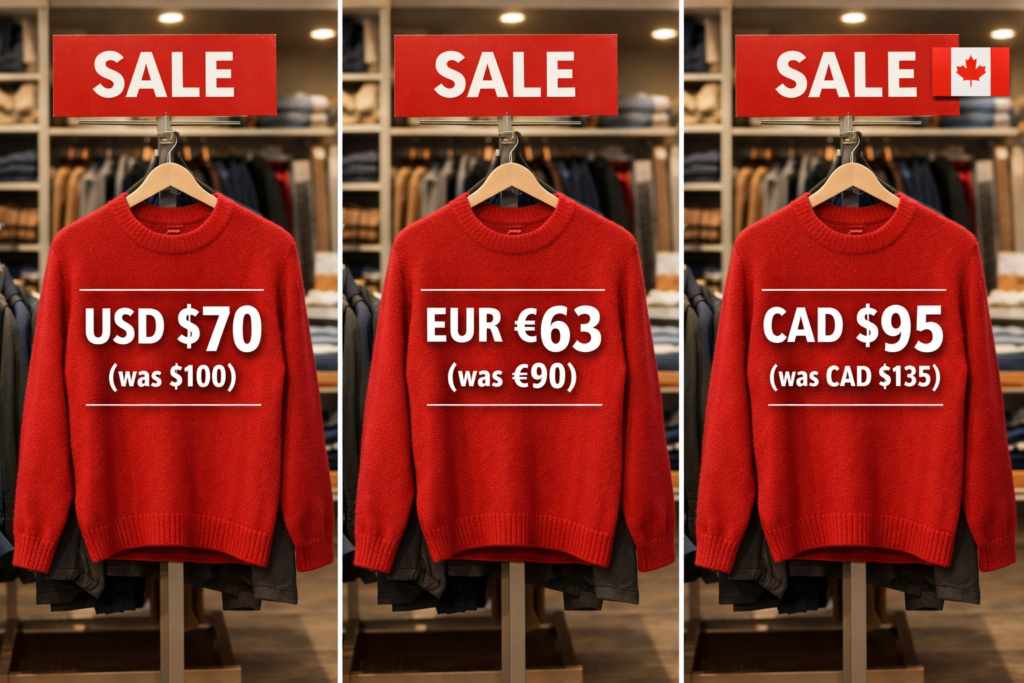
Example 2: Different Promotional Calendars Per Region
U.S. Calendar:
- Black Friday/Cyber Monday (November)
- Holiday (December)
- New Year Sale (January)
EU Calendar:
- Black Friday/Cyber Monday (November) – less dominant, smaller discount
- Boxing Day (December 26) – major in the UK
- New Year Sale (January)
- Spring Sale (March/April) – Easter shopping
Australia Calendar:
- Black Friday (November) – increasing cultural relevance
- Boxing Day (December 26)
- New Year (January)
- Autumn Sale (March) – new season
- Easter (March/April)
Each region gets promotions timed to their actual shopping patterns.
Example 3: Product-Specific Regional Promos
Setup:
- Canada: Free shipping on all orders (higher baseline shipping costs)
- EU: VAT already included in prices; discount on specific categories to drive product mix
- U.S.: Free shipping on orders over $50; heavy discounting on bestsellers
- Australia: Bundle deals (buy 2, get 15% off total) to increase average order value and offset shipping costs
Different strategies for different regions, based on each market’s unique dynamics.
How to Set Up Shopify Market-Specific Promotions in Adsgun
Step 1: Confirm Your Markets Are Set Up
In Shopify admin, go to Settings > Markets. Confirm you have multiple markets configured (US, EU, Canada, etc.). Each market should have its own currency and language preferences. If you are starting from scratch, follow the official Shopify Markets setup guide.
Step 2: Create a Promotion in Adsgun
Open Adsgun, click Create New Promotion, and define the promotion name, discount type, and other core settings. You can learn more about how promotions work in the Adsgun Promotions Help Center.
Step 3: Set Market Restrictions
In the promotion settings, find the Markets section. You have two options:
- Option A: Apply to all markets (global promotion)
- Option B: Apply to specific markets only (regional promotion)
Choose Option B for regional campaigns.
Step 4: Select Markets
Check which markets this promotion applies to. The available markets reflect exactly what you have configured in Shopify Admin under Settings > Markets.
For a U.S.-only promotion, select only the United States market.
Step 5: Set Discount Value Per Market (If Needed)
Some campaigns require different discount values per market. For example:
- US market: 20% off
- EU market: 28% off
In Adsgun, when you select multiple markets, you can optionally set different discount values for each. A customer in the EU automatically sees the higher discount, while a U.S. customer sees the standard rate.
Step 6: Customize Per-Market Messaging (Optional)
- US announcement bar: “Black Friday Sale: 20% Off”
- EU announcement bar: “Black Friday Deal: 28% Off”
- AU announcement bar: “Spring Summer Sale: 15% Off + Free Shipping”
leading-[1.7]”>Each market can show localized messaging that matches the promotion they receive.
ase font-bold”>Step 7: Publish
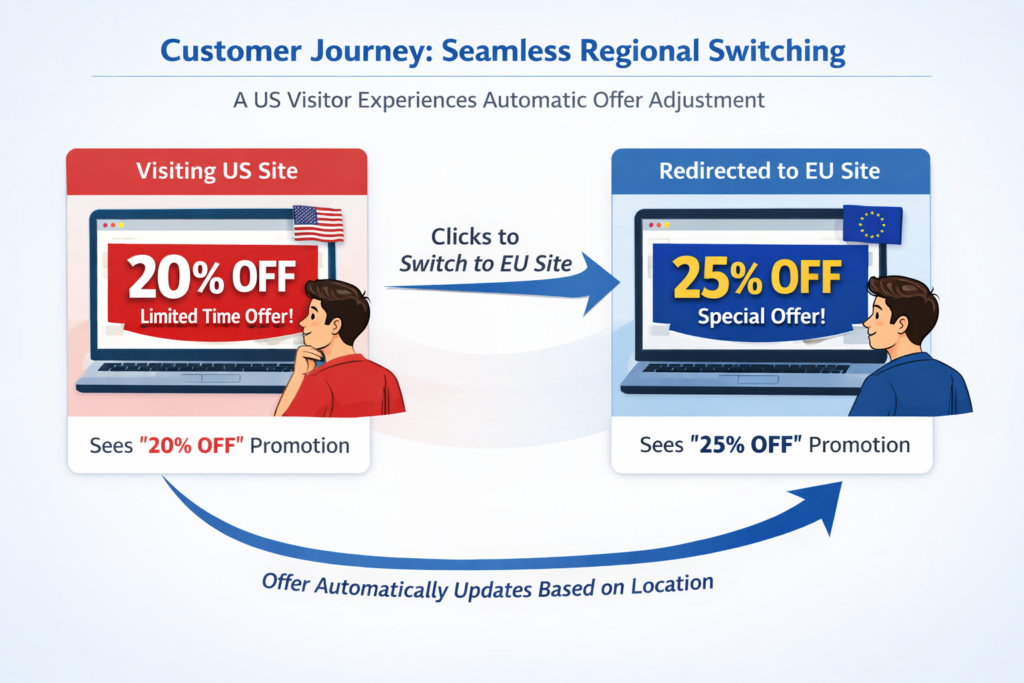
The promotion is now live per market. A U.S. customer sees the U.S. promotion. An EU customer sees the EU promotion. No manual switching required.
Real-World Example: Global BFCM Campaign With Regional Customization
Scenario: You are preparing Black Friday/Cyber Monday for three major markets.
Market: United States
- Promotion: “Black Friday 25% Off Everything”
- Dates: November 24–30
- Messaging: “Black Friday Sale: 25% Off”
Market: European Union
- Promotion: “Black Friday 30% Off Everything” (competitive positioning)
- Dates: November 24–30
- Messaging: “Black Friday Week: Save 30%”
- Currency: Prices shown in EUR
Market: Canada
- Promotion: “Black Friday 22% Off + Free Shipping $75+”
- Dates: November 24 – December 2 (extended window; Boxing Day is December 26)
- Messaging: “Black Friday Extended + Boxing Day Preview”
- Currency: Prices shown in CAD
Result: the U.S. customer sees 25% off in USD, the EU customer sees 30% off in EUR (a better deal that accounts for regional competition), and the Canadian customer sees 22% plus a free shipping offer where shipping relevance is higher. All three regions feel like they are getting a well-thought-out, locally relevant deal.
Combining Regional Promotions With Discount Stacking
You can layer regional promotions with customer-specific discounts to create highly targeted offers:
Example:
- Global base promotion: 20% off for all markets
- Regional boost: Additional 5% off for EU market (total 25% in EU, 20% elsewhere)
- Customer tag promotion: VIP customers get an additional 10% (so a VIP customer in the EU sees 20% base + 5% regional + 10% VIP = 35% total)
Adsgun handles the stacking automatically. The customer sees one cumulative Was/Now price showing all applied savings combined. You can read more about how discount stacking works in the Adsgun Discounts documentation.
If you are also running automatic discount codes as part of your regional strategy, see the guide on how to auto-apply Shopify discount codes for the full setup flow.
Best Practices for Shopify Market-Specific Promotions
1. Use Data to Set Regional Discount Levels
Set regional discounts based on competitive research, not guesswork. Review what competitors in each market are offering and price your promotions accordingly to stay competitive without over-discounting.
2. Respect Local Holidays and Shopping Patterns
Black Friday dominates in the U.S. and is growing in the EU, but remains less relevant in Australia. Boxing Day (December 26) is a major event across Commonwealth countries. Align your promotional calendar to local shopping behavior, not just your domestic one.
3. Account for Currency Conversion
A 20% discount in USD may translate differently in EUR or AUD when currency conversion is factored in. Make sure regional discount levels account for currency parity and local purchasing power. Shopify Markets pricing tools let you set market-specific prices to avoid relying entirely on automatic conversion.
4. Be Transparent About Regional Differences
Some customers shop across regions (while traveling or buying gifts). Make it clear why pricing and promotions differ by region. An FAQ section or a short note in your announcement bar (“Prices vary by region based on local costs and competition”) helps manage expectations.
5. Coordinate Timing Without Forcing It
Coordinate regional sale dates for operational efficiency, but do not force identical dates if local holidays suggest different timing. The Canada example above (extending BFCM through Boxing Day) is a good illustration.
FAQ: Shopify Market-Specific Promotions
Q: Do I need separate Shopify stores for each market?
No. Shopify Markets handles multiple regions within a single store account. You manage everything from one Shopify admin.
Q: Can a customer in the U.S. see EU prices?
They will see U.S. prices by default based on their detected location. If they switch the market selector manually, they will see the EU prices and promotions for that market.
Q: What if I only have two markets set up, not four?
Adsgun works with however many markets you have configured. Create promotions for the markets you serve, and expand later as your business grows.
Q: Do regional promotions make reporting more complicated?
Slightly. You will see orders segmented by market, and you can filter promotions by market in Adsgun analytics. It is more granular than a single global view, but fully manageable.
Q: Can I pause a promotion in one market while keeping it active in others?
Yes. Edit the promotion and adjust the market selection at any time. This works well for one-off adjustments mid-campaign.
Ready to Localize Your Promotions?
Global strategies are efficient, but Shopify market-specific promotions drive conversions. When your EU customers see an offer tailored to their market, shown in their currency and timed to their shopping calendar, they feel understood. That trust translates directly into higher conversion rates.
With Adsgun’s market-aware promotions, you can run different strategies per region without overcomplicating your admin or analytics. Start your free 7-day trial and create your first regional promotion today. No credit card required.




