
Shopify Promotion Scheduler: Automate Sales Start & End Automatically
Set your sales once and forget them. Adsgun's Shopify promotion scheduler handles recurring and one-time promotions automatically. No manual work, no midnight scrambles.
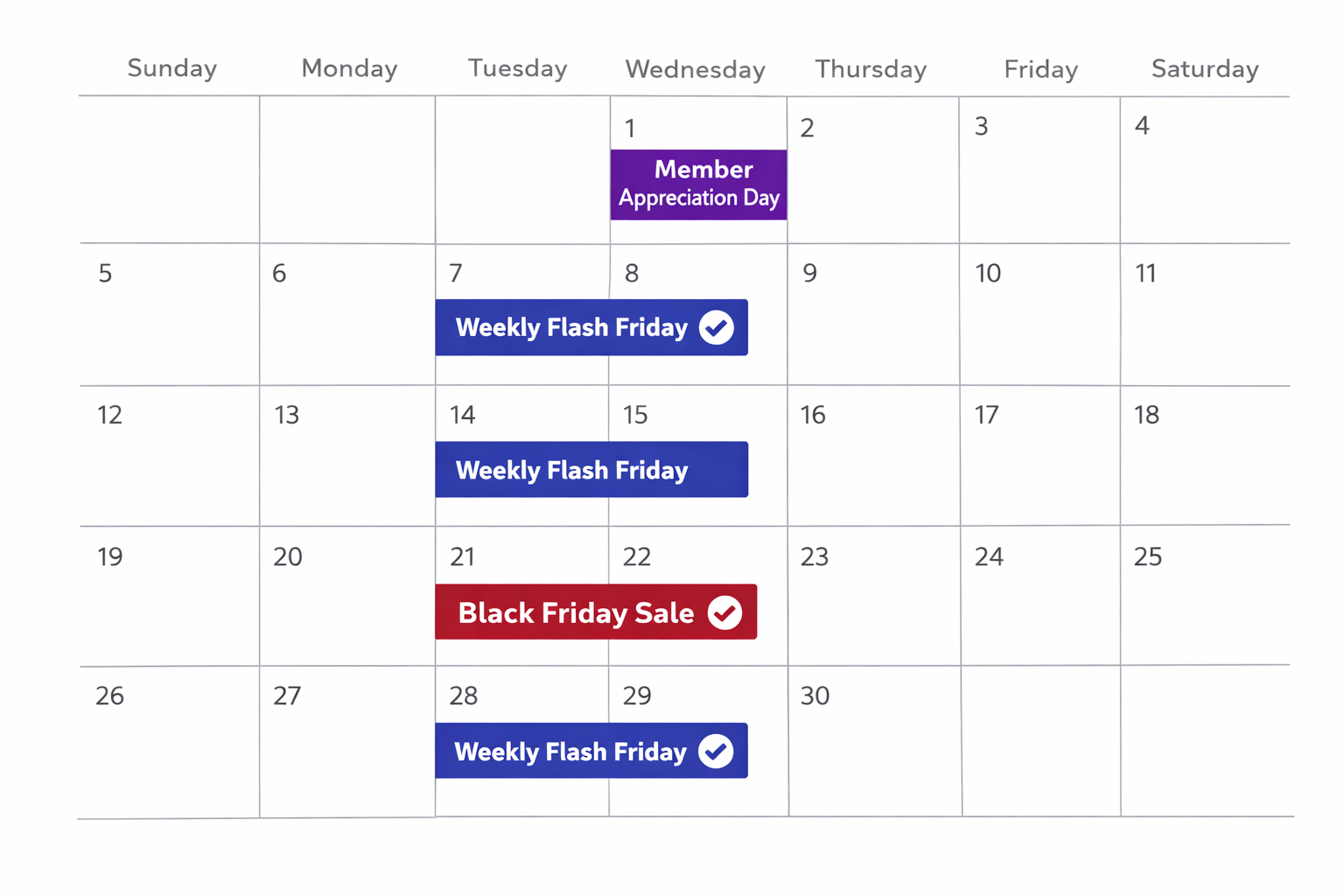
Adsgun’s Shopify promotion scheduler lets you schedule sales once and forget them. Imagine never thinking about promotions again.
It’s October. You need Black Friday deals running in November. Instead of a reminder in your calendar, instead of manually activating discounts on Black Friday morning, you:
- Create a promotion in Adsgun: “Black Friday 30% Off”
- Set the dates: November 24–26
- Hit publish
The system wakes up on November 24 at midnight. It activates the promotion automatically. All your products show discounted prices. The discount applies at checkout. November 26 at 11:59 PM, the system deactivates the promotion automatically. Everything reverts to normal prices.
No manual work. No mistakes. No staying up late.
This is what a true promotion scheduler does. And it’s especially powerful when combined with recurring promotions.
The Power of Recurring Promotions
Beyond one-time sales, a Shopify promotion scheduler with recurring support lets you create perpetual commerce rhythms that require zero ongoing management.</p>
Every Friday 6 PM–midnight: Flash sale activates automatically. Every Friday. Forever. Or until you turn it off.
First Monday of each month: Member appreciation day, automatic.
Every day in December: Holiday season promotion, auto-activating.
15th and 30th of each month: Paycheck-aligned promotions.
Once you set these up, you’re done. The scheduler handles execution. You reclaim the mental energy and operational overhead.
How the Shopify Promotion Scheduler Works: One-Time vs. Recurring
One-Time Promotions
A promotion that runs once and then stops:
- Start: Friday, November 24, 2026 at 12:00 AM
- End: Sunday, November 26, 2026 at 11:59 PM
- Frequency: Once (not recurring)
Use case: Black Friday, Cyber Monday, seasonal clearance, product launch flash sale.
Recurring Promotions
A promotion that repeats on a schedule:
- Pattern: Every Friday at 6:00 PM
- Duration: 6 hours (until midnight)
- Frequency: Recurring (every week, indefinitely)
Or:
- Pattern: First Monday of each month at 9:00 AM
- Duration: 24 hours
- Frequency: Recurring (every month)
Use cases: Weekly flash sales, monthly member appreciation, recurring loyalty boosts, paycheck-aligned promotions.
Real-World Recurring Promotion Strategies
Strategy 1: Weekly Friday Flash Sales
Setup:
- Promotion: “Friday Flash Sale 20% Off Activewear”
- Trigger: Every Friday 6:00 PM
- Duration: 6 hours (until midnight)
- Applies to: Activewear collection
Why it works:
- Friday evenings are peak shopping time – peak online shopping behavior
- Recurring every week creates customer anticipation
- Short window (6 hours) creates urgency
- Activates while you sleep; no manual work
Customer behavior:
- Regular customers know: “Flash sale on Friday night”
- They plan to shop Friday at 6 PM
- The predictability drives repeat traffic
Strategy 2: Monthly Member Appreciation Days
Setup:
- Promotion: “First Monday Member Appreciation 15% Off”
- Trigger: First Monday of each month at 9:00 AM
- Duration: 24 hours
- Applies to: All products (VIP members via tag)
Why it works:
- Monthly cadence is memorable
- Members feel appreciated with predictable bonus discount
- One per month reduces discount fatigue
- Drives repeat visits month after month
Strategy 3: Paycheck-Aligned Promotions
Research shows customers shop more around payday. Schedule promotions accordingly:
Setup:
- Promotion 1: “Mid-Month Sale 12% Off” (15th of each month, all day)
- Promotion 2: “Month-End Sale 12% Off” (30th of each month, all day)
Customers receive paychecks on the 15th and 30th. Your promotions align with their discretionary income timing.
Strategy 4: Seasonal Recurring Offers
Setup:
- November–December: “Holiday Shopping Season 20% Off” (daily)
- January: “New Year Resolution Support 15% Off Fitness” (daily, specific products)
- Summer: “Summer Season Flash Friday 25% Off” (every Friday)
Different seasons, different recurring promotions. Set them in September for Q4, and they run automatically through December without further input.
Step-by-Step: Setting Up a Shopify Promotion Scheduler
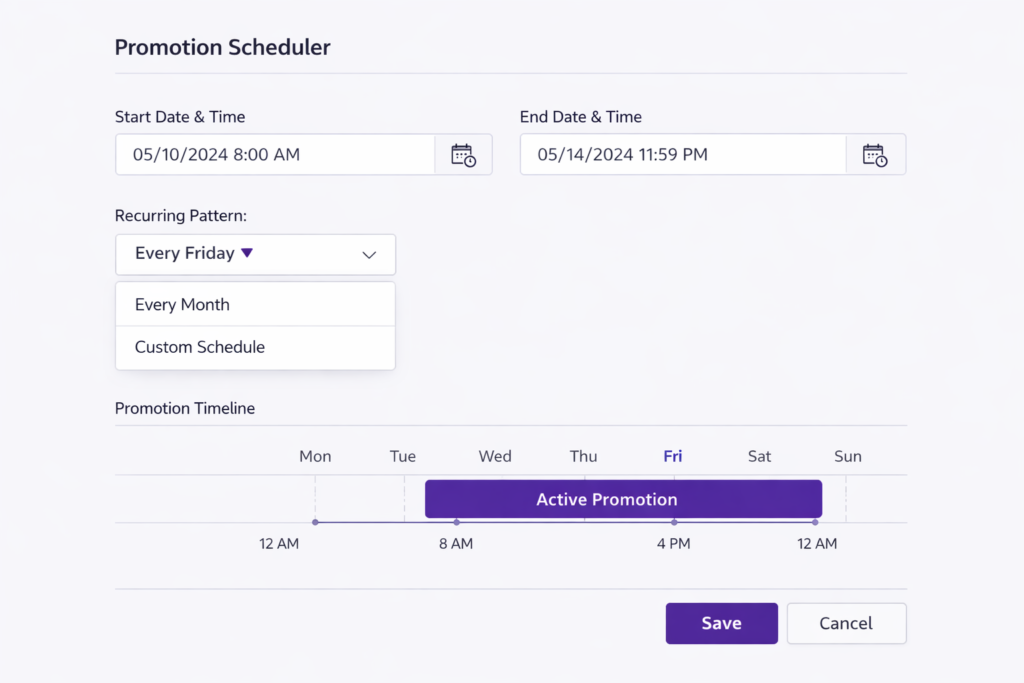
Use the Shopify Promotion Scheduler to Create a Weekly Flash Sale
Step 1: Open Adsgun
In Shopify admin, open Adsgun from your apps.
Step 2: Create New Promotion
Click Create New Promotion
Step 3: Choose Promotion Type
Select Public (visible to all customers)
Step 4: Name Your Promotion
“Friday Flash Sale 20% Activewear”
Step 5: Define the Discount
- Discount type: Percentage off (20%)
- Applies to: Activewear collection (or all products, or specific tags)
Step 6: Enable Scheduler
Check the box: Schedule this promotion
Step 7: Choose Recurrence
- Select Recurring (not one-time)
Step 8: Set the Pattern
- Pattern: Every Friday
- Start time: 6:00 PM
- End time: 11:59 PM (midnight)
Some schedulers let you set custom patterns:
- “Every Friday” (what we’re doing)
- “Every Monday, Wednesday, Friday”
- “Every 1st and 15th”
- “Every 1st Monday of the month”
- “Every day in December”
Choose based on your rhythm.
Step 9: Start Date
- When does the recurring promotion begin? (e.g., January 1, 2026)
- The first Friday on or after this date, the promotion activates
Step 10: End Date (Optional)
- When does the recurring promotion stop? (optional)
- If you leave blank, the promotion recurs forever
- If you set an end date, the scheduler stops recurring after that date
For a “perpetual Friday flash sale,” leave this blank.
Step 11: Customize Display
- Strike-through color: Your brand color
- Sale price color: Green or contrasting
- Badge: “FLASH SALE” or “Friday Special”
- Announcement bar: “Friday Flash Sale: 20% Off Activewear (6 PM–Midnight)”
Step 12: Preview
Adsgun shows you a preview of the promotion on a sample product.
Step 13: Publish
The recurring promotion is now live. It activates automatically every Friday at 6 PM and deactivates at midnight.
Real Example: Black Friday Scheduled in October for November Execution
Scenario: It’s October 15. You want Black Friday (Nov 28–30) to be perfect. You set it up now.
- Step 1–5: Create promotion “Black Friday 30% Off Everything”
- Step 6: Enable scheduler
- Step 7: Choose One-time (not recurring)
- Step 8: Set dates
- Start: November 28, 2026 at 12:00 AM
- End: November 30, 2026 at 11:59 PM
- Step 9: Publish
Now, in October, the promotion is configured and scheduled. On November 28 at midnight, the system automatically activates it. Your store goes into Black Friday mode. Prices change, badges appear, announcements go live, all without you lifting a finger.
On November 30 at midnight, it automatically deactivates. Prices revert.
You’ve now moved from “stay up until midnight on Black Friday” to “set it in October and relax in November.”
Combining Scheduler With Discount Stacking
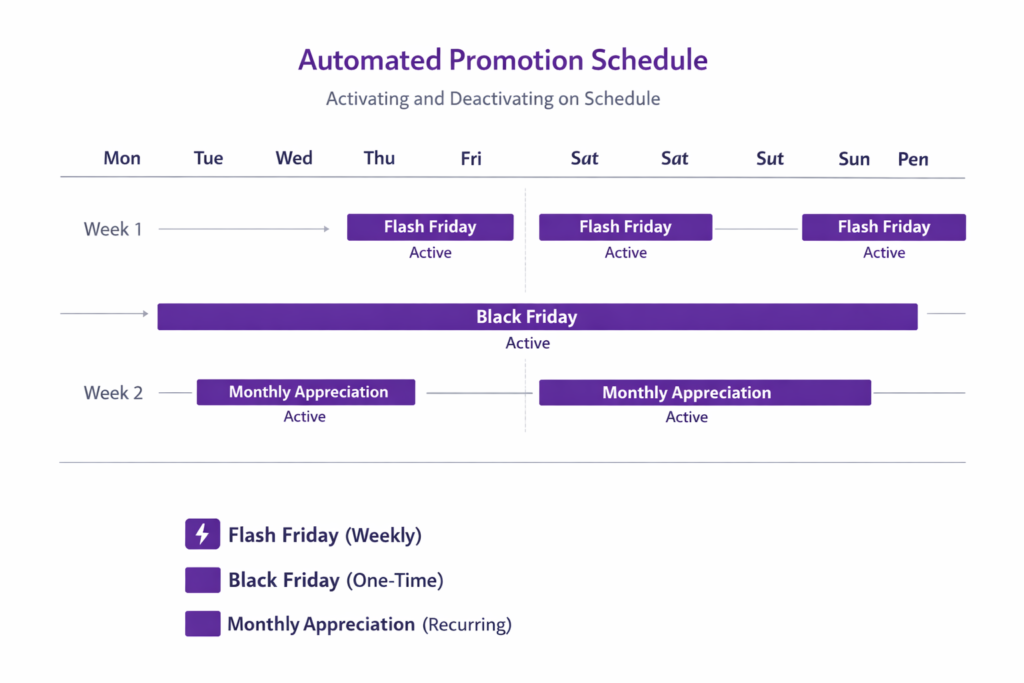
The real power emerges when you layer scheduled promotions:
Scenario:
- VIP member discount: 15% off (always active, no schedule)
- Weekly Friday flash: 20% off (every Friday 6–midnight)
- Black Friday: 35% off (one-time, Nov 28–30)
During a normal week, a VIP sees 15% off.
Every Friday at 6 PM, all customers see 20% off. VIPs see 15% + 20% = ~35% off combined.
During Black Friday, all customers see 35% off. VIPs see 15% + 35% = ~50% off.
Each promotion has its own schedule. Adsgun stacks them automatically. The customer sees one cumulative strike-through price, and the system manages the complexity behind the scenes.
Best Practices for Scheduled Promotions
1. Predictability Builds Habit
Customers remember “flash sale every Friday at 6 PM.” They plan to shop then. Set recurring promotions at consistent times.
2. Don’t Over-Schedule
Too many promotions all the time dilutes the impact. Stick to 2–3 simultaneous promotions maximum. Let some days be full-price days.
3. Test Timing
Friday 6 PM is peak shopping time, but your audience might peak at different times. A B2B audience might shop Thursday mornings. Adjust timing based on your analytics.
4. Combine Recurring With Seasonal
Recurring (weekly flash sales) + seasonal (holiday promotions) = year-round engagement without overwhelm. Recurring keeps base traffic steady. Seasonal boosts during high-intent periods.
5. Communicate the Schedule
Email your audience: “Flash sale every Friday at 6 PM. Mark your calendar.” Customers appreciate predictability. They’ll plan to shop.
6. Monitor ROI Per Scheduled Promotion
Track which recurring promotions drive the most orders and highest margins. If Friday flash drives 10 extra orders per week, it’s paying for itself. If it doesn’t, adjust or remove it.
FAQ: Promotion Scheduling
Q: What if I want a promotion to run weekdays but not weekends?
A: Create a pattern: “Every Monday, Tuesday, Wednesday, Thursday, Friday” (or use “Business Days” if the scheduler offers it).
Q: Can I change a recurring promotion mid-cycle?
A: Yes. Edit the promotion settings and adjust. The new settings apply to future occurrences, not past ones.
Q: What if I want to pause a recurring promotion for a week?
A: Either manually disable it for that week, or set an end date, then re-enable it the following week.
Q: Will customers get confused by multiple overlapping promotions?
A: Not if displayed clearly. Show the cumulative savings: “Save $40 (15% loyalty + 25% flash)” so it’s clear. Avoid showing confusing multiple discount line items.
Ready to Automate Your Entire Promotion Calendar?
Scheduling promotions eliminates operational overhead and builds customer habit. Recurring weekly flash sales, monthly appreciation days, seasonal events, all automatic, all perfect execution, zero manual work.
Your store runs on schedule, whether you’re asleep or on vacation. That’s the dream, and it’s achievable with a proper promotion scheduler.
Start your free 7-day trial and schedule your first recurring promotion today. No credit card required.




