How to Create Shopify VIP Customer Discount Using Tags
Your best customers should see better prices automatically, without entering a code. Learn how to use Shopify customer tags to create automatic VIP discounts.
How to Create VIP Discounts for Shopify Customers Using Tags
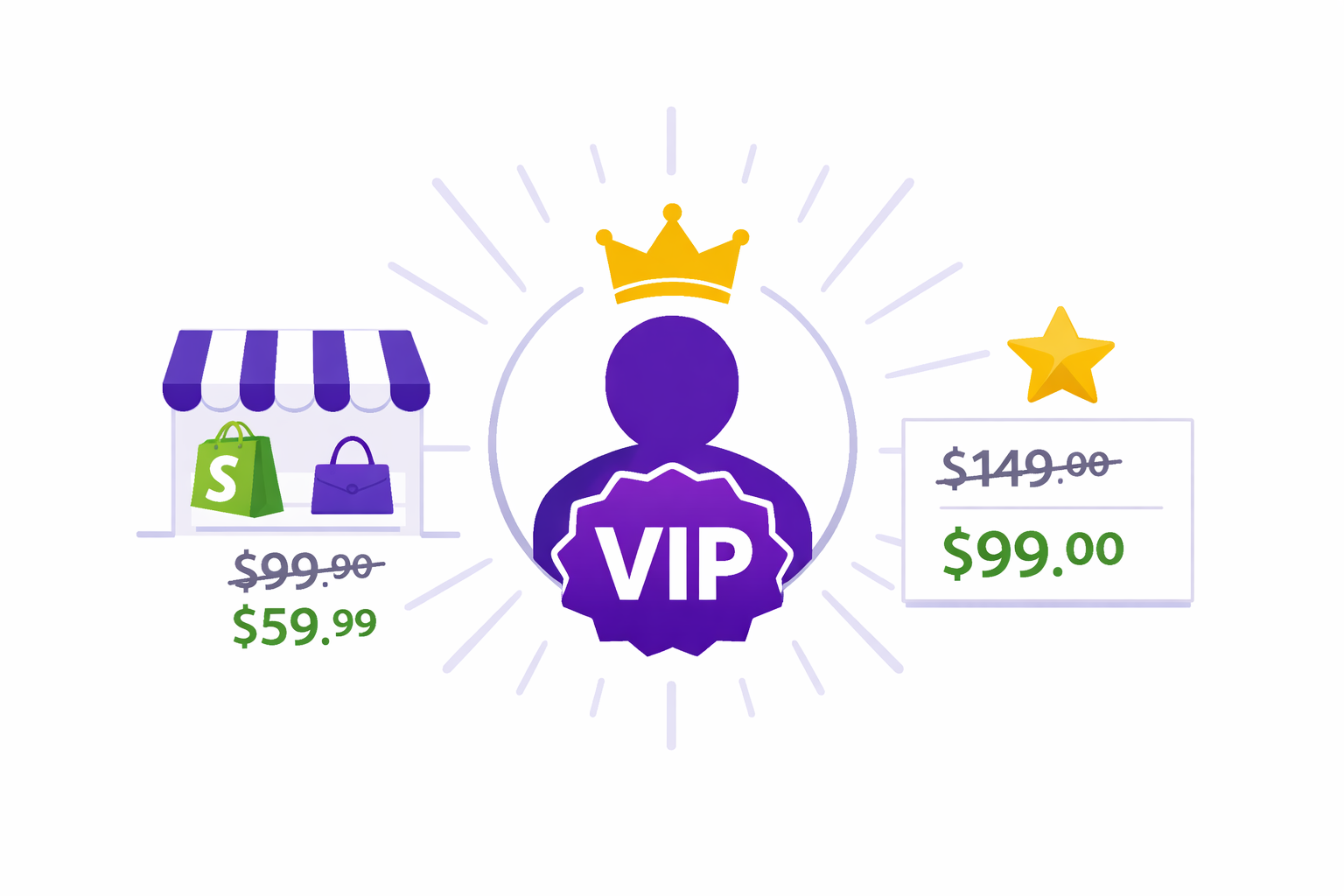
A Shopify VIP customer discount based on tags lets you show exclusive pricing automatically to your best customers the moment they log in. No discount code required, no friction at checkout.
Consider this: a customer who has purchased five times from your store has proven their loyalty. They’ve referred friends. They’ve given you repeat revenue. But when they browse your store, they see the exact same prices as someone who just found you through an ad.
Meanwhile, that new visitor may already be seeing a welcome discount via email or a landing page.
The incentive structure is backwards. You’re rewarding strangers more than you’re rewarding loyalists.
Here’s the fix: tag your repeat customers as “VIP” in Shopify’s customer system, then use Adsgun to automatically display a better price whenever they log in and browse. No code required, no friction, just a seamless experience that says: “We know who you are, and we value you.”
Understanding Shopify Customer Tags
Shopify customer tags are labels you attach to customer profiles. A customer can have multiple tags, and those tags are used throughout Shopify to organize, filter, and target customers.
Examples of common customer tags:
- VIP – Your best customers
- Wholesale – B2B resellers
- First-time buyer – New customers
- Win-back – Customers who haven’t purchased in 6+ months
- High-value – Customers with lifetime order value > $500
- Newsletter subscriber – Opted into emails
- Influencer – Partners with discount tracking
Tags are the foundation for customer segmentation. Combined with Adsgun’s Customer Account promotion type, they become the engine for automatic targeted discounts that feel personal, not transactional.
How to Create and Assign Customer Tags in Shopify
There are three practical ways to tag customers.
Method 1: Manual Tagging
In Shopify admin, go to Customers, select a customer, scroll to the Tags field, type the tag name, and save. This works for small lists but doesn’t scale. If you have 500 repeat customers, manually tagging each one is impractical.
Method 2: Shopify Flow
Shopify Flow is free on most plans and lets you automate tagging based on rules. For example: “If customer total spent is over $500, add tag VIP.” Flow runs automatically every time a customer hits your rule. No manual work.
To set up a VIP tagging rule in Flow: go to Workflows in Shopify admin, click Create workflow, set the trigger to “When an order is created,” add a condition for customer total spent above $500, and set the action to add the tag “VIP.” Save and it runs automatically from that point on.
Method 3: Third-Party Loyalty Apps
Apps like Smile.io, LoyaltyLion, and Growave can tag customers based on purchases, referrals, reviews, or points milestones. These are useful if you want more sophisticated loyalty logic, such as unlocking VIP status at 500 loyalty points. Adsgun reads whatever tags these apps apply and triggers the corresponding discount automatically.
Method 3: Third-Party Loyalty Apps
Apps like Smile.io, LoyaltyLion, Upviral, and Judge.me can tag customers based on purchases, referrals, reviews, or other engagement metrics. These are especially useful if you want more sophisticated loyalty logic (e.g., “earn points for purchase, give, review – unlock VIP at 500 points”).
These apps tag customers automatically based on your rules. Adsgun reads the tags and triggers discounts accordingly.
What a Shopify VIP Customer Discount Looks Like in Practice
Imagine you’ve tagged 200 customers as VIP based on lifetime spend above $500. You create an Adsgun promotion with the Customer Account type, set to 15% off all products, applying only to customers with the VIP tag.
When a VIP logs into your store, Adsgun reads their tags and immediately displays discounted prices across all product pages, collections, and cart, with a “VIP Price” badge on each item. A non-VIP logged-in customer sees full prices. A logged-out visitor sees full prices. The experience is seamless and exclusive without any discount code involved.
This is where a Shopify VIP customer discount through tags genuinely outperforms traditional coupon-based loyalty. It feels like recognition, not a transaction.
Step-by-Step: Setting Up Your Shopify VIP Customer Discount in Adsgun
- Step 1: Confirm your customers are tagged. In Shopify admin, go to Customers and spot-check that your best repeat buyers have the VIP tag. If not, set up a Shopify Flow rule first.
- Step 2: Open Adsgun and create a new promotion. In Shopify admin, open Adsgun and click Create New Promotion.
- Step 3: Choose the Customer Account promotion type. This type shows discounts exclusively to logged-in customers with specific tags, unlike Public or Private promotions.
- Step 4: Name the promotion something like “VIP Member 15% Discount.”
- Step 5: Define the discount. Set discount type to Percentage Off (15%), choose eligible products (all products or specific collections), and enable stacking if you want VIP pricing to combine with flash sales or seasonal promotions.
- Step 6: Set the audience. Apply to customers with tag: VIP. You can also use inverse targeting, applying to customers without the VIP tag, if you want to show a non-VIP an upgrade incentive.
- Step 7: Customize the display. Set badge text to “VIP Price” or “Member Exclusive,” choose strike-through and sale price colors that match your brand, and optionally enable an announcement bar that shows “VIP Pricing Active” when a VIP is logged in.
- Step 8: Preview. Log in as a test customer with the VIP tag and confirm all products display the discounted price and badge. Log out and confirm regular prices appear.
- Step 9: Publish. The promotion is live. VIP customers see exclusive pricing automatically from this point on.
Advanced: Stacking VIP Discount With Other Promotions
The real power of tag-based discounts emerges when you combine them with time-limited or seasonal promotions. Adsgun supports stacking multiple active promotions simultaneously.
Say you have three promotions running: a permanent 15% VIP discount for tag holders, a 20% flash sale every Friday from 6pm to midnight, and a 30% Black Friday promotion running November 24 to 26. During a Friday flash sale, a VIP customer sees the combined savings (15% plus 20%) displayed as a single strike-through price with a “VIP + Flash Sale” badge. During Black Friday, they see the VIP and Black Friday discounts combined. Adsgun calculates and displays the cumulative discount as one clean Was/Now price.
This kind of stacking is impossible with discount codes and requires zero manual calculation from you.
Use Case 1: Retail Loyalty (Repeat Buyer VIP)
Goal: Reward customers who have purchased three or more times.
Set up a Shopify Flow rule: “If customer orders count is 3 or more, add tag Repeat.” Then create a Customer Account promotion in Adsgun for the Repeat tag, 12% off, and publish. Every qualifying customer is automatically tagged and automatically sees the discount. No ongoing manual work.
Use Case 2: Wholesale/B2B Pricing
Goal: Show trade pricing to authorized resellers.
Manually tag B2B partners with “Wholesale” during onboarding, or have them self-identify via a wholesale application form. Create a Customer Account promotion in Adsgun for the Wholesale tag, 40% off, scoped to your full catalog or a specific wholesale collection. Wholesale customers log in and see trade pricing immediately. Retail customers see nothing different.
Use Case 3: Win-Back Promotion for Lapsed Customers
Goal: Re-engage customers who haven’t purchased in six or more months.
Create a Shopify Flow rule to tag lapsed customers with “Win-Back,” then email them an exclusive offer: “Your personalized welcome-back price is waiting. Just log in.” Create a Customer Account promotion in Adsgun for the Win-Back tag, 20% off, with a 30-day schedule to create urgency. The strike-through pricing reinforces the offer the moment they land on any product page.
Why a Shopify VIP Customer Discount Beats Discount Codes
| Aspect | Discount Codes | Tag-Based VIP |
|---|---|---|
| User effort | Must find, copy, paste at checkout | Automatic when logged in |
| Friction | Medium | Zero |
| Personalization | Same code for everyone | Unique to customer segment |
| Visibility | Only at checkout | Product pages, collections, cart |
| Brand experience | Transactional | Feels like recognition |
| Tracking | Code redemption only | Tied to customer profile |
A Shopify VIP customer discount through tags feels like the store genuinely knows who you are, and that distinction drives long-term retention far better than any coupon. For more on why coupon-first strategies have hidden costs, see 6 ways discount codes make you lose customers.
Common Questions About Shopify VIP Customer Discounts
Will VIP customers see the discount before they log in?
No. The Customer Account promotion type shows only to logged-in customers with the matching tag. This actually encourages login, which gives you better customer data and purchase tracking.
Can I combine a VIP tag with location targeting?
Currently, Adsgun’s Customer Account type targets by tag. For compound rules like “VIP tag AND specific country,” use Shopify Flow to create a combined tag (for example, “VIP-US”), then apply the Adsgun promotion to that combined tag.
What if a VIP customer hasn’t purchased in two years?
Set up a Shopify Flow rule to remove the VIP tag after 12 months of inactivity, or keep them VIP indefinitely. That’s a loyalty strategy decision, not a technical limitation.
Can I run different discount tiers like Gold and Platinum?
Yes. Create separate tags and separate Adsgun promotions. Platinum members get 20% off, Gold members get 10% off, and both run simultaneously without conflict.
Ready to Reward Your Best Customers?
Your loyal customers are your most valuable asset. Showing them automatic exclusive pricing, with no codes and no friction, is one of the most effective ways to reinforce that loyalty and drive repeat purchases. A Shopify VIP customer discount is the most frictionless way to do exactly that.
If you want to understand how this fits into a broader discount strategy, see how to push sales on Shopify with tactics that actually work.
With Adsgun’s Customer Account promotions and Shopify tags, the entire system works automatically. Tag once, discount forever.
Start your free 7-day trial and create your first VIP promotion today. No credit card required.