TikTok Ads Shopify Discount Setup: From Ad Click to Discounted Cart
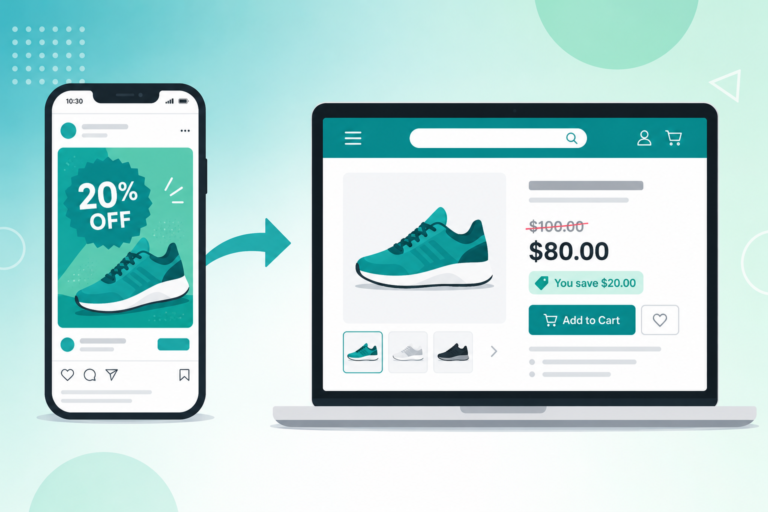
A TikTok ad stops the scroll, promises 20 percent off, and earns the tap, then your store shows full prices and the click is gone. Here is how to set up a TikTok ads Shopify discount that auto-applies and shows strike-through pricing the instant paid traffic lands, plus how to track which campaign and creative actually converted.
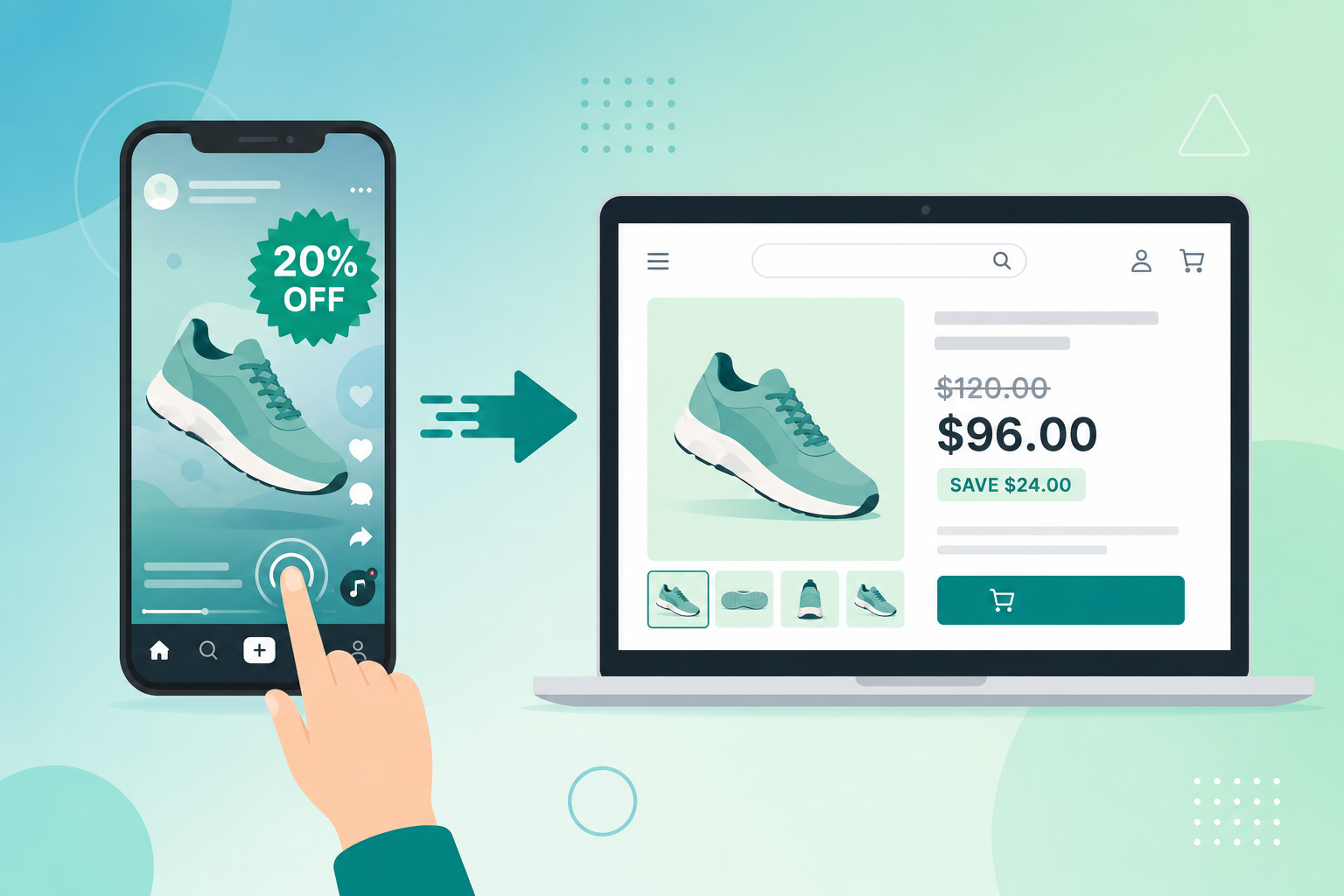
A TikTok in-feed ad stops the scroll, promises 20 percent off, and earns the tap. Then your Shopify store shows full prices on every page, the impulse fades, and the visitor you just paid for is gone. That half second after the click is where a TikTok ads Shopify discount is won or lost. This guide is about paid TikTok campaigns specifically, from TikTok Ads Manager to the discounted cart. If you are working with creators and organic videos instead, the bio-link approach in our Shopify TikTok marketing promotions playbook is the better fit. Here we focus on what happens when you put real budget behind an ad and need the deal to land the moment traffic does.
Why TikTok Ad Traffic Bounces at Full Price
A TikTok ads Shopify discount has to be visible the instant a visitor arrives. After all, TikTok traffic is the most impulse-driven traffic you will buy. People do not research on TikTok. They scroll, something catches them, they tap, and they expect the easy momentum of the feed to continue on the other side of the click.
Instead, Shopify hands them a full-price product page. Standard discount codes and automatic discounts only apply at the cart or checkout. As a result, the entire browsing experience happens at full price. There is no badge, no strike-through, no sign the deal from the video is real. On a platform built on speed and impulse, that pause is fatal. The momentum dies, and a large share of visitors leave before they ever reach a cart.
This is not organic traffic that cost you nothing. A TikTok ad click is paid. Therefore, every bounce at full price is budget you already spent and will not recover. The creative did its job and stopped the scroll. The landing experience threw the click away.
How a TikTok Ads Shopify Discount Should Work
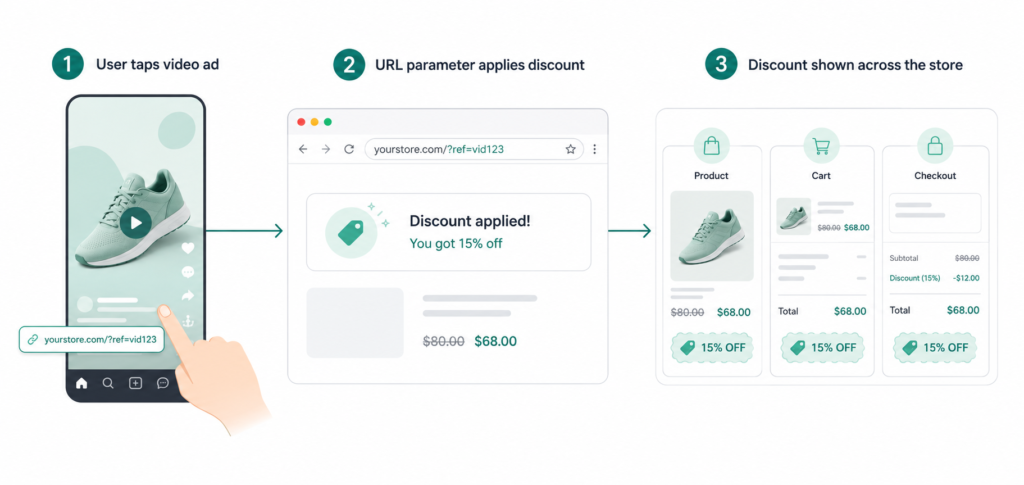
The fix is to make the discount appear automatically the moment a visitor lands from your ad, on every page, not only at checkout. URL parameter promotions do exactly that.
The mechanic is simple. You add a small tag to the destination URL in your TikTok ad, something like ?promo=tiktok-summer20. When a viewer taps the ad, they arrive at your store with that tag in the address. Adsgun reads the parameter, recognizes the campaign, and switches on the matching promotion for that session. The same product that shows 50 dollars to a regular visitor now displays the sale price instead. The original price appears struck through right beside it, with a savings badge. Better still, that follows the shopper across the product page, the collection page, the cart, and the checkout.
This is not a fake compare-at price trick. Instead, Adsgun ties the visible price to a real Shopify discount. Then that discount auto-applies at checkout, with no code for the customer to type. The shopper sees the exact offer the ad promised, from the first second to the final payment screen. For the mechanics in depth, the Shopify discount URL parameter guide explains how detection and triggering work, and the auto-apply discount codes guide covers the checkout side.
Choosing the Right Promotion Type for Paid Ads
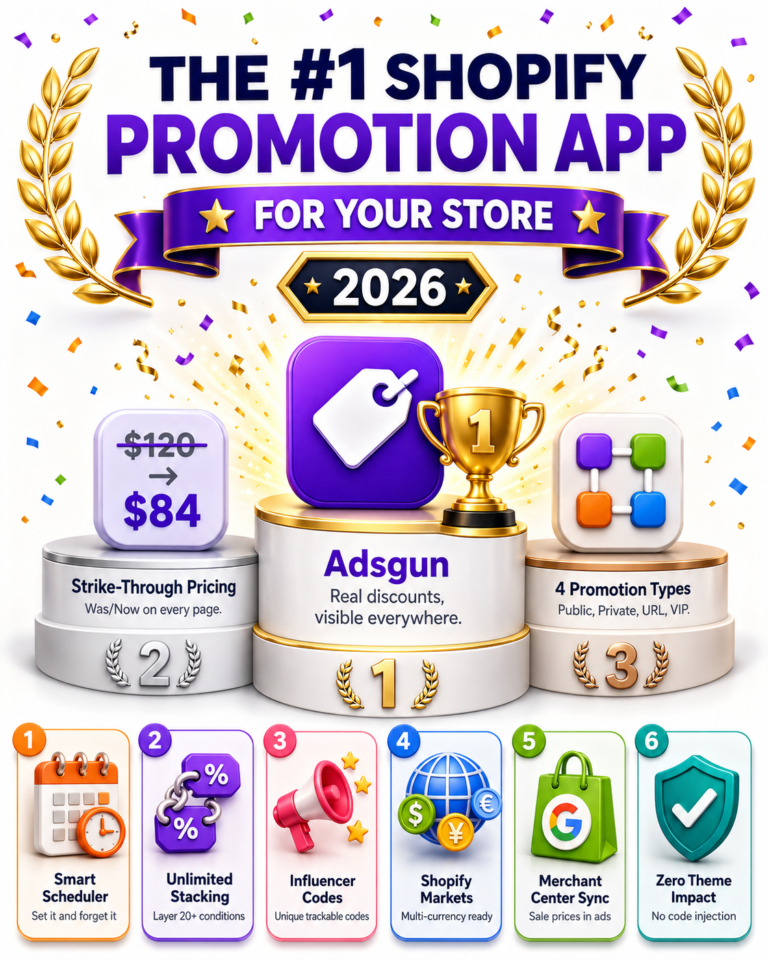
Adsgun supports four promotion types: public, private link-only, Customer Account by Shopify tag, and URL-targeted by campaign parameter. Private links are the right tool for a creator’s bio. For paid ads, however, the URL-targeted type is what you want. It fires from a parameter you attach to any TikTok ad destination URL, and several can run at once.
Setting Up Your TikTok Ads Shopify Discount
Here is the full setup, in the order to build it.
Step 1: Create the discount and the promotion. In Shopify, create the discount you want to advertise, for example a 20 percent off automatic discount or a code like TIKTOK20. Then open Adsgun, create a new promotion, choose the URL-targeted type, and set the trigger to a parameter value such as promo=tiktok-summer20. Attach your Shopify discount. The promotion is now armed and waiting for traffic that carries that tag.
Step 2: Build the destination URL. This is where TikTok setups quietly go wrong, because TikTok does tracking differently from other platforms.
UTM Macros and Your TikTok Ads Shopify Discount Trigger
Two kinds of parameters live on the same URL and do two different jobs. The trigger parameter (promo=tiktok-summer20) tells Adsgun which promotion to show. The UTM parameters tell your analytics where the visitor came from. You want both.
In TikTok Ads Manager, you set this at the ad level. First, put your clean landing page plus the trigger parameter in the Destination page URL field. Then use the Build URL Parameters tool, or the URL Auto-attach toggle in the Tracking section, to add UTMs.. A working setup looks like this:
- Destination URL: https://yourstore.com/collections/sale?promo=tiktok-summer20
- URL parameters: utm_source=tiktok&utm_medium=cpc&utm_campaign=__CAMPAIGN_NAME__&utm_term=__AID_NAME__&utm_content=__CID_NAME__
The double-underscore items are TikTok dynamic macros. __CAMPAIGN_NAME__ fills in the campaign name, __AID_NAME__ the ad group name (in TikTok, targeting and budget live at the ad group level, so this tells you which audience drove the click), and __CID_NAME__ the individual ad name. TikTok also appends its own ttclid click identifier automatically, so you do not add that yourself. The full macro set is on TikTok’s official help page for UTM parameters. Also, keep every value lowercase with underscores. Meanwhile, avoid spaces and the characters &, =, ?, and # in your campaign and ad names. Otherwise, those break the macros and leave you with empty values.
The result is one link that activates the right discount through the trigger parameter and tracks the right campaign through the UTMs.
Step 3: Match the creative to the landing page. The number in the video and the discount tied to the parameter must be identical. If the hook says 20 percent and the parameter triggers 15 percent, you have rebuilt the exact trust gap you set out to close. TikTok viewers act on the promise in the first three seconds, so the landing page has to confirm that promise instantly, with the same percentage and the same products the ad showed.
Campaign-Specific Pricing for TikTok Audiences
Because URL-targeted promotions run in parallel, each campaign can carry its own offer. A cold prospecting audience seeing your brand for the first time usually needs a stronger hook than a retargeting audience that already browsed your store.
A common structure looks like this:
- Prospecting campaign: ?promo=tiktok-cold20 triggers 20 percent off
- Retargeting campaign: ?promo=tiktok-cart15 triggers 15 percent off
- Spark Ads boosting a creator video: ?promo=tiktok-creator10 triggers 10 percent off
Each viewer sees the deal meant for their segment, auto-applied, with nothing to type. This works the same whether you run standard in-feed ads, Spark Ads that boost an organic post, or Video Shopping Ads pulled from your product catalog. For the deeper retargeting version, with discount depth tuned to product viewers, cart abandoners, and checkout abandoners, see the Shopify retargeting discount ads guide. The same parameter approach also powers paid campaigns on other platforms, covered in our Meta ads Shopify discount guide.
Attribution: Which TikTok Campaign Actually Drove the Sale
Knowing a campaign got clicks is easy. Knowing it earned revenue is the hard part, and TikTok attribution comes with its own quirks.
The TikTok pixel defaults to a 7-day click, 1-day view attribution window. The view-through portion is generous. It credits TikTok for conversions that may have happened anyway on a feed scrolled by a billion people daily. In short, it inflates reported ROAS. On top of that, iOS privacy rules and ad blockers cause the browser pixel to miss a large share of conversions, by some agency estimates well over half. Fortunately, TikTok’s Events API sends purchases server-side from your store and recovers much of that lost signal. However, it usually takes setup beyond Shopify’s native pixel integration. You can read the official rules on TikTok’s attribution overview.
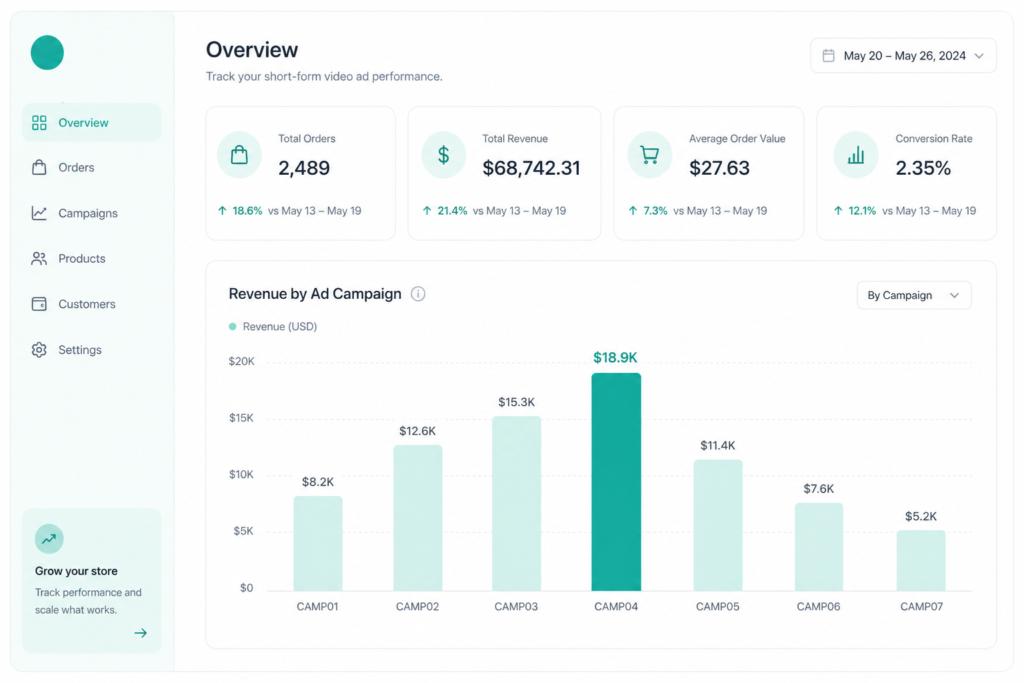
This is where a TikTok ads Shopify discount built on URL parameters pays off twice. Because Adsgun records which promotion applied to each order inside Shopify, you get first-party, order-level attribution. As a result, it does not depend on the TikTok pixel firing or surviving for seven days. The promotion analytics show you, per campaign parameter, how many orders and how much revenue each one produced. Finally, layer your UTMs into Google Analytics 4 on top. Now you have three views of one campaign: TikTok’s in-app numbers, GA4’s click sessions, and your store’s actual orders. Triangulated, they beat any single dashboard.
A Full Example Campaign, Start to Finish
Say you are launching a summer sale, 20 percent off, to a cold prospecting audience with in-feed video.
- In Shopify, create a 20 percent automatic discount named Summer Sale.
- In Adsgun, create a URL-targeted promotion, trigger promo=tiktok-summer20, attached to that discount, applied to your sale collection.
- Set the ad’s Destination URL to https://yourstore.com/collections/summer?promo=tiktok-summer20.
- Add UTMs with the Build URL Parameters tool: utm_source=tiktok&utm_medium=cpc&utm_campaign=summer_sale_2026&utm_term=__AID_NAME__&utm_content=__CID_NAME__.
- Build a video whose first three seconds say “Summer Sale, 20 percent off” and show products from that collection.
- Launch.
Now a viewer taps the in-feed ad, lands on the summer collection, and immediately sees every product with its original price struck through, the 20 percent sale price beside it, and a savings badge. They add to cart, the discount is already applied, and they check out without hunting for a code. In Adsgun, the Summer Sale promotion shows exactly how many orders carried the tiktok-summer20 tag, and GA4 shows the matching summer_sale_2026 traffic. You can see what you spent and what came back on the same offer.
Pitfalls to Avoid
A few things quietly break TikTok-to-Shopify discount setups. Watch for them.
Wrong macro syntax. TikTok uses double underscores, like __CAMPAIGN_NAME__, not the curly braces other platforms use. Copy a template from a Meta guide and your UTMs fill with empty values. If you run both platforms, keep separate templates.
Smart+ campaigns. TikTok’s automated Smart+ campaign type changes which macros are available and how some parameters behave. If you run Smart+, lean on the static trigger parameter for the discount itself, so the promotion still fires even when dynamic values come back thin.
Spark Ads destination. Spark Ads boost an organic post, and an existing post may point to your profile or a bio link rather than a parameterized landing page. When you spark a post for a sale, set the ad’s destination URL to the page that carries your promo= trigger, or the discount will not activate.
Cached pages and lost parameters. Aggressive full-page caching or a redirect that strips query parameters can drop the trigger before Adsgun reads it. Test your live ad link in a private window before spending, and confirm the strike-through actually appears.
Naming that breaks macros. Keep campaign and ad names lowercase with underscores and no special characters. summer-sale and Summer Sale produce different or broken UTM values, and a mismatch between the trigger in your ad and the trigger in Adsgun means the promotion silently does not fire.
FAQ
How is this different from putting a link in a creator’s bio?
The bio-link method is built for organic content and uses a private promotion link. Paid TikTok ads run through Ads Manager and use a URL-targeted promotion triggered by a parameter on the ad’s destination URL, which lets every campaign carry its own deal and report separately. The organic playbook is covered in our TikTok marketing promotions guide.
Can I show different discounts to prospecting and retargeting audiences?
Yes. Give each campaign its own parameter value and its own promotion in Adsgun. The viewer only ever sees the deal tied to the ad they tapped, applied automatically.
Do Spark Ads and Video Shopping Ads work the same way?
Yes, as long as the ad’s destination URL includes your trigger parameter. The format of the ad does not matter to Adsgun. What matters is that the parameter reaches the landing page.
Does this slow my store down?
Adsgun loads asynchronously and does not edit your theme files, so it does not affect your Core Web Vitals or page speed. For the full picture of how it displays pricing across your store, the Adsgun complete guide covers it.
Your TikTok ads are already doing the hard part, which is stopping the scroll and earning the tap. Do not lose the sale in the half second after the click. Show viewers the exact discount you promised, everywhere they look, and track which campaign and creative actually converted. Try Adsgun free and set up your first URL-targeted promotion this week.