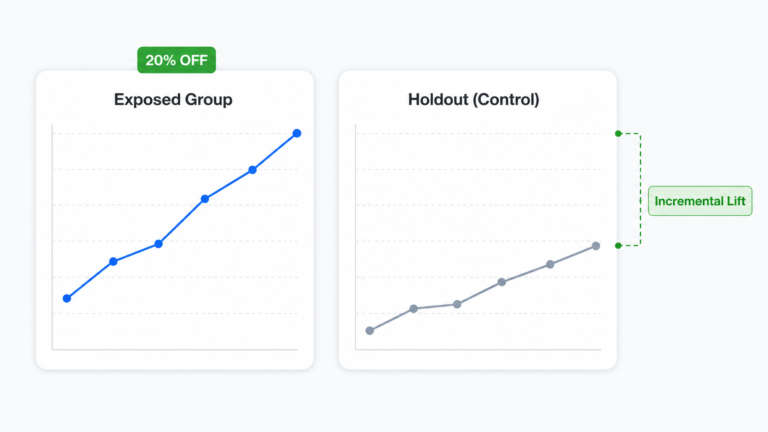
How to Split Test Shopify Promotions Without Extra Tool
A practical guide to split test Shopify promotions without paying $74 to $499 a month for a dedicated CRO tool: what a clean test needs, the exact in-app setup, a VIP discount depth example, and when a full CRO platform is still worth it.
A discount that worked last quarter is not proof of anything. Revenue went up, you called it a win, and you ran the same offer again. But did the offer actually cause the lift, or was it the weekend, a fresh ad set, or plain seasonality? The only way to know is to split test Shopify promotions properly, and most merchants assume that means paying for a dedicated A/B testing app that runs anywhere from $74 to $499 a month or more. It does not have to. This guide shows you how to run a clean promotion test with a tool you may already have, what a sound test actually needs, and when a full conversion rate optimization platform is still the smarter call.
Why merchants overpay to split test Shopify promotions
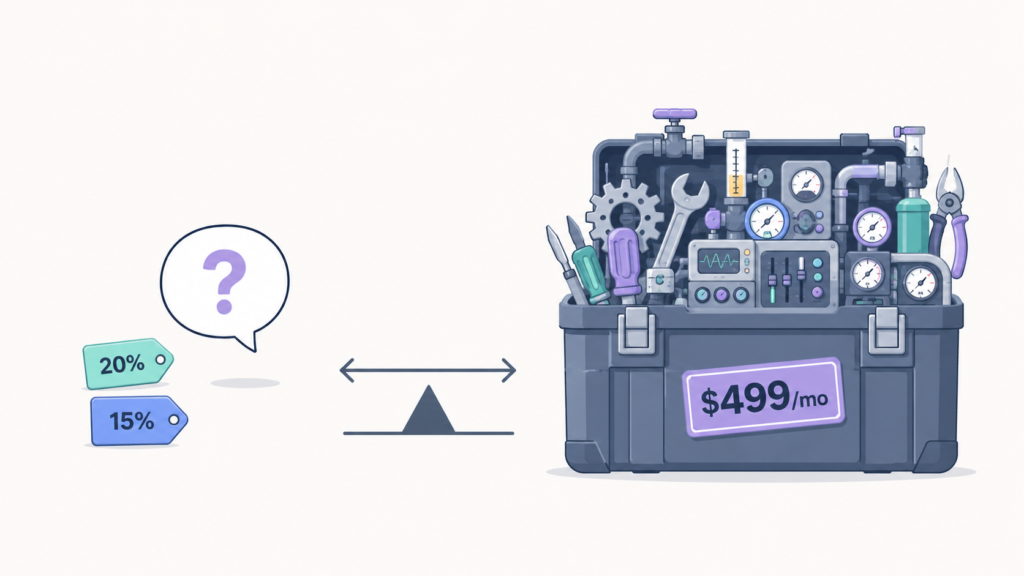
If you want to split test Shopify promotions today, the standard advice is to install one of the big conversion rate optimization apps. Intelligems, Shoplift, and Visually.io are all capable platforms, and they all surface the moment you search for Shopify A/B testing. The issue is not quality. These tools are powerful, but expensive. The real problem is what they cost when all you want is to compare two discounts.
Look at the pricing honestly. Intelligems starts at around $79 a month for content testing. But offer testing (the plan that actually applies to promotions) sits on its Plus plan at $499 a month and up. Shoplift starts at about $74 a month and climbs to $299 and $699 as your traffic grows. Visually.io opens at roughly $99 a month for A/B testing alone. These are full conversion rate optimization suites. They test themes, landing pages, product page layouts, shipping rates, and base prices across your whole catalog.
That breadth is the point, and it is also the problem. If your real question is narrow, something like “does 20 percent off or 15 percent off make more money on this segment,” you are renting an entire CRO platform to answer a promotion question. It is worth knowing that Shopify itself has no native promotion A/B testing built in, which is exactly why so many merchants reach for an expensive third party tool by reflex. There is a lighter path for the specific job of testing offers.
What built-in promotion testing should actually include
You do not need an enterprise statistics engine to run a trustworthy offer test. You need five things, and any tool that handles all five can give you a reliable answer.
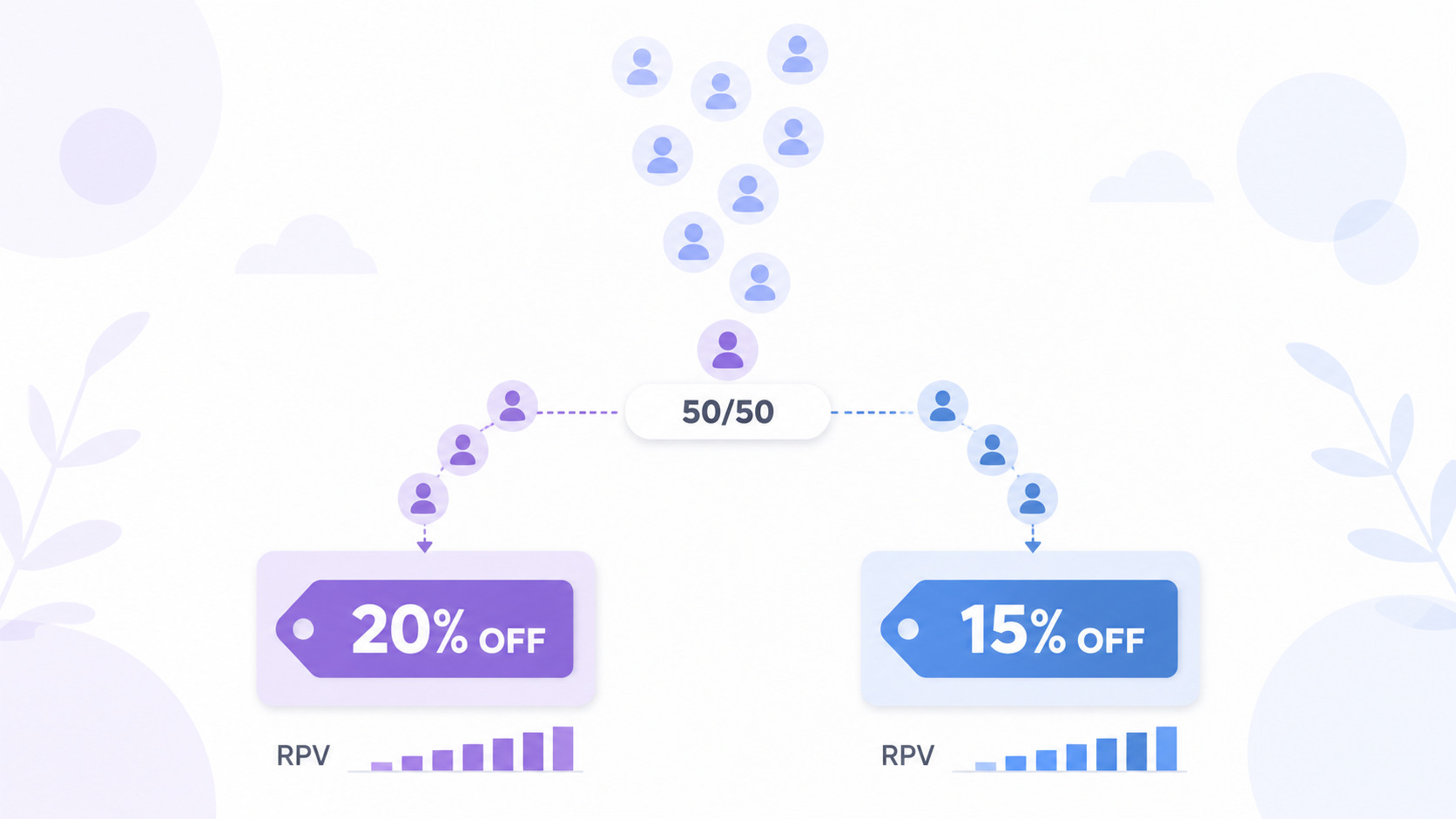
The first is variant management, meaning you can define two real promotions and lock them so they only run inside the test rather than leaking out as live sitewide deals. The second is a random traffic split, usually 50/50. Each visitor gets assigned to one variant and stays there for the session. The third is attribution, a clean record of which visitor saw which variant so the numbers are not mixed. The fourth is revenue tracking, ideally live order and revenue data plus revenue per visitor, because that is the metric your profit and loss actually cares about. The fifth is a set of guardrails: a minimum run time and a minimum sample size. These stop you from calling a winner on day two off a lucky weekend.
Notice what is not on that list. You are testing the offer itself, not a hero image or a button color. Testing a layout is conversion rate optimization. Testing a discount is the same discipline, except the lever is your margin, so the stakes per test are far higher. If you want the full methodology, sample size math, significance thresholds, and the mistakes that quietly waste traffic, our complete guide to Shopify A/B testing discounts covers it in depth. This post stays focused on running the test without a separate tool.
How to split test Shopify promotions inside Adsgun
Adsgun is a Shopify promotion app that displays your discounts across product pages, collections, cart, and checkout, and it ships with a built-in A/B testing module that targets the offer itself. Because the promotion engine and the testing engine are the same engine, you test the exact discount you would ship, in the exact storefront blocks where it shows up. Here is the workflow.
Before you split test Shopify promotions, flag both offers
You cannot pull A/B test promotions from your regular active promotions. They have to be flagged in advance. Open Promotions in Adsgun, create or open the two offers you want to compare, scroll to the A/B Testing section in the promotion editor, and tick the “Flag this promotion for A/B Testing” box on both. Flagging locks each promotion to Draft status, which is deliberate: it stops a test variant from accidentally going live as a standalone sitewide deal. One rule to remember is that both variants must share the same visibility setting. You cannot pit a Public promotion against a Private one, since that would change two variables at once.
Create the test
In the Adsgun sidebar, click A/B Testing, then Create A/B Test. Give it a descriptive name like “20% vs 15% VIP, March” so you can find it later. Pick the test type. Promotion vs Promotion compares two offers head to head, while Promotion vs Control compares one offer against no promotion at all so you can measure true incremental lift. Set the minimum duration, which defaults to 7 days because shopping behavior swings hard across a full week. Assign each flagged promotion to a variant, set the traffic split (50/50 is the default and the right choice for most tests), and save. The test is created in Draft so you can review everything before it goes live.
Start it and route your traffic
Review the configuration, then click Start Test. The status flips to Running and Adsgun begins assigning visitors immediately. At the top of the test page you get a Test URL containing a unique adsgun_test parameter. Drop that link into your ads, email, or any traffic source you want included. Every visitor who lands through it gets assigned to a variant automatically. Do not edit the parameter, because that is what ties each shopper to the correct side of the test.
Read the results the right way
The live panel shows each variant side by side: Visitors, Page Views, Product Views, and Add to Carts come from Google Analytics 4 and can lag 24 to 48 hours, while Orders and Revenue are live and update the moment a sale lands. You also get Conversion Rate, Average Order Value, and Revenue Per Visitor. Decide on Revenue Per Visitor, not raw conversion rate, because a variant can win on conversions and still lose money if it drags down order value. Adsgun enforces two guardrails before it lets you declare a winner: the minimum duration has to elapse, and each variant needs at least 100 visitors. Those rules block the single most common mistake in do-it-yourself testing: calling the result early.
Example workflow: a VIP discount depth test
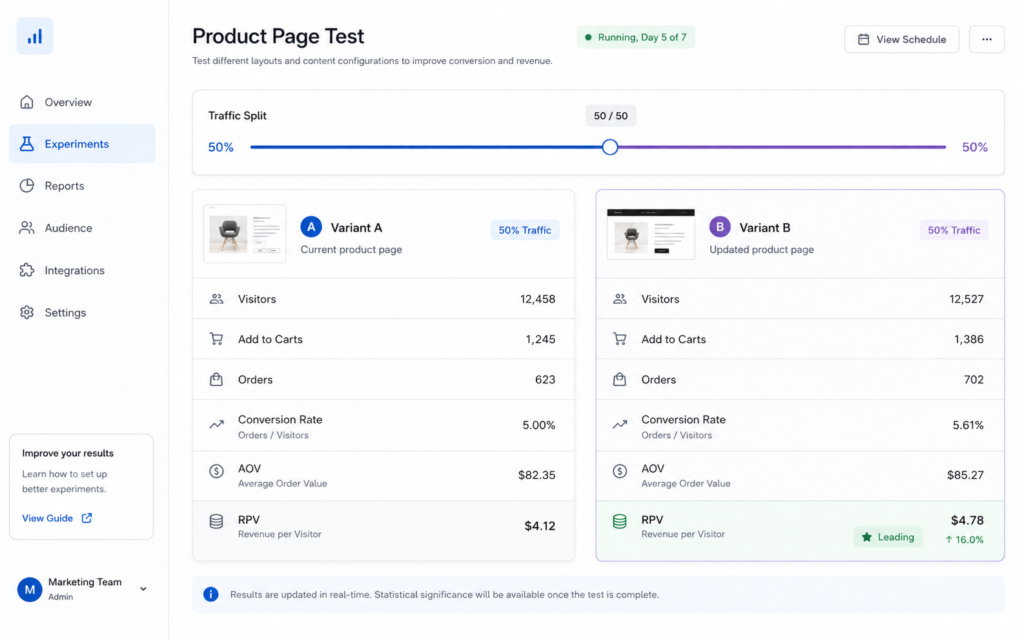
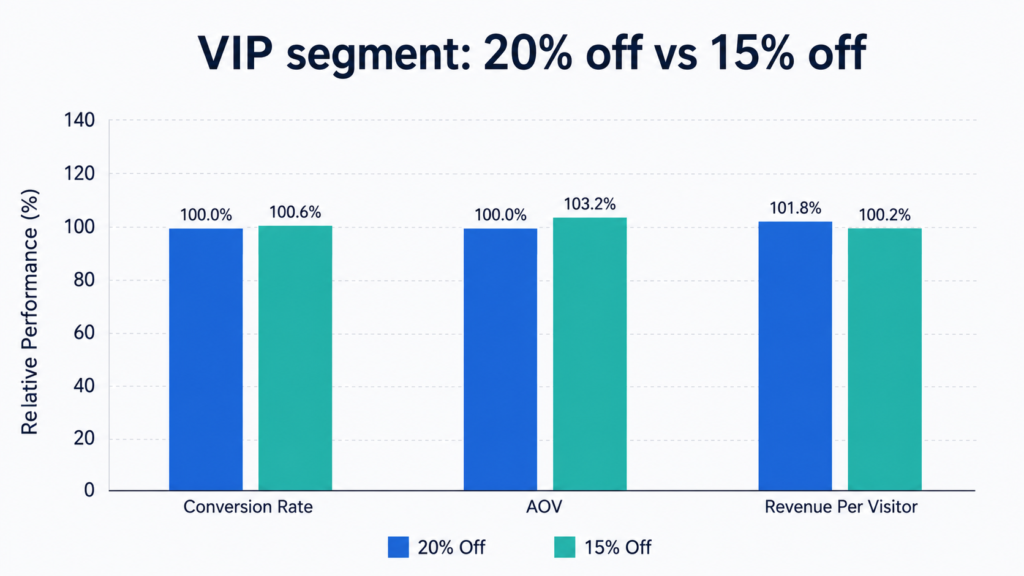
Say you want to know whether your VIP customers respond better to 20 percent off or 15 percent off. A lot of merchants frame this as “VIP gets 20 percent, new customers get 15 percent, which wins?” That framing is a trap, because it changes two things at once: the audience and the discount depth. When the test ends you will not know whether any difference came from the offer or from the simple fact that VIPs and new shoppers behave differently. A clean test holds the audience constant and changes only one variable.
How to run the test cleanly and read the result
Here is the rigorous version. Build two Customer Account promotions that both target your VIP tag, one at 20 percent and one at 15 percent. Flag both for A/B testing, create a Promotion vs Promotion test, keep the split at 50/50, and set a 7 day minimum. Now the only difference between the variants is depth, and the result is interpretable.
The numbers below are invented to show how to read the panel, not benchmarks. Suppose the 20 percent variant lands a 3.0 percent conversion rate, an $78 average order value, and a Revenue Per Visitor of $2.34. The 15 percent variant posts a 2.7 percent conversion rate, an $84 average order value, and a Revenue Per Visitor of $2.27. The deeper discount technically wins on Revenue Per Visitor, but by a sliver, and it gives up five extra points of margin on every order to do it. Once you weigh that margin, 15 percent is very likely the better business decision. That is the whole reason you test on Revenue Per Visitor and margin together rather than cheering for the bigger conversion number. For more offer structures worth testing, our roundup of gives you a stack of hypotheses to drop straight into a test.
What you can test in Adsgun and what still needs a CRO tool
Built-in promotion testing covers a genuinely useful slice of experimentation.
Inside Adsgun you can reliably test discount depth (20 percent versus 15 percent), offer type (a percentage off versus free shipping versus a flat dollar amount, since free shipping is consistently among the most decisive levers in checkout), and promotion versus no promotion to measure whether an offer is actually incremental rather than just discounting sales you would have made anyway.
What it does not do is test things that live outside the offer. Testing your base product prices across the catalog, theme and template changes, landing page or product page layouts, shipping rate structures, multivariate combinations, and deep behavioral segmentation are all jobs for a dedicated conversion rate optimization platform. If your experiment is about presentation or pricing architecture rather than the discount, you have outgrown what a promotion app should be expected to do. Our maps out where those broader tests fit.
When a dedicated CRO tool is still worth $499 a month
Honesty matters here, so here is the straight version. A promotion app’s testing module enforces sensible guardrails, a minimum run time and a minimum sample, but it is not a full statistics engine that computes formal significance, sequential testing, or Bayesian intervals. For high traffic stores where a fraction of a percent decides real money, that math matters, and tools like Intelligems and Shoplift do it well. As Evan Miller’s classic essay on how not to run an A/B test explains, peeking at a result repeatedly inflates your false positive rate, which is precisely the failure a rigorous statistics layer is built to prevent.
So you still want a dedicated platform when you need formal significance at scale, when you are testing beyond offers into price, theme, layout, or shipping, when you run a structured experimentation program with deep segmentation, or when you are on Shopify Plus with the traffic to justify it. For everyone else, where the discount is the main lever you actually pull, built-in promotion testing captures most of the value for a fraction of the cost, and it lives right next to the promotions it is measuring
Start with one clean test
You do not need a $499 a month subscription to stop guessing. Pick one lever this month, depth or offer type or promotion versus control. Build two flagged promotions, keep the same audience and the same visibility, run a 50/50 split for at least 7 days, and decide on Revenue Per Visitor and margin. Ship the winner, then do it again with your next campaign. You can set up your first test inside Adsgun’s built-in A/B testing module in a few minutes, and turn every promotion you launch into something you measure instead of something you hope works.