
Shopify Automatic Discount Not Showing in Cart: The Real Reason
Shopify automatic discounts show in the cart as a line below the subtotal, but not on product prices. This can confuse customers and hurt conversions. Here’s how to fix it with Adsgun.
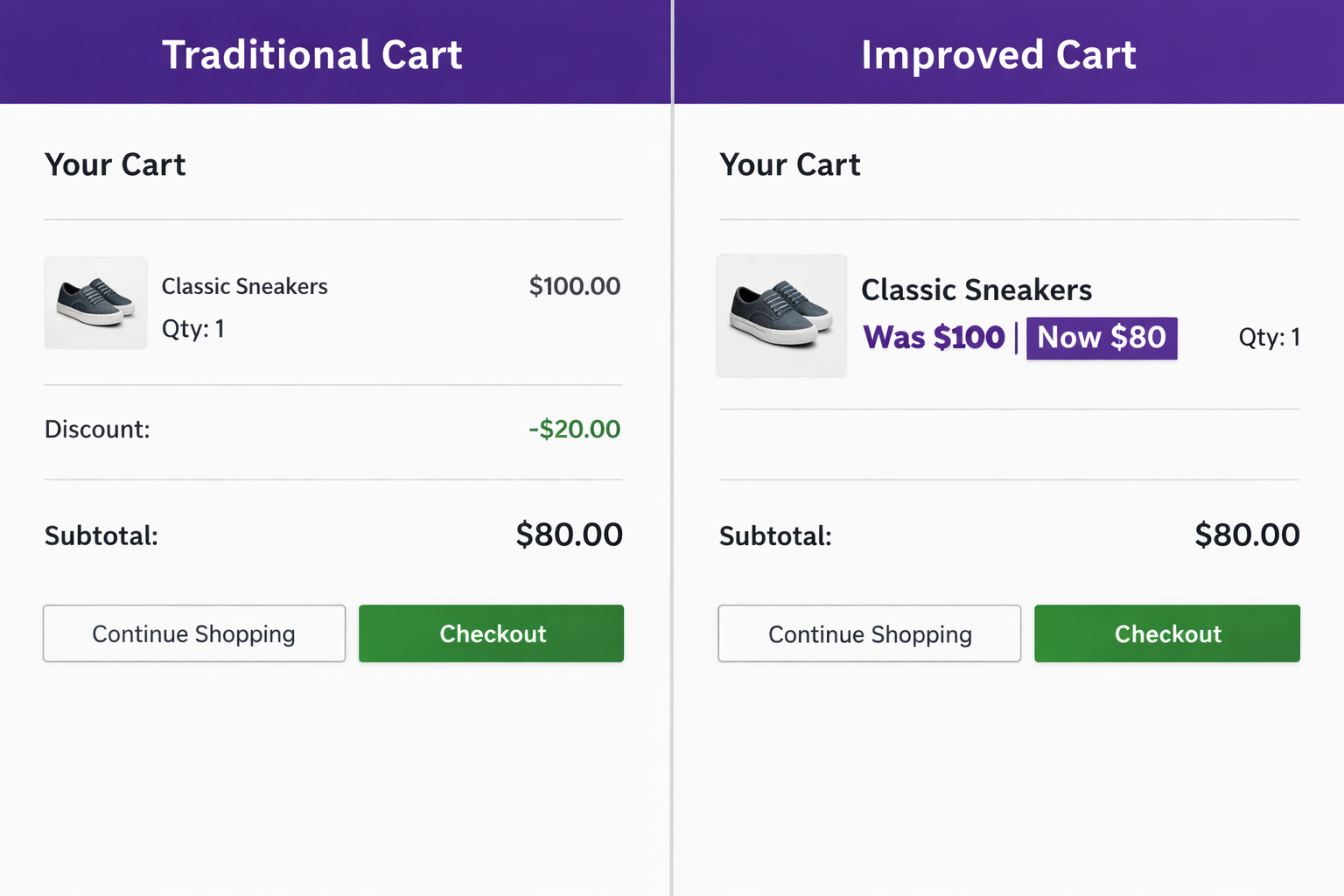
The Confusion: “Is My Discount Showing or Not?”
You create a Shopify automatic discount: 20% off all products. If you’re dealing with shopify automatic discount not showing in cart, what you see next can be confusing:
- Product: “Winter Coat – $100”
- Quantity: 1
- Subtotal: $100
- Your discount: “-$20”
- Total: $80
Is your discount showing or not? It’s confusing because the answer is both: yes and no.
Yes, the discount is applied. You can see the “$20” line item. The total is correctly $80.
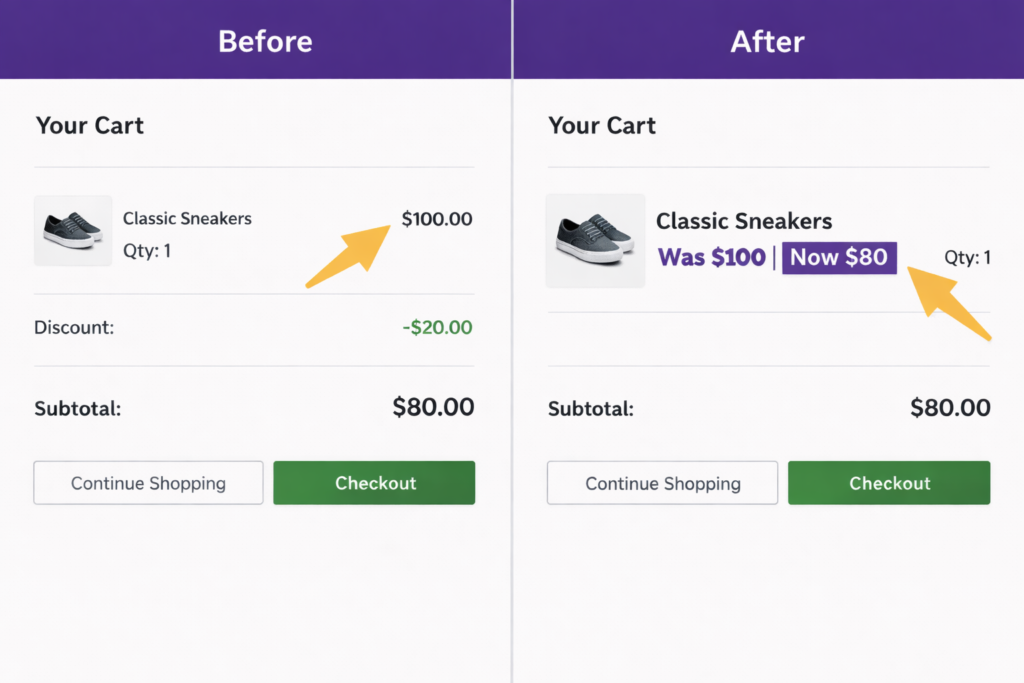
No, the discount is not visible on the product price line itself. If you look at the product row, it shows the full price ($100) with no indication that it’s discounted.
This distinction matters more than you’d think.
Why Shopify Automatic Discount Not Showing in Cart Happens
When a customer adds an item to their cart, Shopify does the following:
- Adds the product to the cart at its selling price ($100)
- Stores the product price line in the cart display
- Calculates and applies any automatic discounts to the cart total
- Shows the discount as a separate line item below the subtotal
The product price line itself doesn’t change. It stays at $100. The discount is shown separately. This is exactly why the shopify automatic discount not showing in cart issue confuses so many store owners.
This is fine for checkout transparency (you can see exactly what’s happening mathematically). But it’s not ideal for user experience because the customer has to look in two places to understand the discount:
- On the product line ($100) to see what they’re buying
- On the discount line (-$20) to see the savings
For a simple discount on one product, it’s obvious. For a cart with five products and three different discounts, it gets confusing.
Why This Matters: Customer Psychology
Your customer is in the cart. They’re evaluating the purchase. They see:
- Product 1: $100
- Product 2: $60
- Product 3: $50
- Product 4: $75
- Product 5: $80
- Subtotal: $365
- Discount: -$73
- Total: $292
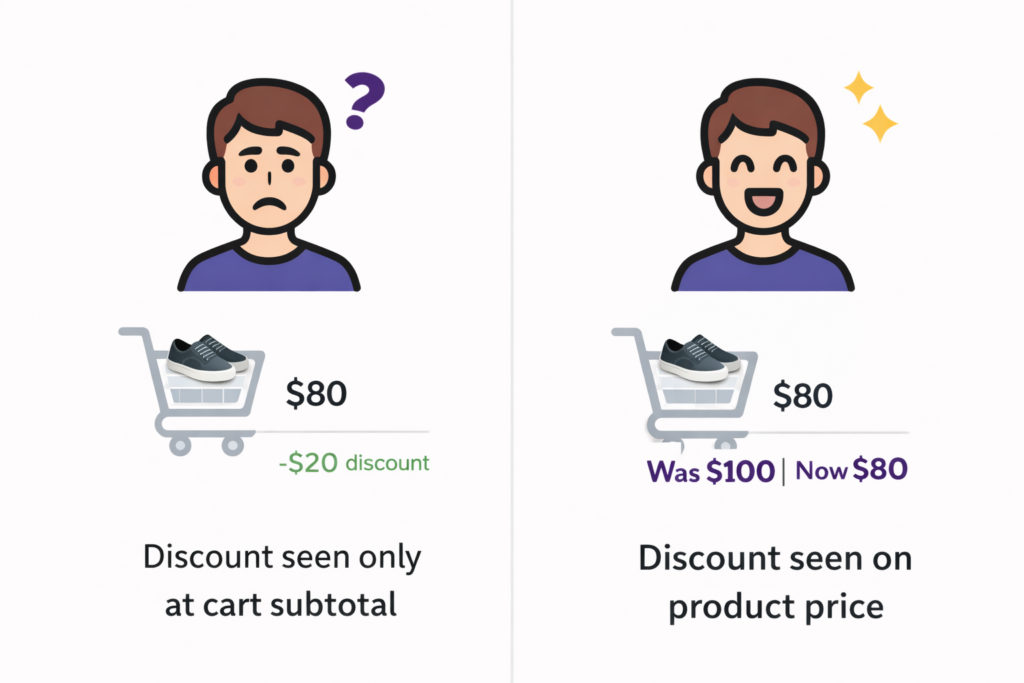
The psychology question: where does the customer’s eye go first? Probably to the product lines to add them up mentally and confirm the prices. Then to the subtotal. Then to the total. The discount is almost an afterthought.
Compare that to:
- Product 1: ~~$100~~ $80
- Product 2: ~~$60~~ $48
- Product 3: ~~$50~~ $40
- Product 4: ~~$75~~ $60
- Product 5: ~~$80~~ $64
- You save: $73
Now the discount is impossible to miss. It’s on every line. The savings feel bigger and more real.
This is why showing strike-through pricing on the product line, not just as a subtotal discount, increases conversions. The customer feels like they’re getting a deal, not like they’re being given a rebate.
The Types of Discounts and How They Show in Cart
Automatic percentage discounts (20% off): Show as a line item in the cart. The product price stays the same.
Automatic dollar amount discounts ($20 off): Show as a line item. The product price stays the same.
Discount codes: Show as a line item if the customer entered the code, or not at all if they haven’t entered it yet.
Buy one get one discounts: Only the final discounted item shows a reduction. Other items show full price, then the discount appears as a line item.
Compare at price: This is the only discount type that shows a strike-through on the product price line itself. Because compare at price is stored on the product, not in the discount engine, the cart displays it directly on the product.
So if you want strike-through pricing on the product line in cart, compare at price is the only native Shopify way. But compare at price has all the limitations we’ve discussed (manual updates, variant issues, analytics confusion). If you’re trying to fix the shopify automatic discount not showing in cart problem, the real issue isn’t that the discount is missing. It’s how Shopify displays it.
Best Fix for Shopify Automatic Discount Not Showing in Cart
Adsgun adds a discount display layer to your cart. When the customer views the cart, Adsgun reads the active discounts, calculates the real discounted price for each product, and displays it as strike-through pricing right on the product line.
The customer sees:
- Product 1: ~~$100~~ $80 (with a note “Automatic discount applied”)
- Product 2: ~~$60~~ $48
- … and so on
The discount line item is still there (for transparency), but now the customer also sees the actual discounted price on the product itself. It’s impossible to miss.
And this works in real time. If you change the discount while the customer is in cart, the prices update immediately.
Real-World Impact: Cart Abandonment
Studies on cart abandonment show that customers often leave because they’re re-evaluating the price. They’re not sure the deal is good enough.
When the discount is visible on the product line (not just as a subtotal line), it reinforces that they’re getting a deal. It reduces friction. “Oh, I’m saving $20 on this, $12 on that… okay, this is worth it.”
Ready to Fix This?
Your Shopify automatic discounts are working. But they’re not visible on the product line in cart, where they matter most. Make them visible with Adsgun. Fixing the shopify automatic discount not showing in cart issue can significantly improve how customers perceive your pricing and increase conversions.
Try it free for 7 days and see how showing strike-through prices in cart increases conversion and reduces abandonment.
If your discount only appears at checkout, read shopify discount not showing until checkout




