
How to Set Up Shopify Buy One Get One (BOGO) Promotions
BOGO promotions are among the highest-converting offer types in ecommerce. Learn how to set up Shopify Buy One Get One deals — and make them visible before checkout, not hidden until the last step.
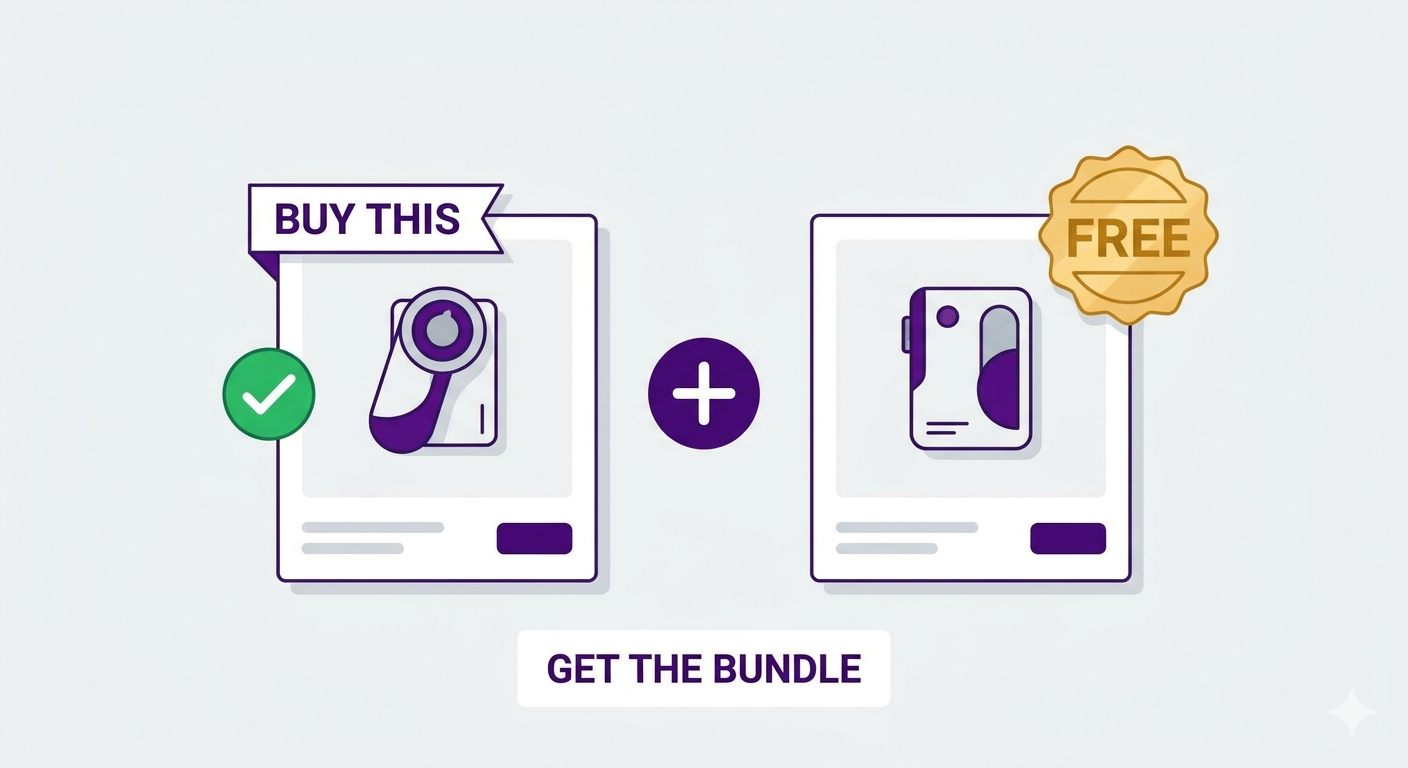
Because customers feel like they’re getting a deal on two items instead of one. The psychology is powerful.
When a customer sees “Buy 1, Get 1 50% Off”, they’re not thinking “I’m getting a discount on my purchase.” They’re thinking “I get two items for almost half the price.” The frame changes from discount to bundle.
Yet most Shopify stores don’t leverage Shopify Buy One Get One effectively. Not because the feature doesn’t exist, but because the default Shopify implementation keeps it hidden until checkout. This guide shows you how to set up BOGO on Shopify using either Shopify’s native feature or Adsgun’s more visible approach, and, crucially, how to make the BOGO visible on product pages so customers know about the deal before they add to cart.
Types of Shopify Buy One Get One Promotions
Type 1: Buy One Get One Free (BXGY)
Customer buys one item, gets a second item of equal value free.
- Example: Buy 1 shirt, get 1 shirt free (on qualifying items)
- Shopify native: Buy X Get Y automatic discount
Type 2: Buy One Get One Percentage Off
Customer buys one item, gets a second item percentage off.
- Example: Buy 1 shirt, get 1 shirt 50% off
- Shopify native: Buy X Get Y automatic discount (with percentage option)
Type 3: Spend X Get Gift
Customer spends a certain amount, gets a free gift.
- Example: Spend $50, get a free branded t-shirt
- Shopify native: Buy X Get Y (purchase threshold version)
Type 4: Buy Specific Product, Get Different Product Free
Customer buys one specific product, gets a different item free.
- Example: Buy our premium headphones, get a free carrying case
- Shopify native: Buy X Get Y (with product restrictions)
Type 5: Buy One Category, Get Different Category Free
Customer buys from one category, gets item from different category free.
- Example: Buy jeans, get a free t-shirt (from our tee collection)
- Shopify native: Buy X Get Y (with collection/product restrictions)
Shopify’s Native BXGY (Buy X Get Y) Feature
Shopify’s automatic discount type includes “Buy X Get Y” functionality. Here’s how to set it up:
Setting Up Shopify’s Native BXGY
- In Shopify admin, go to Discounts
- Click Create Discount > Automatic Discount
- Discount type: Select “Buy X Get Y”
- Trigger items: The items customers must buy (e.g., all products, specific collection, specific product)
- Trigger quantity: How many customers must buy (e.g., 1, 2, 5)
- Free items: The items customers get for free (e.g., same product category, specific product)
- Free quantity: How many free items (e.g., 1)
- Discount type: “Free” or “percentage off”
- Conditions: (Optional) Set start/end dates, customer segments, etc.
- Save
This works. The discount applies. But here’s the critical issue:
The customer doesn’t see the BOGO until checkout. They browse product pages, they don’t see “Buy 1, Get 1 Free” messaging. They don’t realize that buying two items saves them 50%, they add one item to cart, then proceed to checkout, where they discover the deal.
By that point, they’ve already committed to buying one. The BOGO feels like a bonus (good!) but doesn’t influence the decision to add to cart in the first place.
The Visibility Problem: Why Hidden BOGOs Leave Money on Table
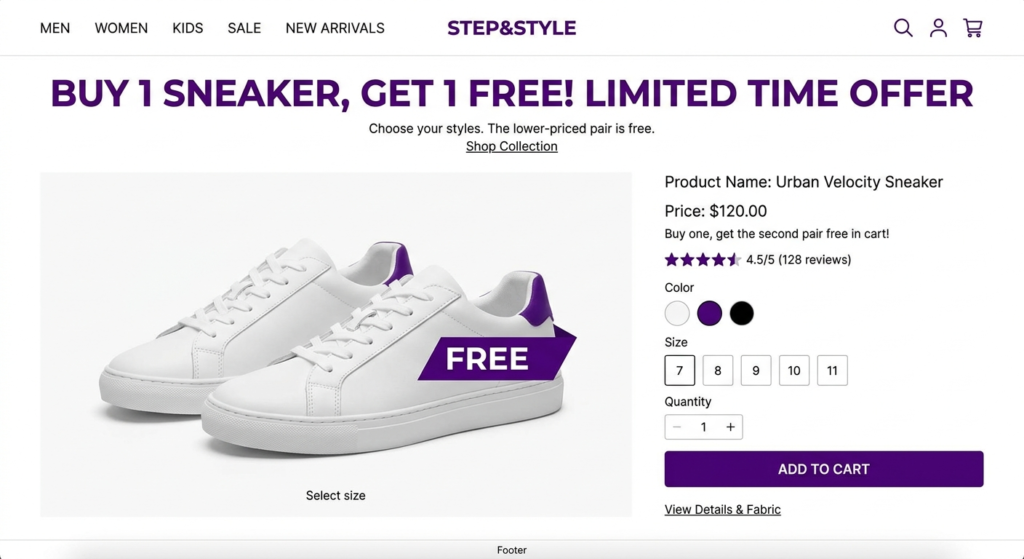
Consider two customers:
Customer A (Hidden BOGO):
- Browses product pages (sees price: $50 per shirt)
- Adds 1 shirt to cart (thinking: “I’ll just buy this one”)
- Proceeds to checkout
- Discovers “Buy 1, Get 1 Free” message
- Realizes: “Oh, I can get 2 shirts for $50!”
- Adds a second shirt
- Completes purchase for 2 shirts at $50 total
Customer B (Visible BOGO):
- Browses product pages
- Sees messaging: “Buy 1 Shirt, Get 1 Free” prominently displayed
- Thinks: “If I buy 2, I only pay for 1. Good deal.”
- Adds 2 shirts to cart immediately
- Proceeds to checkout (fewer hesitations, since they already committed to 2)
- Completes purchase for 2 shirts at $50 total
Both customers buy 2 shirts. But Customer B:
- Has higher confidence in the decision (saw the deal upfront)
- Is more likely to not second-guess at checkout
- Added both items without friction
The visibility of the BOGO influences purchasing behavior before checkout. Why Shopify discounts don’t show until checkout?
Adsgun’s Free Gift Feature: BOGO With Visibility
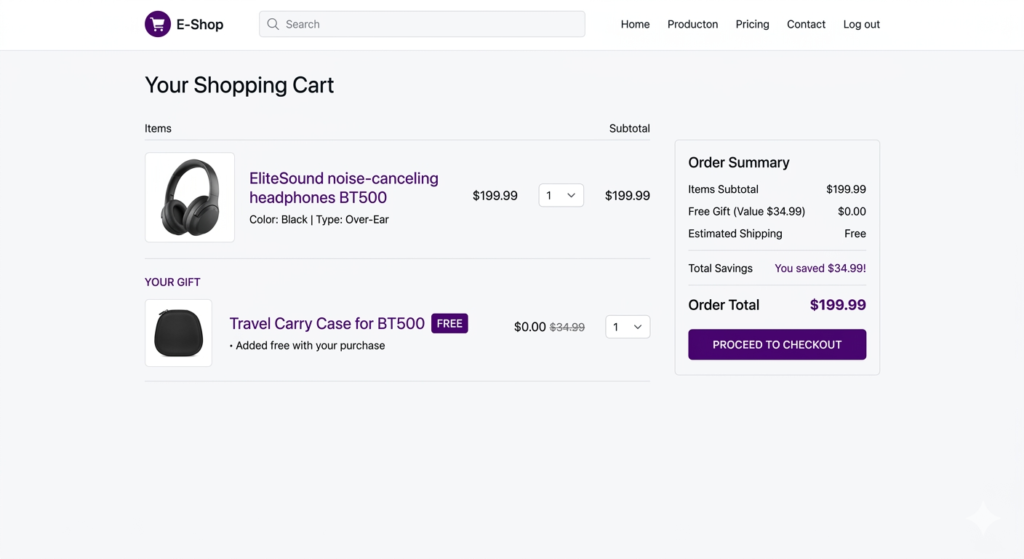
Adsgun’s “Free Gift” promotion type is designed specifically to address the visibility problem.
How Adsgun’s Free Gift Works
- Set trigger: Customer buys product A
- Set gift: Customer automatically gets product B free (or chooses from a list of gifts)
- Display: “Buy 1, Get 1 Free” messaging appears on product pages, collection pages, and cart
- Add to cart: The free gift is either auto-added to the cart when trigger is met, or customer can click “Add Free Gift” to select from options
Visibility Options
When setting up a Free Gift promotion in Adsgun:
- Announcement: “Buy 1 Shirt, Get 1 Free (on selected items)”
- Product page messaging: Shows on product pages of the “buy” item: “Buy this, get a free shirt!”
- Cart messaging: When customer has added the trigger item: “You’ve unlocked a free gift! Choose your color: [Blue] [Red] [Black]”
- Progress bar: (Optional) “Spend $X more to unlock a free gift”
All of this happens before checkout. The customer understands the deal and is more likely to complete the purchase.
Step-by-Step: Creating a BOGO in Adsgun
Scenario: Buy 1 Premium Shirt, Get 1 Basic Shirt Free
Step 1: Create the Promotion
- Open Adsgun
- Click Create New Promotion
- Promotion type: “Free Gift” (or “Public Promotion” if using Adsgun’s Free Gift feature; check your plan)
sStep 2: Define the Trigger
- Trigger type: Product purchase
- Trigger product: Premium Shirt (SKU: premium-shirt-001)
- Trigger quantity: 1 (buy 1 premium shirt)
Step 3: Define the Gift
- Gift product: Basic Shirt (SKU: basic-shirt-001)
- Gift quantity: 1 (get 1 free)
- Gift value: Calculated from product price ($25)
Step 4: Auto-Add or Customer Choice
- Option A (Auto-add): When a customer buys the premium shirt, the basic shirt is automatically added to their cart for free
- Option B (Customer choice): When trigger is met, customer sees “Choose your free shirt color” and picks from available options
Choose based on your goal. Auto-add drives higher take-rate but less flexibility. Customer choice is better for satisfaction.
sStep 5: Display Settings
- Product page messaging: “Buy This Premium Shirt, Get a Free Basic Shirt”
- Badge on product: “BOGO – Buy 1 Get 1 Free”
- Cart messaging: “You’ve unlocked a free Basic Shirt! [Choose Color]”
- Announcement bar: “Buy Any Premium Shirt, Get a Free Basic Shirt”
Step 6: Customize Appearance
- Badge color: Your brand color
- Message text: Your wording
- Positioning: Top of product page, in cart summary, etc.
sStep 7: Set Conditions (Optional)
- Start/end date: (Optional) Make this a limited-time BOGO
- Recurring: (Optional) Every Friday (weekly BOGO)
- Product scope: Premium shirts only, or all shirts, or specific collections
Step 8: Test
- Add a premium shirt to cart
- Check that the free gift messaging appears
- Proceed to checkout
- Confirm the free basic shirt is in the cart
- Confirm the savings amount is displayed
Step 9: Publish
The BOGO is live. Customers see “Buy 1, Get 1 Free” on product pages and can add the bundle.
Real-World Shopify Buy One Get One Strategies
Strategy 1: Clear Inventory
You have 50 units of a slow-moving product. Run a BOGO:
- Trigger: Buy this product
- Gift: Free product from a complementary category (or the same product in different color/size)
Customers see the deal and buy. You clear inventory while customers feel like they’re getting exceptional value.
Strategy 2: Increase Average Order Value
Your average order value is $120. You want to push customers toward $200+.
Run a BOGO on your most popular product:
- Trigger: Buy our best-selling shirt ($60)
- Gift: Free best-selling pants ($60)
Customer buys 1 shirt, gets 1 pants free. AOV jumps from $60 to $60 (technically, but customer got $120 in value). They feel great. You maintained revenue per order and improved customer satisfaction.
Strategy 3: Upsell Bundling
Customer wants to buy a basic product. Offer them a bundle:
- Trigger: Buy basic product ($30)
- Gift: Upgrade to premium version ($50
Customer sees “Buy basic, get premium free” and might think “Why would I buy basic if I can get premium free?” This is the point. You’re upselling them to the premium product with the psychological frame of getting it “free” when they buy basic.
Strategy 4: Cross-Category Bundling
- Trigger: Buy skincare product
- Gift: Free sunscreen (complementary product)
Drive adoption of complementary products while making customers feel pampered.
Combining BOGO With Discount Stacking
You can stack BOGO with other discounts:
- VIP customer with 15% off tag buys shirt (trigger product)
- Gets free pants (gift product)
- PLUS 15% off the entire order (because of VIP tag)
- Display: “You save $120: 1 free item + 15% member discount”
This is powerful. Customers feel extremely valued. You can also check discount stacking guide.
FAQ: BOGO Promotions
Q: Should I do Shopify Buy One Get One on free or percentage off?
A: “Free” is psychologically more powerful. “Buy 1, Get 1 Free” is more memorable than “Buy 1, Get 1 50% Off”, even if the math is similar.
Q: What if the trigger product and gift product have different prices?
A: The gift can have any value. If they have different prices, the gift’s value is what the customer saves. This is fine and actually can be advantageous (trigger cheap, gift expensive = high perceived value).
Q: Can I limit BOGO to one per customer?
A: Yes. You can set conditions that limit the promotion to one use per customer, or allow unlimited uses. Decide based on your business.
Q: Should I promote BOGO differently during different seasons?
A: Absolutely. BOGO works year-round, but holiday BOGO (“Buy 1 Holiday Gift, Get 1 Free”) might convert higher than regular BOGO.
Ready to Set Up Your First BOGO?
BOGO is one of the simplest, most effective promotion types available. Customers love getting two items for the price of one. Your average order value increases. Inventory moves.
The key is visibility. Make the BOGO visible on product pages, not just at checkout, and you’ll capture more BOGO sales.
Start your free 7-day trial and create your first Free Gift promotion today. No credit card required.




