
Shopify Compare at Price Not Showing After Theme Update
Shopify compare at price not showing after a theme update is one of the most frustrating merchant problems. Learn why theme updates delete custom code and how to fix it permanently.
Shopify Compare at Price Not Showing: The Repeating Problem
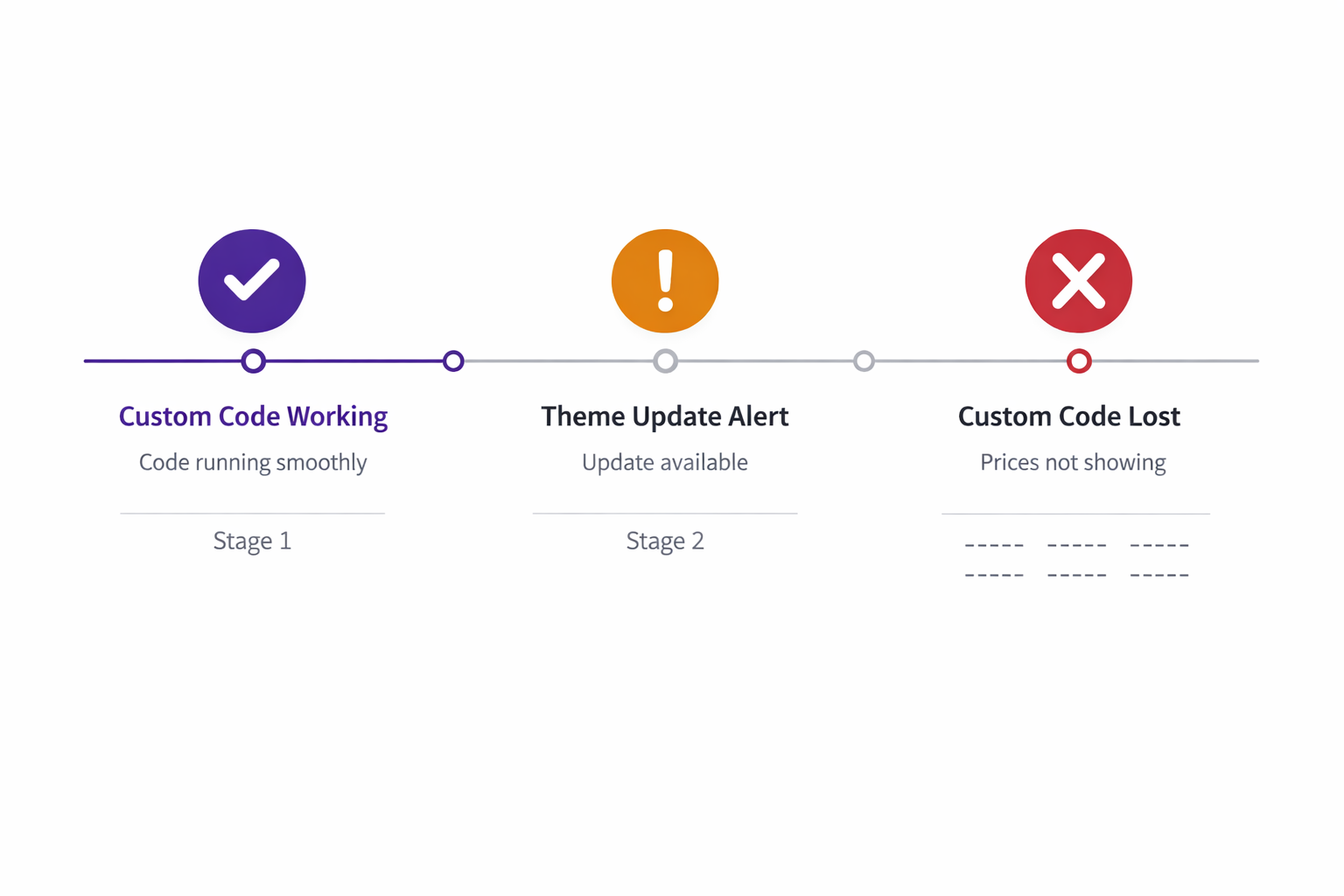
Shopify compare at price not showing after a theme update follows the same pattern every time. You hired a developer to add custom Liquid code, strike-through pricing appeared on your collection cards, and everything worked perfectly. Then a routine theme update wiped it out. Here’s why it keeps happening and how to fix it permanently.
Three months later, you get a notification: “Theme update available.” You click Update. Two hours later, you check your store and the strike-through prices are gone.
You reach out to the developer. They look at the code and say: “Yeah, the theme update overwrote our customization. I’ll add it back in.”
They add it back. It works again.
Six months later, another theme update. Same thing happens. Strike-through prices disappear. Cue the developer again.
This cycle repeats indefinitely. Every time the theme updates, your code is at risk.
Why Shopify Compare at Price Stops Showing After a Theme Update
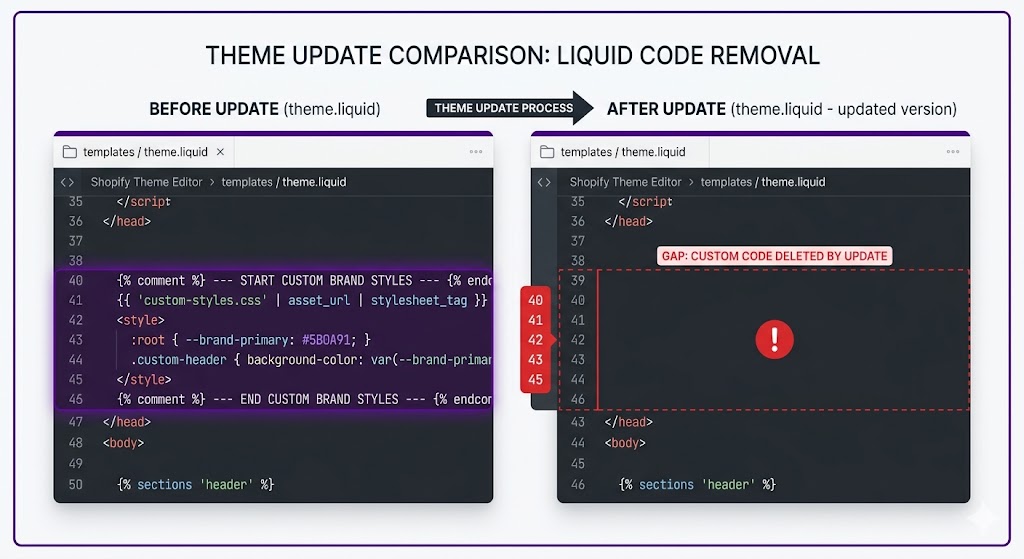
When you customize a Shopify theme by editing the Liquid files directly, you’re editing the theme’s source code. Your customizations are stored in those files.
When a theme update comes out, the theme developer pushes new versions of those files. Shopify applies the update, overwriting the old files with new ones. If you made custom edits to a file, and that file was updated, your edits are lost.
Example:
You customize theme.liquid to add compare at price display. Your code is in lines 39-40 of that file.
The theme developer releases an update to theme.liquid with new features. Shopify downloads the updated file and replaces your old version completely.
Your lines 39-40 are gone.
The Fragility of Code-Based Customizations
Beyond theme updates, there are other failure modes worth understanding.
When Shopify Compare at Price Not Showing Becomes a Bigger Problem:
- Developer unavailability. If your developer leaves or isn’t available when the next update breaks the code, you’re stuck waiting.
- Code complexity. The longer and more complex the code, the harder it is to maintain across updates. What starts as 20 lines can become 80 lines of interconnected logic.
- Version drift. If you delay updates to keep the code working, you eventually fall far behind on security and feature updates. Shopify’s own guidance on theme development recommends staying current with theme versions.
- Mobile app issues. Custom Liquid code only works on the web store, not Shopify’s mobile app. Customers shopping on the app see full prices regardless.
This is a fundamental architectural problem with code-based customizations. If you want to understand what compare at price actually is and how Shopify handles it natively, see our full guide to compare at price on Shopify.
The Permanent Fix: Adsgun’s App Framework Approach
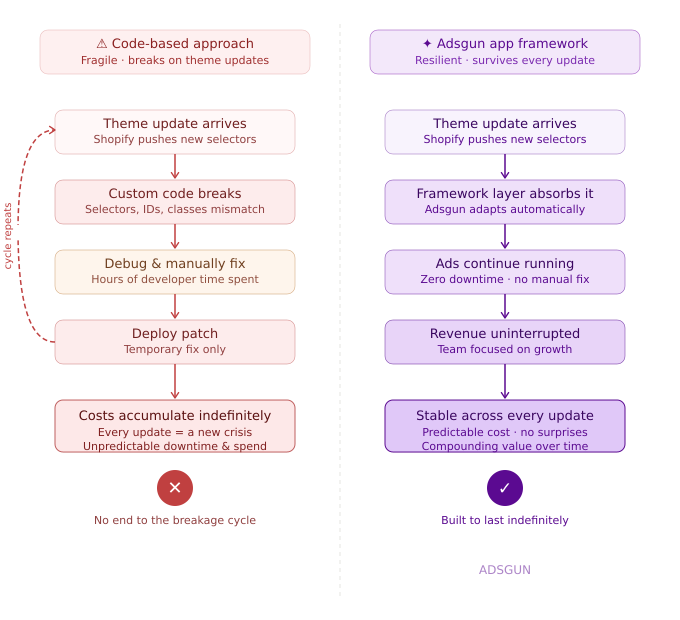
Instead of editing theme files, Adsgun uses Shopify’s official app extension framework. This is a completely different architecture.
How it works:
- Install Adsgun from the Shopify App Store
- Adsgun registers a theme extension, a short snippet that lives separately from your theme files
- Your theme loads the Adsgun extension when rendering product cards
- Adsgun displays pricing information via its extension
Why it survives updates:
The Adsgun extension is registered separately from the theme. When the theme updates, the extension stays in place. The next time your theme renders a product card, it automatically loads the Adsgun extension. No manual re-adding code. No lost customizations.
This is the difference between modifying a file (fragile) and hooking into a system (durable).
App Framework vs. Code Customization: The Key Difference
Code customization (theme file editing):
- You modify the theme’s source files directly
- Your changes live in the same files as the theme code
- Updates overwrite your changes
- Requires manual intervention to restore
App framework (Shopify’s official extension system):
- Your app is separate from the theme
- The theme loads your app via an API
- Updates don’t touch your app registration
- Works automatically, indefinitely
Shopify introduced the Online Store 2.0 framework specifically to give app developers a stable, update-safe way to extend themes. Adsgun is built on this foundation.
Real-world analogy:
Code customization is like writing notes in the margins of a book. If someone reprints the book, your notes are gone. App framework is like bookmarks: they’re separate from the book. You can reprint it as many times as you want and the bookmarks stay.
What This Means for Your Business
If you’ve been using custom code to show discounts, you’ve been carrying technical debt. Every theme update is a risk. Every new theme version is potential breakage.
Switching to Adsgun eliminates this entire category of risk. Related problem: if your strike-through pricing isn’t showing at all, that’s a separate issue worth troubleshooting before migrating.
With Adsgun, you can:
- Update your theme whenever you want, without worrying about lost customizations
- Take advantage of new theme features and security updates
- Switch themes without losing your discount display logic
- Stop worrying about your pricing display breaking on the morning of a big sale
The Migration Path
If you’re currently using custom code:
- Install Adsgun
- Create a promotion that displays your discounts, mirroring what your custom code was doing
- Verify it looks and works the same as your custom code
- Ask your developer to remove the custom code from the theme
- Done. Adsgun takes over from here.
From now on, no more code maintenance. No more “the update broke it.” Just working discount display, indefinitely.
Many merchants make this switch before a major sale like BFCM. If you’re running Shopify discount codes and want them visible before checkout, the migration path is the same.
Ready to Break the Maintenance Cycle?
If you’re tired of your custom code breaking every time your theme updates, it’s time to switch to something permanent.
Try Adsgun free for 7 days. Display your compare at price and discounts via Shopify’s app framework. Your code will work after the next update, and the one after that, and forever.




