Shopify Instagram Promotions: Exclusive Deals for IG Followers
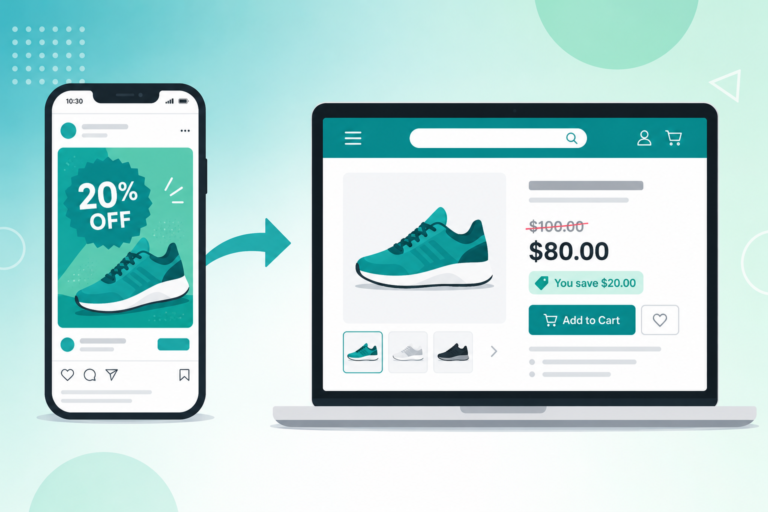
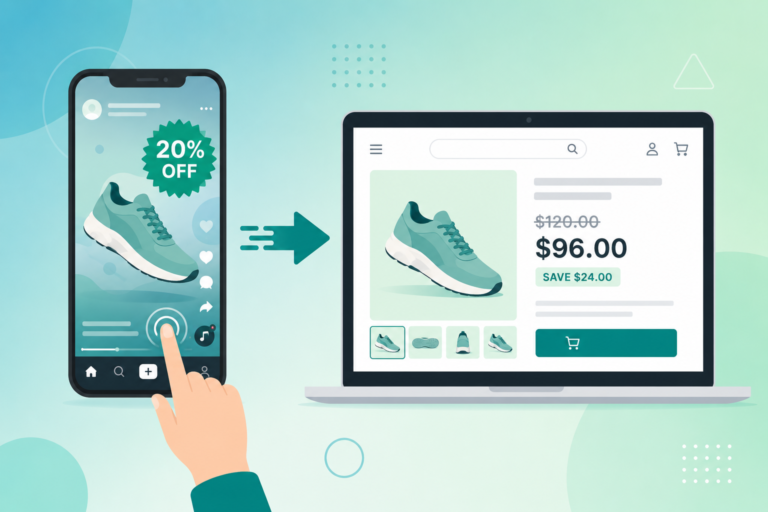
Instagram followers are a high-value audience for your Shopify store. A Shopify Instagram exclusive discount uses private links to reward followers with pricing the rest of your traffic never sees. Keep your offer contained, trackable, and truly exclusive.
Why Instagram Followers Deserve a Shopify Instagram Exclusive Discount
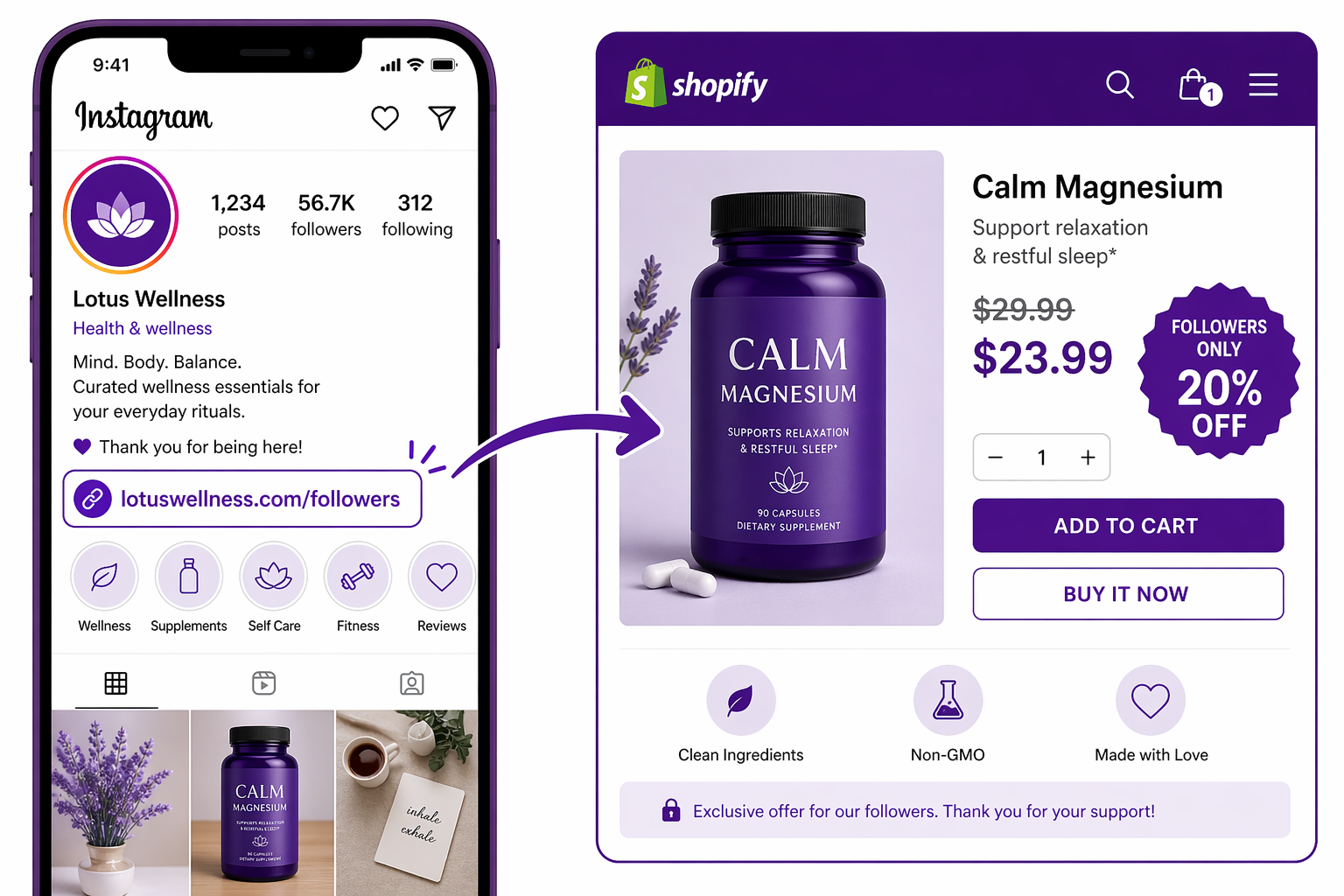
Instagram followers are a high-value audience who have actively chosen to follow your brand. A Shopify Instagram exclusive discount turns that attention into measurable revenue by rewarding followers with pricing nobody else sees. Private promotion links make the offer visible only to traffic arriving from your Instagram bio, posts, and Stories, while the rest of your store stays at full price.
The data backs this up:
- Instagram followers convert at 2-3x the rate of non-followers
- Followers have 25-40% higher lifetime value
- Followers are 5x more likely to engage with your content
Yet most brands never reward this loyalty with genuinely exclusive offers.
Instagram-exclusive promotions change that. They say: “We see you. You have been supporting us. Here is something special just for you.”
The psychology is powerful. Followers feel recognized. The exclusivity makes them feel part of an inner circle. They are more likely to buy, and more likely to tell other followers (which drives more follows).
The Problem With Public Instagram Discount Codes
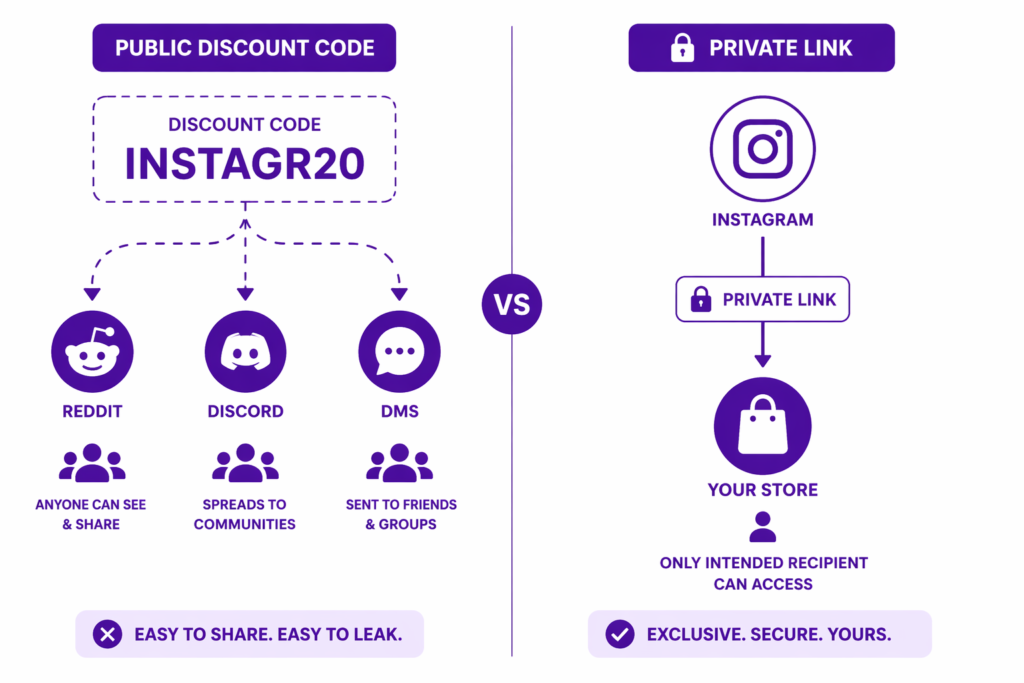
Most Instagram promotions work like this:
- Post on Instagram: “Use code INSTAGR20 for 20% off!”
- Followers see the code in the caption
- Followers copy the code
- Followers share the code in other channels (Discord, Reddit, group DMs, and so on)
- The code spreads beyond your Instagram followers to people who have never followed you
Now your “exclusive” 20% offer is used by non-followers. The exclusivity is gone. The perceived value drops. And once that happens, the friction of coupon codes starts costing you customers on top of everything else.
Worse, you cannot track who actually redeemed the code. Did 10 followers use it or 100 random Redditors? You do not know.
Private links solve this.
How Adsgun Private Links Power Your Shopify Instagram Exclusive Discount
Adsgun’s “Private” promotion type is built for exactly this scenario.
Here is how it works:
- Create a promotion in Adsgun: “Instagram Follower Exclusive 20% Off”
- Set visibility to Private (the promotion only fires for visitors who arrive via a specific link)
- Adsgun generates a unique URL such as `https://yourstore.com/?adsguncode=IG_EXCLUSIVE_20`
- You post on Instagram: “Followers only! Link in bio for 20% off.”
- Followers tap the link from your bio, post, or Story
- The link lands them on your store with the discount auto-applied and strike-through pricing visible sitewide
- Nobody else on your store sees this promotion, because it is tied to the link
The key difference from a code is simple: the offer is invisible to non-Instagram traffic. A random visitor who lands on your homepage sees full prices. An Instagram follower who taps your bio link sees the discounted prices across every product page, collection, and the cart.
This keeps your offer truly exclusive, and it keeps your reporting clean because real Shopify discounts log correctly instead of being buried in compare-at price manipulation.
Step-by-Step: Setting Up Your Shopify Instagram Exclusive Discount
Let us set up a concrete campaign: “Instagram followers get 20% off, available via Instagram bio link.”
Step 1: Create Your Shopify Instagram Exclusive Discount in Adsgun
- Open Adsgun in your Shopify admin
- Click “Create Promotion”
- Name it: “Instagram Follower Exclusive”
- Attach a 20% discount code (or create one in Shopify first)
- Set Visibility to Private
- Set URL targeting to apply on all pages (product pages, collections, cart, checkout)
- Publish
Step 2: Get the Link
Adsgun generates a unique URL that activates the promotion only when followed. You can also build your own using the Discount Links helper, which outputs a URL with the `adsguncode` parameter pre-attached. Copy this link.
Step 3: Update Your Instagram Bio
- Go to your Instagram profile
- Click “Edit Profile”
- In the “Website” field, paste the link.
- Write something like “Exclusive offer inside ↓” or “Followers-only deal in link” in the bio caption
- Save
Now when followers tap the link in your bio, they land on your store with the 20% discount active and visible on every page.
Step 4: Promote in Posts and Stories
- Create an Instagram post: “Tap the link in bio for 20% off. Followers only!”
- Create an Instagram Story with a product image at the discounted price
- Add a **link sticker** directly to your Stories. Instagram retired the old swipe-up feature and replaced it with the link sticker for all accounts, so you no longer need 10,000 followers to link from a Story
Each time someone taps the link from Instagram (bio, post, or Story sticker), they land with the discount active.
Step 5: Monitor Results
In Adsgun, you can see:
- How many times the promotion was used
- Total revenue from the promotion
- Average order value
- Repeat purchase rate from Instagram visitors
This tells you exactly how valuable your Instagram exclusive is.
Advanced: Story-Specific, Time-Limited Instagram Promotions
For more exclusivity and urgency, run story-specific promotions using Adsgun’s scheduler:
Day 1: Post Story #1 “20% off all weekend” with link sticker to promotion A
Day 2: Post Story #2 “48 hours left” with link sticker to promotion B (same discount, different link, different story)
Day 3: Post Story #3 “Last chance” with link sticker to promotion C
Each story has a different link. Each link is valid for only 24 hours (set via the Adsgun scheduler).
The story expires in 24 hours. The link’s validity expires in 24 hours. The urgency is matched to the platform behavior. Followers know the deal is fleeting.
Advanced followers might screenshot the old story and try the expired link tomorrow, but they will see an error. That is intentional. It reinforces the message: “This offer was exclusive and time-limited. You had to be here.”
Creating Multiple Instagram Links for Different Campaigns
You are not limited to one Instagram link. You can run multiple Instagram campaigns with different links:
- Campaign 1: General Followers (20% off)
Link: https://yourstore.com/?adsguncode=IG_FOLLOWERS_20
- Campaign 2: VIP Followers/Engaged (25% off)
Link: https://yourstore.com/?adsguncode=IG_VIP_25
- Campaign 3: New Follower Welcome (15% off, one-time)
Link: https://yourstore.com/?adsguncode=IG_NEW_FOLLOWER
Each link corresponds to a different private promotion in Adsgun. You can set different discounts, different validity windows, and different target audiences.
You post different links to different Stories or campaigns. Followers use the link that applies to them. Analytics show which link drove the most revenue.
Tracking Instagram Attribution
When followers use your private Instagram link, how do you attribute that revenue correctly?
In Adsgun: You can see “Instagram Exclusive promotion, 342 uses, $12,400 revenue.”
In Google Analytics: Add UTM parameters to the link:
https://yourstore.com/?adsguncode=IG_EXCLUSIVE_20&utm_source=instagram&utm_medium=social&utm_campaign=followers
Google Analytics then tracks this as “Instagram Social” traffic with conversions attributed to Instagram. You can read more about UTM parameters in Google’s official documentation.
In Shopify Analytics: The discount is applied, so the revenue is accurate, but Shopify does not natively surface “this came from Instagram.” You would need to tag orders or lean on Adsgun’s promotion-level reporting.
The simplest approach: use Adsgun’s reporting for promotion performance, plus Google Analytics for traffic source verification.
Combining Your Shopify Instagram Exclusive Discount With Influencer Partnerships
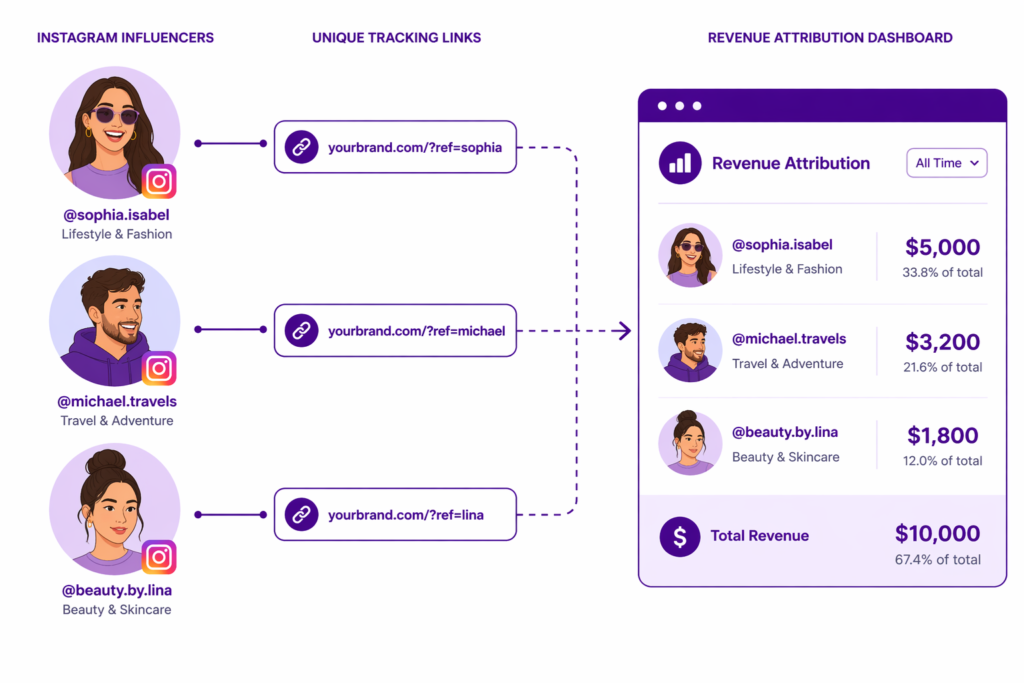
If you work with Instagram influencers, you can give each influencer a unique private link using Adsgun’s bulk discount codes:
- Influencer 1:
https://yourstore.com/?adsguncode=ig_influencer_sarah_20 - Influencer 2:
https://yourstore.com/?adsguncode=ig_influencer_marcus_20 - Influencer 3:
https://yourstore.com/?adsguncode=ig_influencer_jade_20
Each influencer shares their unique link with their followers.
You can then track exactly which influencer drove the most revenue. Sarah drove $5,000. Marcus drove $3,200. Jade drove $1,800.
This data informs future influencer partnerships. You know which partnerships are worth repeating, which to expand, and which to cut.
Common Instagram Promotion Mistakes
- Mistake 1: Sharing the code instead of the link
If you post “Use code INSTAGRAM20,” followers will share that code elsewhere. Use a private link instead. The link only activates the offer when followed, and followers got it from you.
- Mistake 2: Making the offer too long-term
“Valid all month” does not feel exclusive. Followers know others have access. “Valid only this week” or “Valid until I rotate to a new link” feels more exclusive.
- Mistake 3: Not mentioning it’s followers-only
If followers do not know the offer is exclusive to them, they do not feel special. Explicitly say: “Followers only,” “Exclusive for you,” or “Thank you for following.”
- Mistake 4: Changing the link too often
If you change the Instagram bio link every day, it becomes confusing. Followers bookmark it, tell others, and the link is suddenly wrong. Update quarterly or seasonally. Consistency builds habits.
- Mistake 5: Running too many simultaneous Instagram links
If you have 5 different Instagram promotions at once, followers get confused. “Which link is current?” One active bio link at a time is clearest, with Story-specific links running alongside it only for limited windows.
Best Practices for a Shopify Instagram Exclusive Discount
- Set clear expiration dates: “Valid through Sunday” or “This week only.” Followers know when to act.
- Use Instagram-specific language: “Followers get 20%” not “Customers get 20%.” Emphasize exclusivity.
- Show the discount prominently in posts: Post a product image showing the strike-through pricing. Do not just mention the discount; show it visually.
- Update your Stories regularly: Stories disappear in 24 hours. If you want the promotion to feel fresh and current, post daily updates.
- Watch for code sharing: If you ever fall back to a code-based Instagram offer (not recommended, but it happens), monitor whether it spreads elsewhere. If it does, honor it, but know it went beyond followers.
- Combine with other social platforms: Use the same link in your Instagram bio and your TikTok bio. Same promotion, different audiences, one piece of infrastructure.
The Business Impact of Instagram Exclusive Discounts
When followers know you give them exclusive pricing, several things happen:
- Follower growth accelerates. “They give followers exclusive deals” becomes a reason to follow.
- Engagement increases. Followers do not just follow; they use the offers and interact with your content.
- Customer lifetime value increases. Followers who have experienced loyalty benefits are more likely to buy again at regular prices.
- Repeat purchase rate increases. Followers keep coming back, watching for new offers.
This is the compounding effect of making followers feel valued.
Start Your Shopify Instagram Exclusive Discount Today
If you are not running exclusive Instagram promotions, you are leaving revenue on the table from your most loyal audience.
The setup is simple: create the private promotion, paste the link in your bio, and watch the orders come in. The impact on follower loyalty and lifetime value is significant and compounds over time.
Your followers chose your brand. Show them they made the right choice by giving them exclusive access to deals nobody else gets.