Shopify Retargeting Discount Ads: The Tiered Offer Playbook
Shopify retargeting discount ads work when the offer is visible the moment a clicker lands. Tiered Meta and Facebook discounts for product viewers, cart abandoners, and checkout drops, plus a URL-targeted setup that auto-applies the right offer per audience.
Most retargeting campaigns leak revenue at the same point: the landing page. The ad promises a discount, the customer clicks expecting to see it, and the store shows full price. Shopify retargeting discount ads only convert when the offer is visible the moment the visitor lands. This guide covers the tiered discount logic, the URL parameter setup that makes each tier auto-apply, and the math for measuring whether your retargeting actually pays.
Why Shopify Retargeting Discount Ads Need Tiered Offers
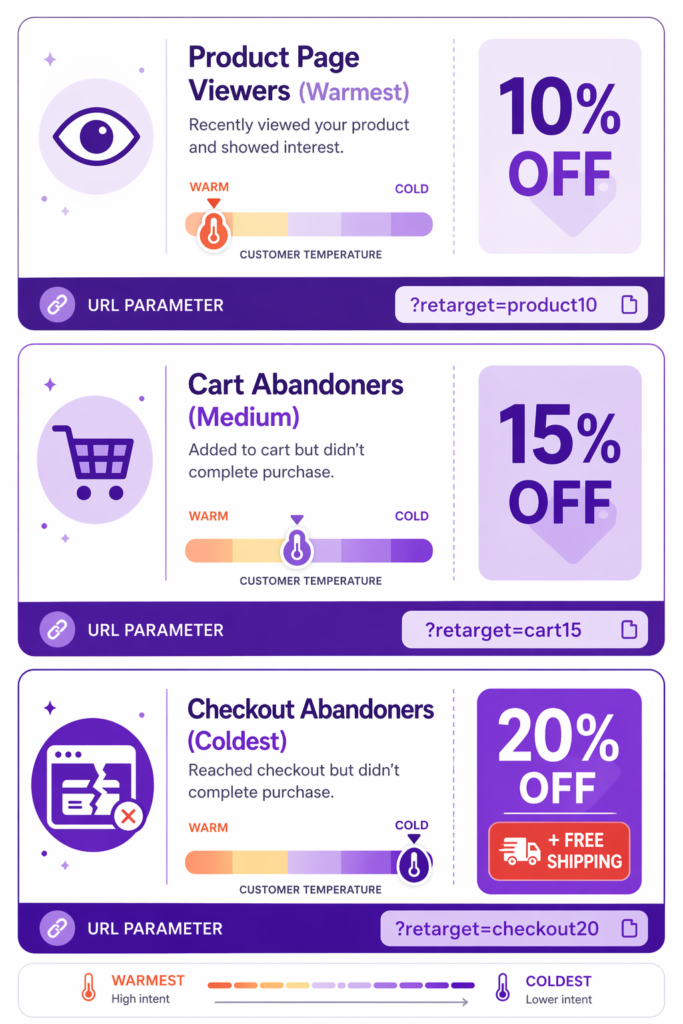
Retargeting works by showing ads to people who have already visited your site. But not all retargeting audiences are equal, and your Shopify retargeting discount ads should not treat them as if they are. The right discount depth depends on how warm or cold the visitor is.
Product page viewers (looked at a sweater but did not add to cart) are the warmest retargeting audience. They are interested but not convinced. They need less incentive.
Add-to-cart abandoners (added to cart but did not go to checkout) are in the middle. They are ready to buy but something stopped them. They need moderate incentive. Most Shopify cart abandonment recovery loops focus here.
Checkout abandoners (started checkout but did not complete) are the coldest. They have experienced the full friction and pulled away. They need the deepest incentive.
Smart retargeting structures discounts accordingly:
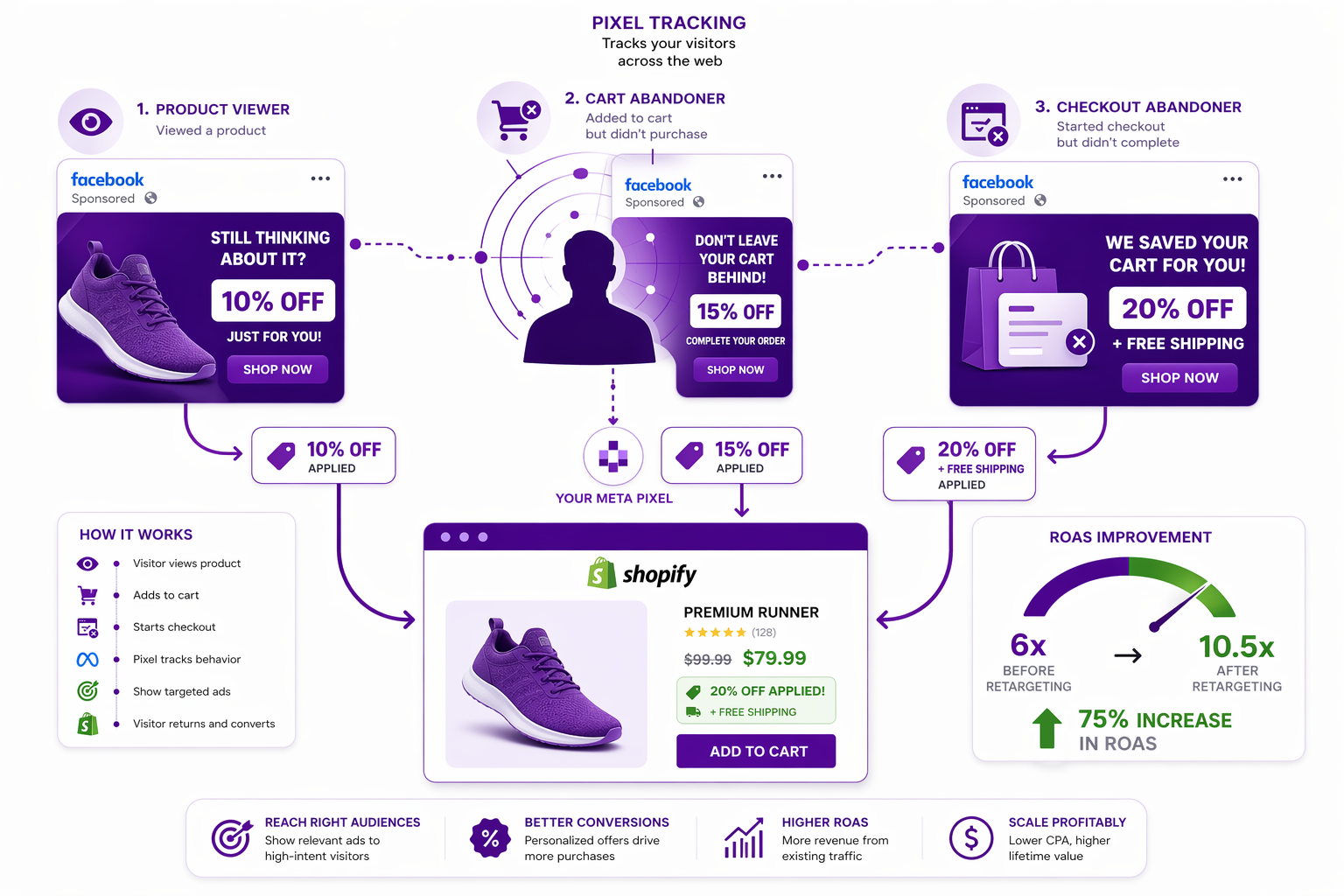
- Product page viewers: 10 percent off
- Add-to-cart abandoners: 15 percent off
- Checkout abandoners: 20 percent off plus free shipping
This way, you protect margin on the warmest audience while offering maximum incentive to the coldest.
The Retargeting Landing Page Problem
Here is where most merchants fail: the retargeting ad promises “15 percent off,” the customer clicks, lands on your site, and sees full price.
The customer’s mental model: “The ad said 15 percent off. I clicked the ad expecting to see 15 percent off. I see full price. Either the ad was misleading, or I am in the wrong place.” Result: bounce rate of 50 to 70 percent.
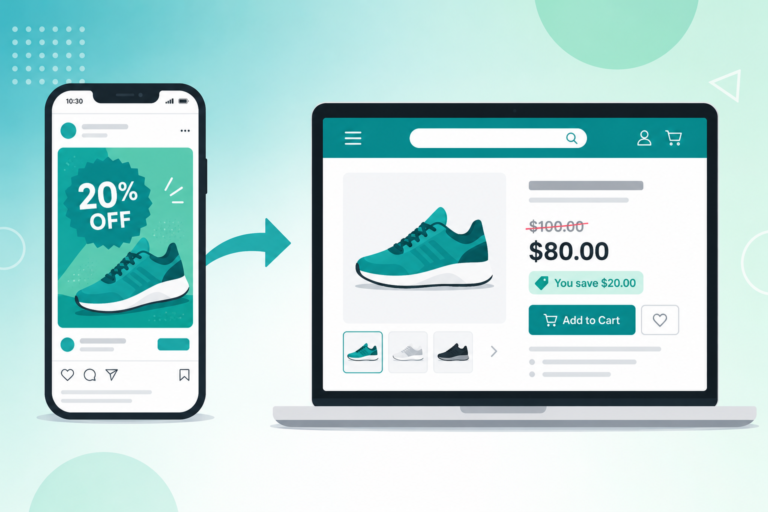
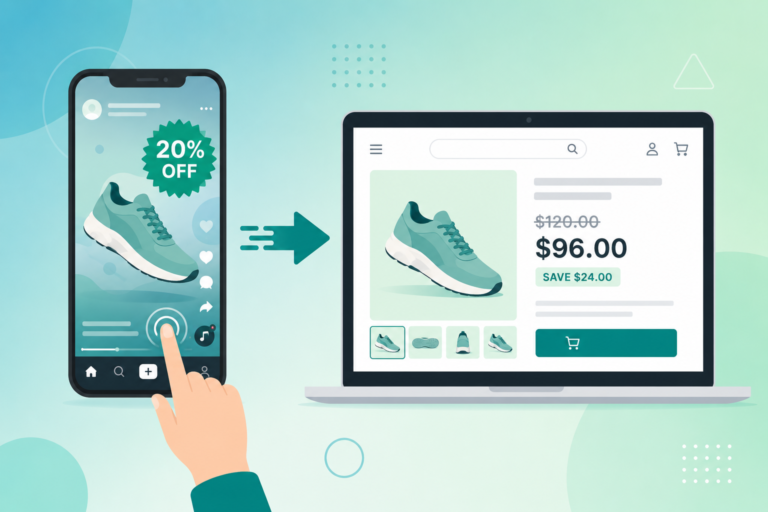
The solution: the discount needs to be visible on the landing page immediately. When a clicker lands, they should see the promotional pricing, not full price. This is a specific case of the broader strike-through pricing for Shopify discount codes problem, applied to paid traffic.
This is where Adsgun and URL-targeted promotions solve the problem.
Setup: Shopify Retargeting Discount Ads with URL Parameters
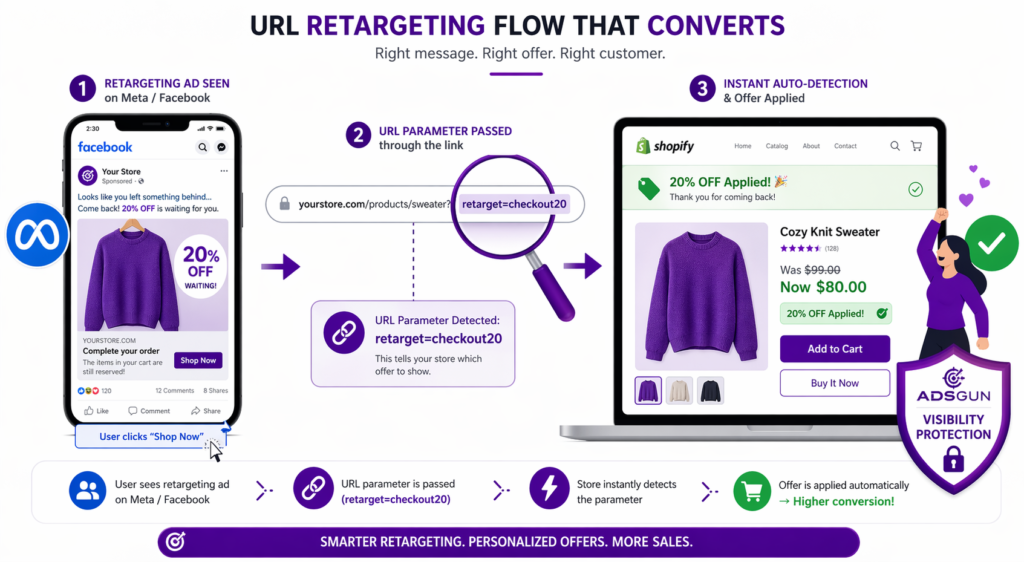
The whole pipeline runs on one mechanic: a URL parameter on the ad link tells your store which audience the visitor came from, and Adsgun applies the matching offer before the page renders.
Step 1: Create the Discount Codes in Shopify
Create three Shopify discount codes, one per audience tier:
- `RETARGET_PRODUCT_10` (10 percent off)
- `RETARGET_CART_15` (15 percent off)
- `RETARGET_CHECKOUT_20` (20 percent off plus free shipping)
These can be standard Shopify automatic discounts or codes. Adsgun auto-applies the correct code at checkout based on the URL parameter, so the customer never has to type anything.
Step 2: Configure the Meta Pixel and Custom Audiences
Install the Meta Pixel (formerly Facebook Pixel) on your Shopify store through the standard integration in Shopify settings. For 2026 accuracy and against ad-blocker drift, also enable the Conversions API server-side, which most Shopify pixel apps now offer in one click.
Then configure three custom audiences in Meta Ads Manager:
- Audience 1: Product page viewers (visited site, viewed product, did not add to cart)
- Audience 2: Add-to-cart abandoners (added to cart, did not initiate checkout)
- Audience 3: Checkout abandoners (initiated checkout, did not complete)
Step 3: Build Meta Ad Campaigns with URL Parameters
In Meta Ads Manager retargeting setup, build a campaign per audience and set the destination URL with a unique campaign parameter:
- Audience 1 destination: `yourstore.com/products/sweater?retarget=product10`
- Audience 2 destination: `yourstore.com/products/sweater?retarget=cart15`
- Audience 3 destination: `yourstore.com/products/sweater?retarget=checkout20`
Each parameter is the bridge between the ad and the storefront offer. The same idea applies on the Google side, which we cover in Shopify Google Ads promotions.
Step 4: Wire Up Your Shopify Retargeting Discount Ads in Adsgun
In Adsgun, create three URL-targeted promotions, one per parameter:
- Promotion 1: When URL contains `retarget=product10`, show 10 percent off (linked to `RETARGET_PRODUCT_10`)
- Promotion 2: When URL contains `retarget=cart15`, show 15 percent off (linked to `RETARGET_CART_15`)
- Promotion 3: When URL contains `retarget=checkout20`, show 20 percent off plus free shipping (linked to `RETARGET_CHECKOUT_20`)
Result: when a checkout abandoner clicks the ad with `retarget=checkout20` in the URL, they land on your store and immediately see the strike-through price (“Was $99, Now $80”) with the discount already visible. No code entry. No mental gap between ad and landing. This same per-channel logic also powers different promotions per ad campaign across Google, TikTok, and Instagram.
Measuring ROAS Improvement
Compare a control campaign (no discount, no Adsgun visibility) to your retargeting plus Adsgun campaign:
Control campaign (no retargeting discount):
- Ad spend: $500
- Clicks: 2,000
- Conversions: 20 at $150 AOV
- Revenue: $3,000
- ROAS: 6x
Retargeting plus Adsgun visible discount:
- Ad spend: $500
- Clicks: 2,000
- Conversions: 35 (a 75 percent lift)
- Revenue: $5,250
- ROAS: 10.5x
After the discount cost (35 orders multiplied by $20 average discount equals $700), the campaign nets $4,050 against the same $500 ad spend.
Run the same campaign without making the discount visible on landing, and the lift evaporates. Customers click expecting the offer they saw in the ad, see full price, and bounce. Conversions sit closer to baseline (around 25 instead of 35), and the discount you are still paying out at checkout no longer pays for itself in extra orders.
Visible plus discount equals compound effect. The math only works when the customer can see the offer the moment they land.
Dynamic Product Ads with Discount Pricing
Meta’s dynamic product ads (catalog ads) show the exact products users viewed. These are even more powerful with discount pricing layered on top.
Setup:
- Make sure your Shopify product feed is synced to Meta Catalog
- Create a dynamic ads campaign targeting cart abandoners
- Set campaign parameter to include `?retarget=cart15`
- In Adsgun, apply the matching discount to URLs with that parameter
- When the user sees the dynamic ad for the exact sweater they viewed, and the ad shows a discount, conversion compounds because both the product and the offer are personally relevant
The same pattern works on Google Shopping. If you run Performance Max or Shopping campaigns, sync your sale price to Google Merchant Center so the discount shows up before the click, not after.
Best Practices: Discount Depth by Abandonment Stage
- Cold audiences (brand new, no site history): 20 to 25 percent off (needs heavy incentive)
- Warm audiences (visited site before, did not abandon): 10 to 15 percent off
- Checkout abandoners (furthest along): 15 to 20 percent off plus free shipping or free gift
- Repeat customers (abandoned again): 5 to 10 percent off (already loyal, deep discount is wasteful)
Test each segment with different discount depths. Track ROAS per discount level and optimize toward the highest-margin tier that still hits your conversion target. Instagram-only audiences often deserve their own separate offer; we cover that pattern in Shopify Instagram exclusive promotions.
FAQ: Shopify Retargeting Discount Ads
Should I retarget everyone or just cart abandoners?
Everyone. But vary discount depth. Product viewers get shallower discounts than abandoners.
How long should I retarget someone?
14 to 30 days is standard. After 30 days, the interest has likely faded and you are spending on a cold audience that performs more like prospecting.
Can I retarget the same person with multiple ads?
Yes, but use frequency capping (max 2 to 3 ads per week per person). Too many ads equals negative reactions, ad fatigue, and ad account throttling from Meta.
What if some one clicks my retargeting ad and completes the purchase?
Use a rule to remove buyers from the retargeting audience automatically. Shopify’s pixel and Conversions API integrations can exclude purchasers from retargeting audiences as soon as a purchase event fires, so you stop spending ad budget on people who already converted.