
Shopify Discount Badge Not Updating? Here’s the Fix
Your sale badges show the wrong discount percentage when you change promotions. This is because they're cached or calculated once, not updated in real time. Real-time badges need real-time data.
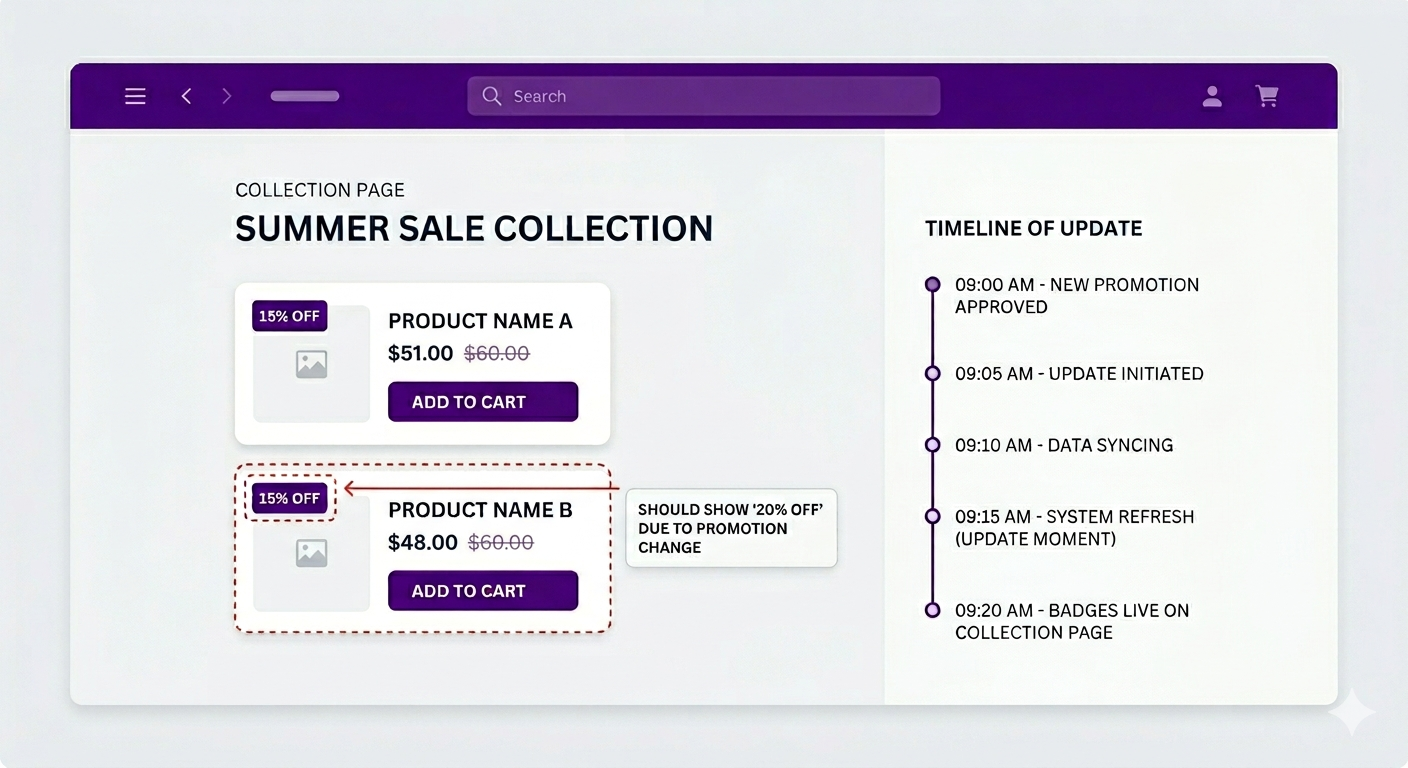
The Problem: Shopify Discount Badge Not Updating?
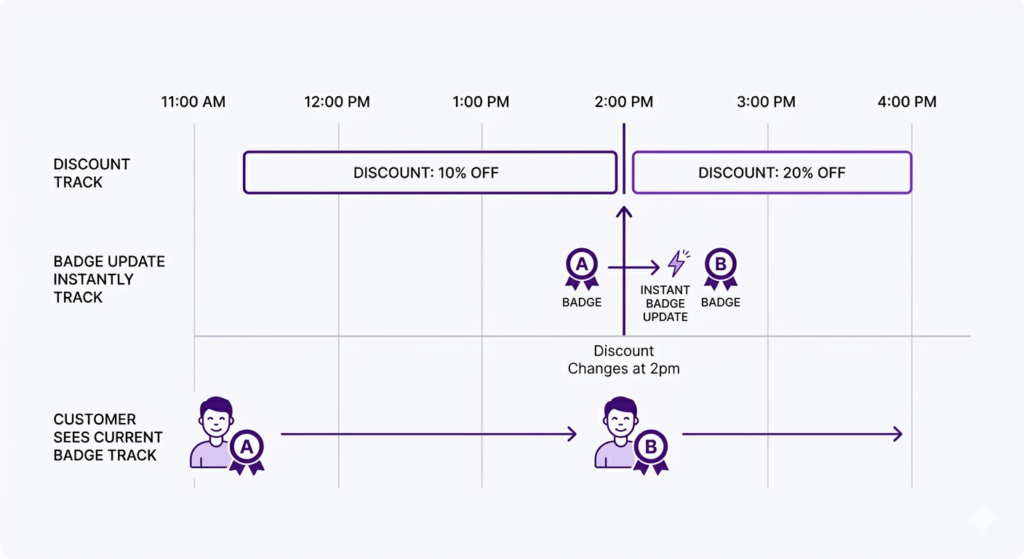
You run a 15% off promotion on your Shopify store, but suddenly notice a shopify discount badge not updating issue when sale badges on collection pages still show “15% OFF.” Then you decide to boost the discount to 20% for the afternoon and update the discount in Shopify, expecting everything to reflect the new offer automatically.
But the collection page badges still show “15% OFF.” The Shopify discount badge is not updating to reflect the new 20% promotion. Hours later, the badges finally change to “20% OFF.” By then you have lost several hours of showing the current offer.
Or maybe they never update at all because they are stored in a cache that does not refresh automatically.
This happens because badges are displayed statically. They are either calculated once and cached, or they are pulled from a badge field on the product that requires manual updates.
How Badges Typically Work
Shopify’s native sale badges
Shopify shows a “SALE” badge when a product has a compare at price set. The badge is rendered by the theme based on the presence of the compare at price value.
If you change the compare at price manually, the badge updates. But it is not real-time. It waits for the cache to clear and the page to re-render.
Custom badges (via code or apps)
If you have coded custom badges that display a percentage like “15% OFF,” they are often calculated once when the page is generated and then cached. Changing the discount does not automatically recalculate the badge percentage.
App-generated badges
Some apps generate badges statically and store them on the product. These require manual updates or batch processing, which has inherent delays.
Why Shopify Discount Badges Stop Updating: Time-Sensitive Promotions
For most promotions, a short delay is acceptable. But when your Shopify discount badge is not updating during time-sensitive campaigns, it costs you real money:
- Flash sales (1-2 hour windows): a 30-minute cache delay means half your sale window shows the wrong badge
- Scheduled promotions (change at specific times): if the badge does not update instantly, customers see stale information
- A/B testing discounts: if you are testing 15% vs. 20%, the badge needs to update instantly to test fairly
- Multiple daily promotions: if you run a different promotion each hour, slow badge updates create confusion
The Root Cause: Static vs. Dynamic Badges
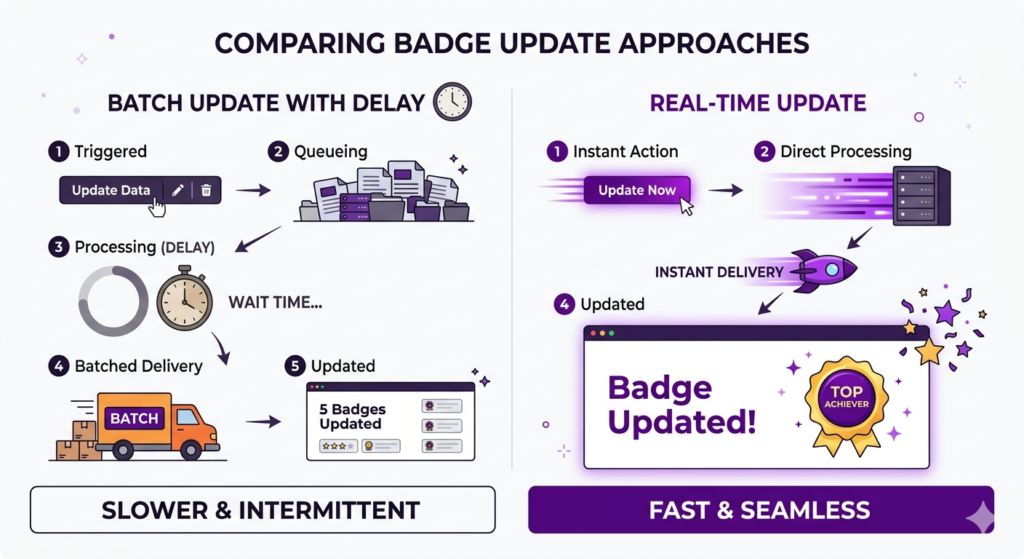
Static approach (traditional):
- Calculate the badge text once (e.g., “15% OFF”)
- Store it or cache it
- Display it on the page
- When you change the discount, the stored badge doesn’t automatically update
Dynamic approach (real-time):
- At page load time, query the current discount
- Calculate the badge text fresh
- Display it
- When the discount changes, the next page load shows the new badge
Dynamic is slower per-page-load (slightly more work), but it’s always accurate.
How Adsgun Fixes the Shopify Discount Badge Not Updating Problem
Adsgun uses the dynamic approach. Here is how it works:
- Customer visits collection page
- Page loads (from cache, fast)
- Adsgun script runs on the page
- Adsgun queries the current discount from Shopify
- Adsgun calculates the badge text (“15% OFF” or “20% OFF” or “Save $20”)
- Adsgun displays the badge
Because the discount query happens at every page load, the badge is always current. If you change the discount from 15% to 20%, the very next customer to load the page will see “20% OFF.”
The Scheduler: Set Badges to Update Automatically
Schedule time-triggered badge updates with Adsgun
Adsgun’s scheduler goes further. You can set a badge to automatically update at a specific time.
Example: You want to run an evening flash sale.
- Create a discount in Shopify: 30% off
- Create a promotion in Adsgun
- In the scheduler, set the promotion to activate at 6pm and deactivate at 7pm
- Set it to repeat every day
Now every day at 6:00pm exactly, the discount activates and all collection page badges update to show “30% OFF.” No manual work, no cache delay. At 7:00pm the promotion deactivates, and badges revert to your regular discount.
Badge updates are instant because Adsgun reads the discount at the moment of page load, and the scheduler controls exactly when that discount is active.
Why This Works Across Multiple Pages
Adsgun badges work on:
- Collection pages
- Product pages
- Cart pages
- Any page on your Shopify store
Because the badge logic is the same everywhere, all pages show consistent, up-to-date badges.
The Psychological Impact of Accurate Badges
When badges stay current, it reinforces that the discount is real and active. When badges are stale, it looks like the promotion is not working or the store is not well-maintained.
A customer seeing “15% OFF” for several hours, then suddenly “20% OFF,” might think there is a glitch. A customer seeing the discount update instantly sees an actively-managed store.
This might seem subtle, but it builds trust. And trust converts.
Ready to Ensure Shopify Discount Badges Always Update?
If your discount badges are stuck showing old percentages, it is time to switch to real-time badges.
Try Adsgun free for 7 days. Watch badges update instantly as you change discounts. No caching delays, no stale percentages.




