
That Empty Coupon Field Is Costing You More Than You Think
You’ve spent hours crafting the perfect discount campaign. The Instagram ads are running, the emails are sent, and you’re ready to watch the sales roll in. But here’s the frustrating part: your Shopify coupon codes aren’t converting the way they should, and your cart abandonment rate keeps climbing.
The culprit might be hiding in plain sight: your coupon code field.
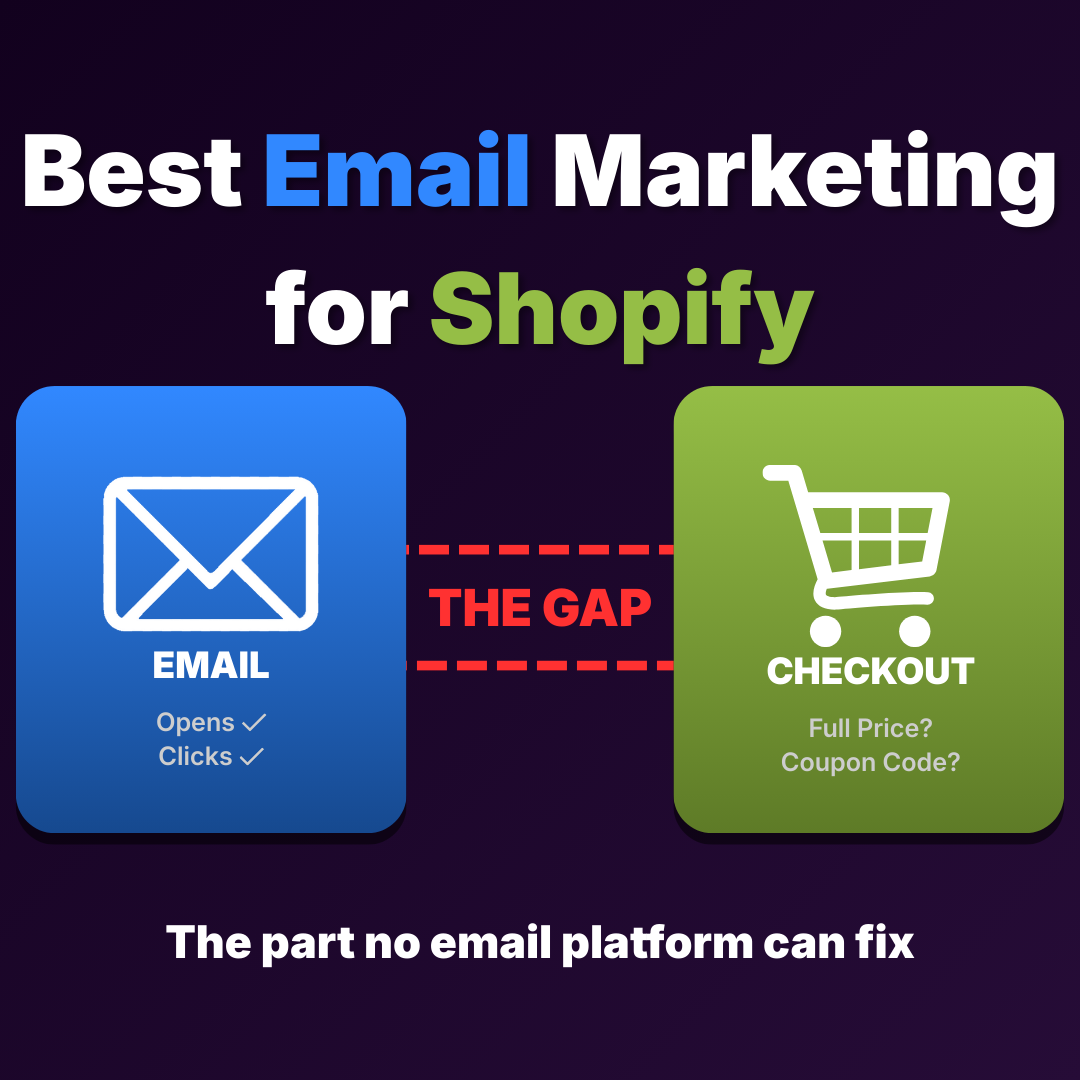
That innocent little box at checkout seems helpful. But for many Shopify stores, it’s silently driving customers away from using their Shopify coupon codes. When shoppers see an empty “Apply Coupon Code” field, something clicks in their brain. They start wondering if they’re missing out on a deal. So they leave your checkout, open a new tab, and search for “[Your Brand] coupon code.” Sometimes they find one. Sometimes they find a broken one. And sometimes they just never come back.
With Shopify cart abandonment rates hovering around 70%, every point of friction matters. If you’re losing customers and can’t figure out why, your Shopify coupon codes strategy might be working against you. Let’s break down the six biggest ways coupon codes hurt your conversions, and what you can do instead.
1. The “Coupon Hunting” Problem
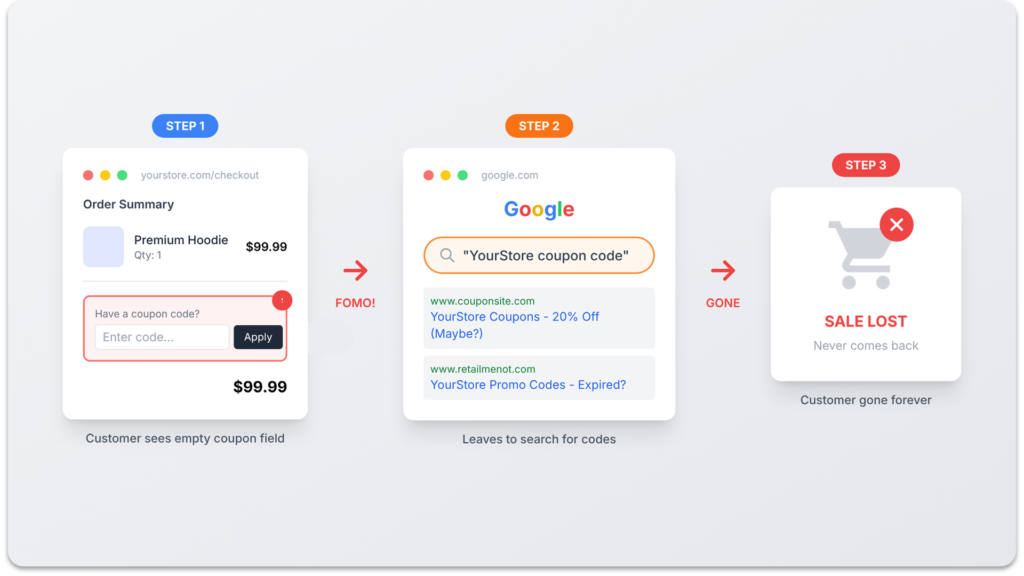
Here’s a scenario you might recognize. A customer adds products to their cart, excited to buy. Then they notice an empty coupon field at checkout. Suddenly, they feel like they’re about to overpay.
This triggers what psychologists call “fear of missing out”. Instead of completing the purchase, they open Google and search for a discount code. According to Statista, around 8% of customers cite not finding working Shopify coupon codes as their main reason for abandoning a cart. That might sound small, but when your baseline abandonment rate is already 70%, every percentage point represents real revenue you’re leaving on the table.
The worst part? Many of these customers never return. They get distracted by a competitor, find a different product, or simply forget about your store. You’ve essentially trained them to leave your checkout and look elsewhere. A customer experience strategy that relies on manual coupon entry is a strategy that introduces doubt at the worst possible moment: when the customer is about to pay.
The fix isn’t to remove discounts. It’s to remove the empty field. When discounts are applied automatically and the customer sees their savings reflected in the price from the start, there’s no reason to go hunting.
2. Broken Codes Create Instant Frustration
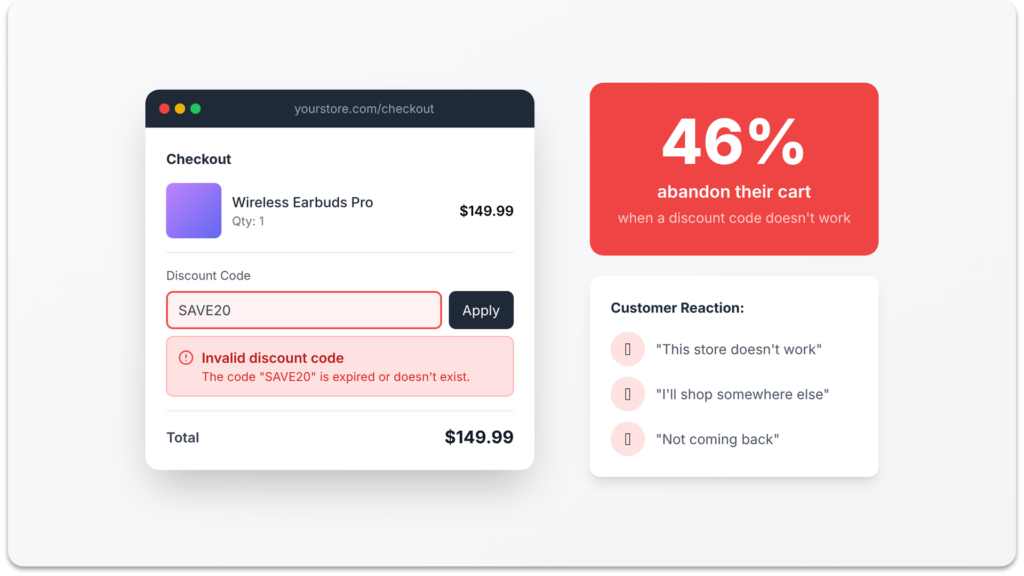
Let’s say a customer does find one of your Shopify coupon codes, maybe from an old blog post, an expired influencer campaign, or a random coupon aggregator site like RetailMeNot or Honey. They copy it, paste it into your checkout, and hit apply.
Nothing happens. Or worse, they get a red error message: “This discount code isn’t valid.”
Research from the Baymard Institute shows that unclear pricing and unexpected checkout behavior are among the top reasons shoppers abandon carts. When a code fails, customers don’t think “the code must have expired.” They think “this store doesn’t work” or “they tricked me.” That emotional reaction is almost impossible to recover from.
This creates a terrible shopping experience that damages trust. And the irony is that it wasn’t even your fault. The customer found a code you never intended them to use, and now they’re blaming your store for it. Once that trust is broken, they’re not coming back for a second try. They’re going to a competitor whose checkout actually made them feel good about buying.
The only way to prevent this is to control the experience end-to-end. Instead of letting customers paste random codes they found online, give them a link that auto-applies the correct discount. They arrive on your store, see the savings immediately, and never encounter a broken code.
3. Manual Entry Adds Checkout Friction
Even when a coupon code works perfectly, the process of entering it manually creates friction in the user journey. Think about what a customer has to do:
- Remember the code (was it SPRING20 or SPRING2025?)
- Navigate to checkout
- Find the coupon code field
- Type or paste the code correctly
- Hit “Apply” and hope it works
That’s five separate steps between “I want this discount” and “the discount is applied.” Each step is an opportunity for the customer to get distracted, make a mistake, or decide it’s not worth the effort.
On mobile, this friction is even worse. Typing a discount code on a small screen, switching between apps to copy it, and dealing with autocorrect turning “SAVE20” into “Save20!” is the kind of experience that makes people close the browser tab entirely. With over 70% of e-commerce traffic coming from mobile devices, you can’t afford a checkout flow that’s optimized only for desktop users.
Compare this to what happens when you use automatic discounts. The customer clicks a link from your email or ad, lands on your store, and sees the discounted price immediately. No codes to remember, no fields to find, no typing required. The path from “I’m interested” to “I’m buying” has zero friction, and your Shopify conversion rate reflects the difference.
This is exactly how Adsgun works. When a customer clicks your promotional link, the discount is applied automatically. Every product page, collection page, and cart displays the struck-through original price alongside the sale price. The customer sees “$50 $40” from the moment they start browsing, and there’s never a reason to leave your store to hunt for a better deal.
4. Invisible Discounts Kill Your Ad ROI
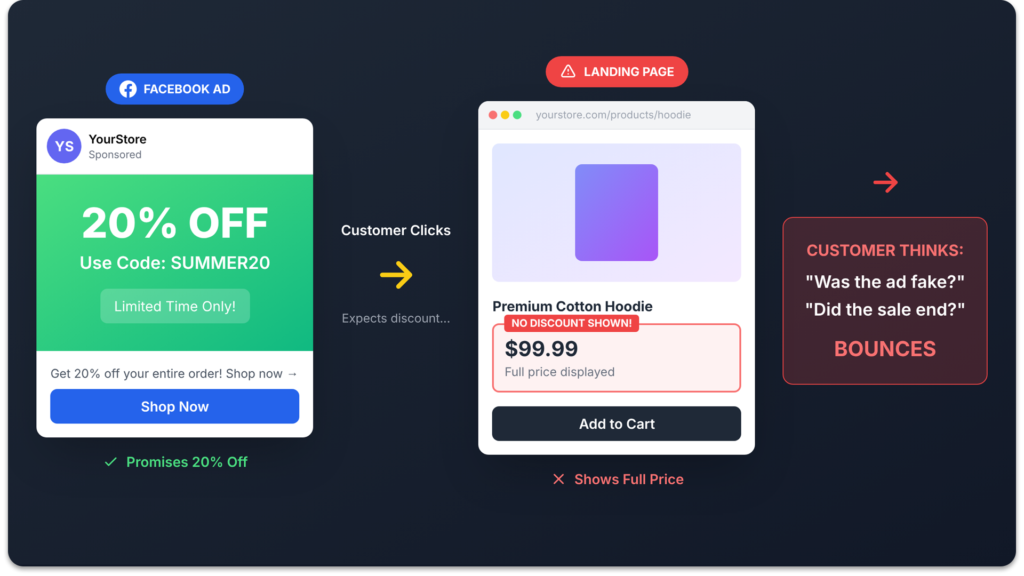
You’re running a Facebook ad that says “25% Off This Weekend Only.” A customer clicks through, excited to shop. They land on your product page and see… the full price. No strikethrough. No “Save 25%.” Nothing to tell them a sale is even happening.
What do they do? Most of them bounce. They assume the ad was misleading, or the sale hasn’t started yet, or they’ve landed on the wrong page. The disconnect between what your ad promised and what your store shows is one of the fastest ways to lose customers, and it happens on thousands of Shopify stores every day.
The core issue is that Shopify coupon codes and automatic discounts don’t change what’s displayed on your product or collection pages. The savings only become visible at checkout, after the customer has navigated your entire store seeing full prices. By that point, the vast majority of visitors have already left. If you want to reduce bounce rate, your promotions need to be visible from the very first page a customer sees.
This is the difference between a coupon code approach and a visible pricing approach. With Shopify coupon codes, the discount is a secret that only reveals itself at the end of the user journey. With visible strike-through pricing, the value proposition is front and center from the first click. Your ad says “25% off” and your store instantly confirms it on every page. That consistency builds trust, keeps visitors engaged, and turns clicks into purchases instead of bounces.
Adsgun bridges this gap by connecting your Shopify promotions to your storefront display. When a customer arrives through your promotional link, they see discounted prices everywhere, on collection pages, product pages, and in the cart. The experience matches the promise, and your ad spend actually converts.
5. “Did It Actually Work?” Anxiety at Checkout
Even after a customer successfully enters their Shopify coupon codes, many of them aren’t sure it actually applied. Shopify’s default checkout doesn’t always make it obvious. The total might change, but without a clear “You saved $12!” message, customers are left second-guessing.
This anxiety is subtle but real. A customer who isn’t confident they’re getting the deal may hesitate before clicking “Complete Order.” Some will go back and re-enter the code just to make sure. Others will remove items and re-add them, trying to verify the math. And some will just abandon the cart because the uncertainty isn’t worth the risk of overpaying.
The psychological principle here is simple: people need confirmation that they’re making a smart decision. In a physical retail store, you can see the sale tag. You can watch the cashier scan the discount. The savings are visible and tangible. Online, that visibility has to be built into the experience deliberately.
With visible discount pricing, this anxiety disappears completely. When a customer sees “$80 60″ontheproductpage,”60” on the product page, “60”ontheproductpage,”80 $60″ in the cart, and a clear “You’re saving $20” summary before checkout, there’s no room for doubt. They know exactly what they’re paying, exactly what they’re saving, and they feel confident hitting the purchase button.
6. Your Analytics Are Lying to You
There’s a sixth way coupon codes can quietly hurt your business, and it has nothing to do with what your customers see. It’s about what you see in your Shopify reports.
When a customer applies a discount code at checkout, Shopify records the transaction correctly: full price as gross revenue, discount as a separate line item, and net revenue as the final number. So far, so good. But here’s where many stores get into trouble. When coupon codes aren’t working well (because of the five problems above), store owners often turn to compare at price as a workaround. They manually lower product prices and set the original price in the “Compare at price” field to show a strikethrough.
This creates a reporting problem that most store owners don’t discover until they start looking closely at their numbers. With compare at price, Shopify records the sale at the lower price with no discount line item. A $100 product sold at $75 shows up as $75 in gross revenue. No record of the original price, no discount tracked, no way to measure promotion performance. Scale this across a thousand orders during a sale, and your gross revenue looks 25% smaller than it actually is.
What Compare at Price Does to Your Revenue Numbers
Your average order value appears lower than it really is. Your discount spending is invisible, so you can’t measure ROI on promotions. And if you hand these numbers to an accountant, investor, or partner, they’re getting an incomplete picture of your business. Merchants on the Shopify Community have been raising this exact issue for years.
The solution is to keep using real Shopify discounts (codes or automatic) and make them visible with a tool like Adsgun. Your gross revenue stays accurate, your discount spending is fully tracked in Shopify Analytics, and every metric reflects the true story of your business. We break this down in full detail in our compare at price guide.
How to Stop Losing Customers to Coupon Code Problems
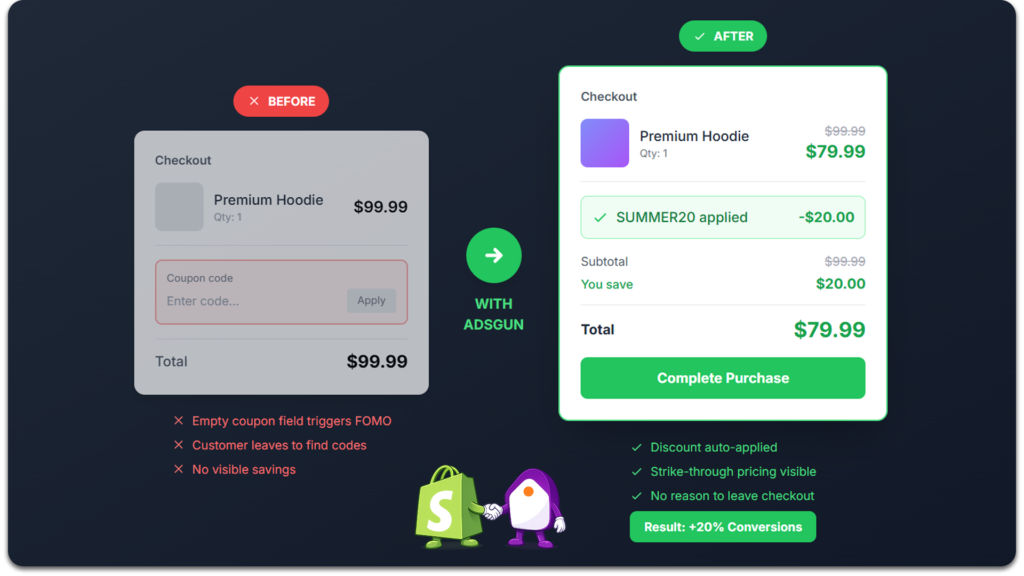
The fix isn’t complicated. You don’t need to stop running promotions or abandon Shopify coupon codes entirely. You need to change how customers experience those discounts.
Instead of asking customers to remember, type, and apply a code manually, send them a link that handles everything automatically. When a customer clicks a promotional link from your email campaign, Instagram ad, or any other channel, the discount should already be active on your store. They should see strike-through pricing on every product page, savings displayed on collection pages, and the discount reflected in their cart before they ever reach checkout.
Adsgun does exactly this. It connects your existing Shopify discount codes and automatic discounts to your storefront display. There’s nothing to recreate and no theme code to write. You set up your promotions in Shopify as you normally would, and Adsgun makes them visible everywhere your customers look. One setup works across every marketing channel, from email to paid social to organic search. And because Adsgun works with real Shopify discounts (not compare at price), your reporting stays clean and accurate.
The result is a shopping experience where customers never have to hunt for a code, never encounter a broken discount, never wonder if their savings applied, and never leave your store to search for a better deal. That’s how you turn a conversion leak into a conversion advantage.
Frequently Asked Questions
Why do customers leave checkout when they see a coupon code field?
An empty coupon field triggers “fear of missing out.” Customers assume there’s a discount available that they don’t have, so they leave checkout to search Google for a code. Many never return. Research shows that this behavior contributes significantly to the average 70% Shopify cart abandonment rate. The simplest fix is to either auto-apply the discount so the field is pre-filled, or remove the field entirely by using automatic discounts with visible pricing.
How do I hide the coupon code field on Shopify checkout?
You can’t fully remove the coupon field from Shopify’s standard checkout, but you can make it irrelevant. By using automatic discounts that apply without a code, or by sending promotional links that auto-apply the discount when customers click through, the coupon field either stays empty (because the discount is already applied) or isn’t needed at all. Adsgun takes this further by displaying the discounted prices throughout your store, so customers see the savings before they even reach checkout.
Can I auto-apply discount codes on Shopify?
Yes. Shopify supports automatic discounts that apply when cart conditions are met (no code needed). You can also create shareable discount links that auto-apply a specific code when clicked. Adsgun extends this by making the auto-applied discount visible on every page of your store, not just at checkout. This means customers see strike-through pricing, savings badges, and discount summaries from the moment they land on your site.
Do coupon codes hurt my Shopify conversion rate?
They can. Coupon codes add friction to the checkout process (remembering, typing, hoping it works), trigger coupon hunting behavior (leaving your store to search for codes), and create frustration when codes fail. All of these factors contribute to higher cart abandonment and lower conversion rates. Automatic, visible discounts remove this friction entirely.
What’s better: discount codes or automatic discounts on Shopify?
Both have their place. Discount codes are useful for targeted campaigns where you want to track which channel drove the sale (e.g., separate codes for email vs. Instagram). Automatic discounts create a smoother shopping experience because they apply without customer action. The best approach combines both: use discount codes for tracking, but auto-apply them through promotional links so customers never have to enter anything manually. This gives you the tracking benefits of codes with the frictionless experience of automatic discounts.
Does using compare at price instead of discount codes affect Shopify analytics?
Yes. Compare at price changes the actual product selling price, so Shopify records the lower price as gross revenue with no discount tracked. This means your AOV appears lower, your discount spend is invisible in reports, and your analytics don’t reflect the true performance of your promotions. Real Shopify discounts (whether codes or automatic) keep gross revenue at the full product price and track discounts separately. For more detail, see our full compare at price guide.
The Bottom Line
Coupon codes aren’t inherently bad. But the way most Shopify stores implement them creates unnecessary friction that drives customers away. That empty coupon field at checkout? It’s quietly costing you sales every single day.
The fix is straightforward: make your discounts visible and automatic. When customers can see their savings from the moment they land on your store, without hunting, typing, or guessing, they’re far more likely to complete their purchase.
You don’t need to overhaul your entire promotional strategy. You just need to stop losing customers to a system that was supposed to help them save money. Adsgun automates this process, turning invisible discounts into visible savings that actually drive conversions. Whether you’re running a flash sale, a BOGO promotion, or a simple percentage-off campaign, making the discount visible everywhere is the single highest-impact change you can make.
Your promotions are working. Now make sure your customers can actually see them.
.png)