
How to Push Sales on Shopify: 7 Tactics That Work
Discover 7 proven tactics to push sales on your Shopify store. From making discounts visible to reducing checkout friction, actionable strategies that work.
Why Most Stores Struggle to Push Sales
You're getting traffic. Products are listed. Ads are running. But sales aren't growing the way they should. If that sounds familiar, you're not alone. Most Shopify stores don't have a traffic problem; they have a conversion problem. Visitors show up, look around, and leave without buying.
The good news is that most stores don't need a total reinvention. Often, it's a handful of specific changes that unlock real growth. The strategies that actually move the needle tend to be straightforward. They just require knowing where to focus.
This guide covers seven practical tactics to push sales on Shopify that you can start implementing today. These aren't theoretical concepts; they're specific actions that address the most common reasons shoppers leave without buying. From making your discounts more visible to fixing the data that informs your decisions, each tactic targets a different part of your customer's journey. Some you can set up in an afternoon, others might take a week. But all of them have one thing in common: they work.
1. Make Your Discounts Actually Visible
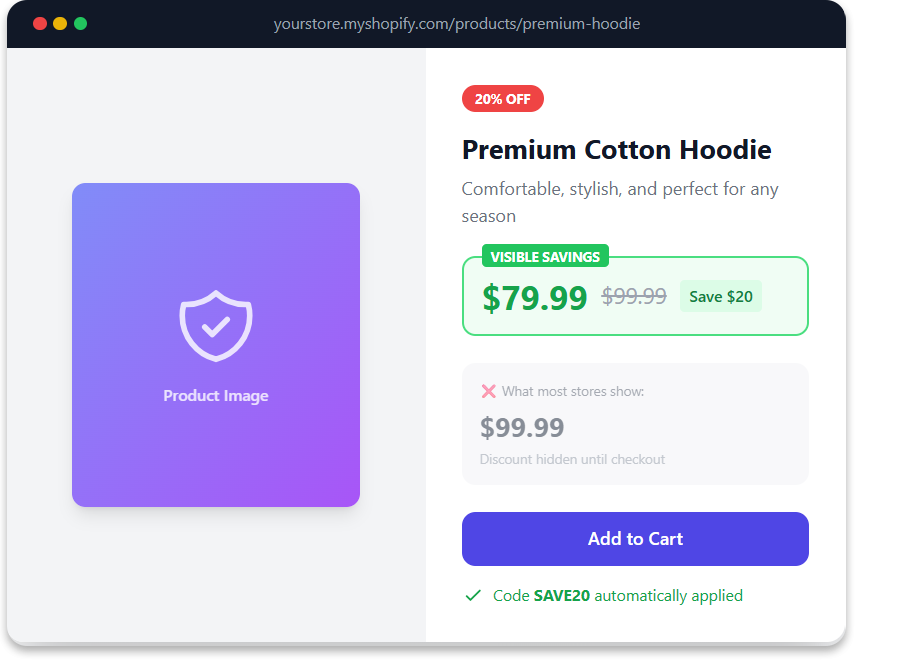
Here's something that surprises a lot of store owners: running a promotion and having customers see that promotion are two different things.
If you're using Shopify discount codes or automatic discounts, your customers probably don't see the savings until checkout. That means everyone browsing your collection pages and product pages sees full prices, even when there's a 20% off code active. Most shoppers make buying decisions before they reach checkout, so they're leaving without knowing the deal existed.
The fix is Here's something that surprises a lot of store owners: running a promotion and having customers see that promotion are two very different things.
If you're using Shopify discount codes or automatic discounts, your customers probably don't see the savings until checkout. That means everyone browsing your collection pages and product pages sees full prices, even when there's a 20% off code active. Most shoppers make buying decisions before they reach checkout. With cart abandonment rates around 70%, the majority never even get to the page where the discount appears.
This is the single most common way Shopify stores lose sales on promotions. You're spending money on ads that promise "25% Off This Weekend," but when a customer clicks through, they land on a product page showing full price. No strikethrough. No "Save 25%." No indication a sale is even happening. The disconnect between your ad and your store is one of the fastest ways to lose customers.
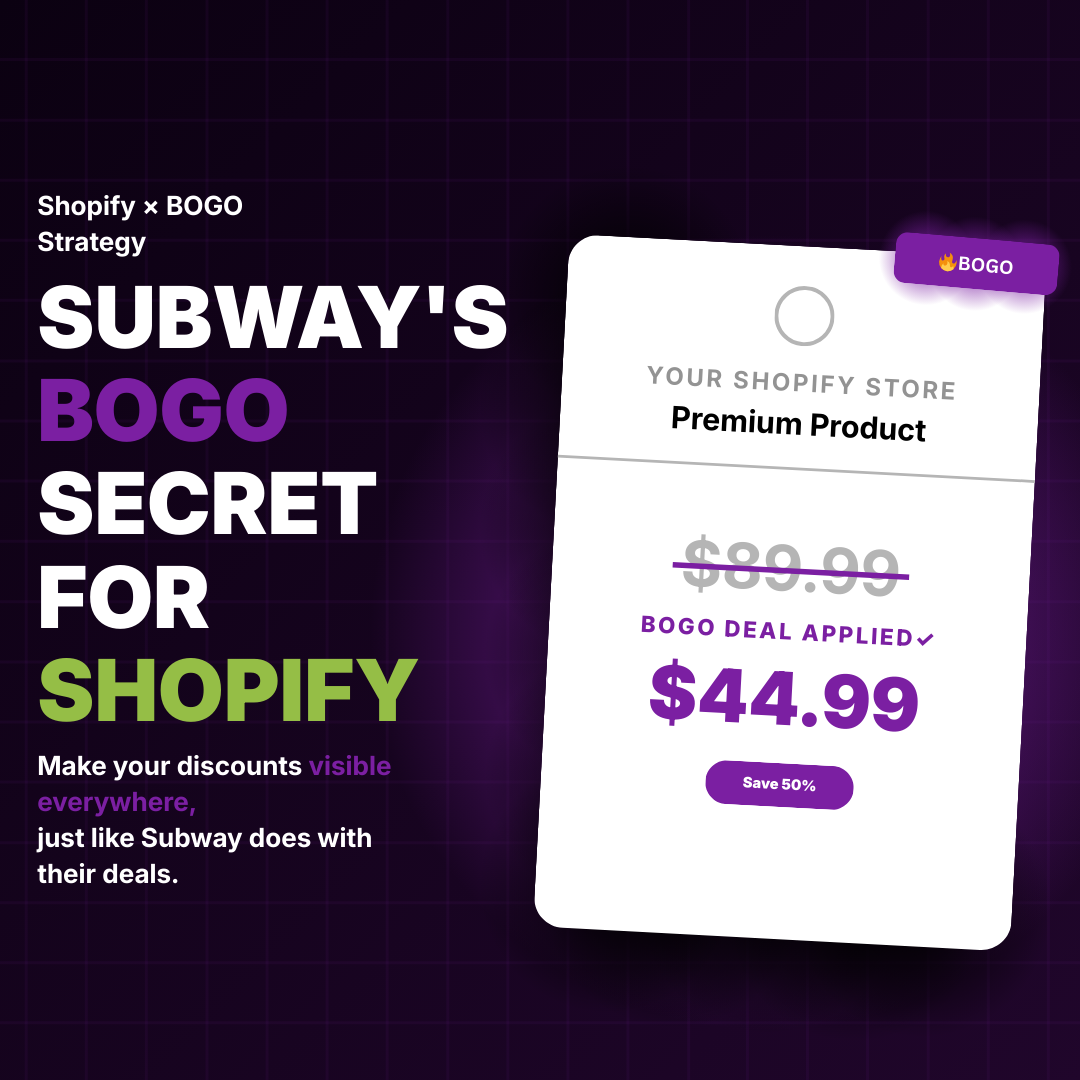
The fix is displaying discounted prices throughout the entire shopping experience. Show strike-through pricing on collection pages, product pages, and in the cart. When customers can see they're saving money from the first click, they're far more likely to complete the purchase.
Tools like Adsgun automate this by connecting your existing Shopify discounts to your storefront display. Instead of hoping customers make it to checkout to discover their savings, you show them the value immediately. Your discount code or automatic discount stays in Shopify exactly as you set it up; Adsgun just makes it visible everywhere. It's a simple change that can boost up sales significantly because you're no longer running what amounts to a secret promotion.
2. Reduce Friction at Checkout
Cart abandonment happens for a lot of reasons, but friction is near the top of the list. Every extra step, unexpected cost, or moment of confusion gives shoppers a reason to leave. According to Baymard Institute research, optimizing the checkout experience can recover up to 35% of lost sales.
Start by looking at your checkout process from a customer's perspective. Are there surprise fees? Is the shipping cost hidden until the last screen? Does the page load slowly? Can customers check out as guests, or are you forcing account creation? Each of these creates friction that pushes customers away.
Here are specific changes that reduce bounce rate at checkout:
Be upfront about shipping costs. Display them on product pages or at least in the cart, not as a surprise at the final step. Unexpected costs are the number one reason shoppers abandon carts. If you can offer free shipping above a threshold, show that threshold early ("Free shipping on orders over $75").
Minimize form fields. Only ask for information you actually need. If you're not going to call them, don't require a phone number. The fewer fields, the faster the checkout, and the fewer places someone can get frustrated and leave.
Offer multiple payment options. Some customers want to pay with Apple Pay. Others prefer PayPal or Shop Pay. If your checkout only supports credit cards, you're losing the customers who want one-click convenience.
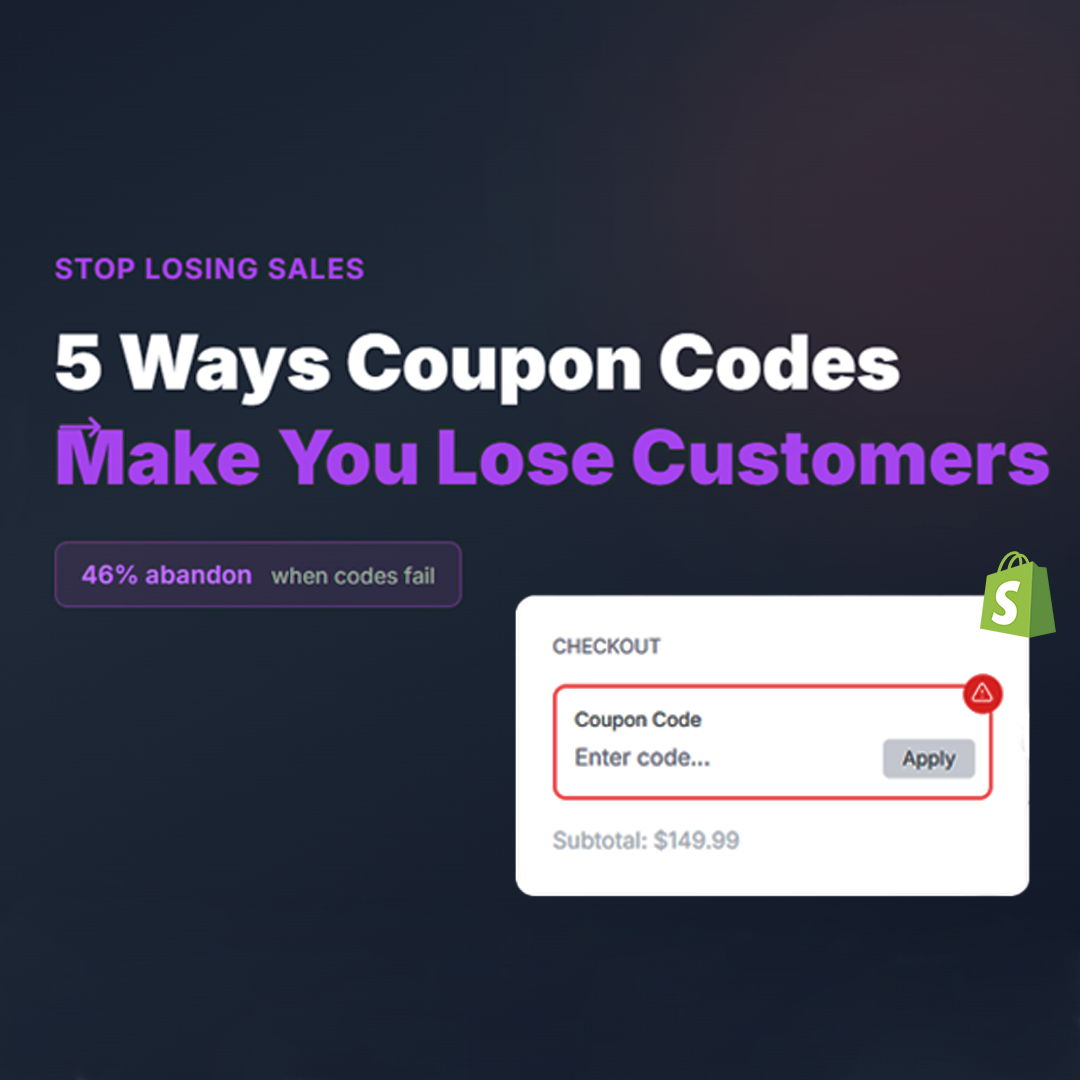
Remove the coupon code anxiety. That empty "Apply Coupon Code" field at checkout triggers customers to leave and search for a code they don't have. If you're running a promotion, either auto-apply the discount through a promotional link or use automatic discounts so the field doesn't create doubt. We break down this problem in detail in our guide on how coupon codes can lose you customers.
3. Build Trust Before the Buy Button

Shoppers are skeptical, especially when buying from a store they've never heard of. According to Baymard Institute, about 18% of shoppers abandon carts specifically because they don't trust the site with their payment information. That number climbs even higher for newer or lesser-known brands.
Social proof does the heavy lifting here. Display customer reviews prominently on product pages, not buried at the bottom but near the Add to Cart button where they influence the buying decision. Show the number of reviews and the average rating in a way that's immediately visible. If you have user-generated photos or videos of customers using your products, feature them. They're more convincing than any studio shot.
Add trust badges for secure checkout, money-back guarantees, or free returns. These are small visual signals, but they address the subconscious question every first-time customer has: "Is this safe?"
For stores running promotions, trust also means pricing transparency. When customers see a clear strike-through price showing the original and the discounted amount, they feel confident they're getting a real deal and not being manipulated. Fake urgency and inflated "original prices" erode trust fast. But transparent, visible savings, where the customer can see exactly what they're paying and exactly what they're saving, build the kind of confidence that converts browsers into buyers.
4. Create Urgency Without Being Pushy
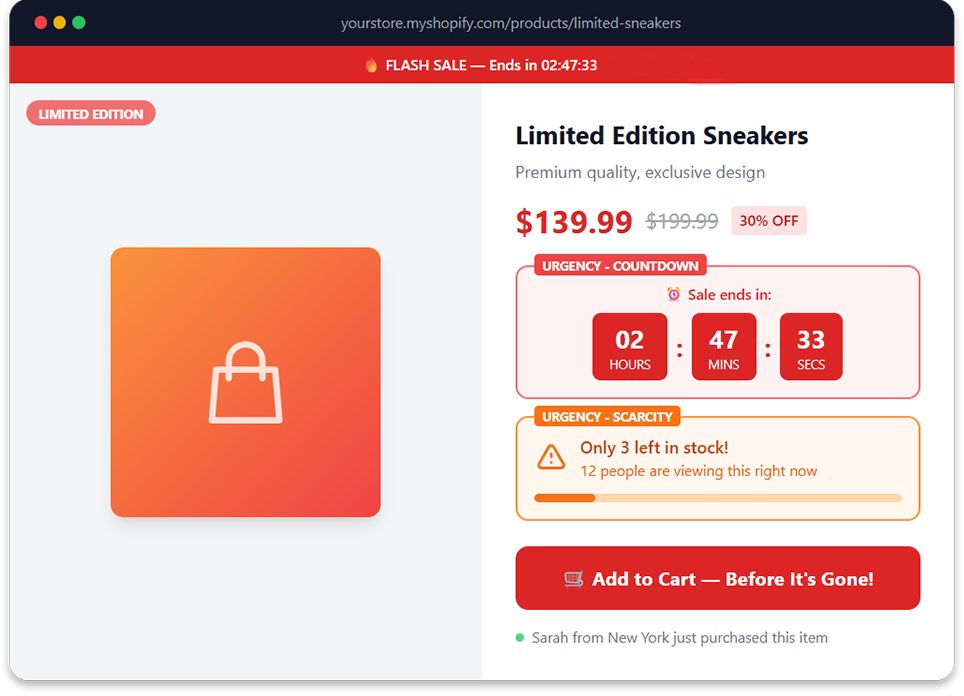
Urgency works, but only when it's genuine. Fake countdown timers that reset every visit and "only 2 left!" messages that never change are transparent tactics that erode trust quickly. Savvy shoppers recognize them instantly, and the result is the opposite of what you want: instead of feeling pressure to buy, they feel pressure to leave.
Real urgency comes from legitimate scarcity: limited-time sales with actual end dates, seasonal promotions tied to real events, or genuinely low inventory on popular items. If you're running a weekend sale, show a countdown timer, but make sure the sale actually ends when the timer hits zero. If a popular item is running low, surface the real inventory count. Honesty creates urgency that customers respect.
Pair urgency with visible savings for maximum impact. A product showing "$160 $120" alongside "Sale ends Sunday" gives customers two reasons to act: the value they're getting and the deadline to grab it. Neither element works as well alone. The crossed-out price makes the deal tangible, and the time constraint makes the deal finite. Together, they create a reason to buy right now instead of bookmarking and forgetting.
For Shopify stores, this means your time-limited promotions need visible pricing. If the countdown timer is on your homepage but your product pages still show full prices, you've created urgency with no payoff. The customer feels the time pressure, clicks through, sees regular pricing, and the urgency dissolves. Keeping the promotional pricing visible on every page maintains the momentum from first click to checkout.
5. Optimize Your Product Pages for Conversion
Your product pages need to do a lot of work. They have to show what the product is, why it's valuable, and make buying it feel easy. If any of these elements are weak, you lose sales.
Start with the fundamentals: high-quality images from multiple angles (customers want to see what they're actually getting), clear pricing including any active discounts, a prominent and easy-to-find Add to Cart button, and a product description that answers the questions customers actually have. Don't bury important details like sizing, materials, or compatibility in tiny text or make people scroll through five paragraphs of brand story before they find out what the product does.
Beyond the basics, think about what's missing from your current pages. Do customers frequently ask questions that could be answered right on the page? Are there sizing charts, comparison tables, or usage videos that would eliminate hesitation? Every unanswered question is a potential reason for someone to leave without buying.
Product page conversion also ties directly back to how you display promotions. If a customer arrives from a BOGO campaign or a percentage-off email, the product page is where the deal either gets reinforced or falls apart. A page that shows the original price, the discounted price, and a savings badge confirms the promise that brought them there. A page that shows only the full price creates the kind of confusion that kills conversions. Every element on your product page should work together to make the buying decision feel obvious.
6. Recover Abandoned Carts with Smart Follow-Up
Not every abandoned cart is a lost sale. Many shoppers get distracted, want to think it over, or are just browsing across multiple stores. A well-timed follow-up can bring them back, and email is still the most effective channel for this. Studies consistently show that email marketing delivers $36 to $40 return for every dollar spent, and abandoned cart emails are among the highest-performing sequences.
Set up an automated abandoned cart sequence. The first email should go out within one to four hours, while the product is still fresh in their mind. Remind them what they left behind, include a product image, and make it dead simple to return to their cart with a single click. If they don't convert, follow up a day later with a different angle: highlight a product benefit, share a customer review, or surface a time-limited incentive.
Here's where most stores drop the ball: they include a discount code in the recovery email (e.g., "Use code COMEBACK10 for 10% off") but the customer clicks through and sees full prices on the store. They have to remember the code, find the checkout field, type it in, and hope it works. That friction is enough to lose them again.
The stronger approach is to send a link that auto-applies the discount. When the customer clicks through, they land on a store where the discounted price is already showing. No codes to remember, no fields to find, no uncertainty about whether the deal is real. This is exactly how Adsgun works with your email marketing platform: the customer clicks one link, and the entire store reflects their personalized pricing. It turns a recovery email from a reminder into a seamless return-to-purchase experience.
7. Use Data to Find Your Weak Points (and Fix Your Reporting)
Strategies to increase sales work best when they target your actual problems, not generic advice. That means looking at your data to understand where customers are dropping off.
Check your Shopify analytics. Where do visitors spend time? Which pages have high exit rates? At what point in the checkout process do people leave? Are certain products or collections underperforming compared to others? This information tells you where to focus. If your product pages have high traffic but low add-to-cart rates, the problem is there. If carts get abandoned at the shipping step, look at your shipping costs. If certain traffic sources convert poorly, investigate whether the landing experience matches the ad promise.
But here's something most "boost sales" guides won't tell you: your data is only as good as your Shopify setup. If you're using compare at price to create sale pricing instead of real Shopify discounts, your analytics are giving you an incomplete picture. Compare at price changes the actual product price, which means Shopify records the lower price as gross revenue with no discount tracked. Your average order value appears lower than it really is, your discount spending is invisible, and you can't measure which promotions actually performed.
A store that sold 1,000 units during a 25% off promotion would see $75,000 in gross revenue using compare at price versus $100,000 gross with $25,000 in tracked discounts using real Shopify discounts. Same money in the bank, but completely different stories in your reports. Merchants on the Shopify Community have been raising this issue for years.
Using real discounts (with a tool like Adsgun to make them visible) keeps your reporting clean. Gross revenue reflects the true product value, discounts are tracked as separate line items, and you can actually compare campaign performance. Data turns guesswork into strategy, but only if the data is accurate in the first place.
Frequently Asked Questions
How do I increase sales on my Shopify store without spending more on ads?
The most cost-effective way to boost Shopify sales is to improve the conversion rate of traffic you already have. Start by making existing promotions visible (strike-through pricing on all pages, not just checkout), reducing checkout friction, and adding social proof like customer reviews near the buy button. These changes maximize the value of every visitor you're already paying to acquire.
Why am I getting traffic but no sales on Shopify?
Traffic without sales usually means a conversion problem, not a traffic problem. Common causes include unclear product pages, hidden discount pricing, lack of trust signals (reviews, badges, guarantees), unexpected shipping costs, and forced account creation at checkout. Review your analytics to find where visitors are dropping off, then focus your optimization efforts on those specific pages.
What's the fastest way to push sales during a promotion?
Make the promotion visible everywhere, not just at checkout. When customers land on your store from a promotional ad or email and see strike-through pricing with the savings displayed on every page, conversion rates improve immediately. The biggest single change most stores can make is closing the gap between what their ads promise and what their store shows.
Should I use discount codes or automatic discounts on Shopify?
Both have a place. Discount codes give you tracking (you can measure which channel drove the sale), while automatic discounts create a smoother customer experience (no code to remember or type). The best approach is often to use discount codes for channel attribution but auto-apply them through promotional links, so customers get the tracking benefit of codes with the frictionless experience of automatic discounts.
How do I reduce cart abandonment on my Shopify store?
Focus on the top abandonment causes: unexpected costs (be upfront about shipping), forced account creation (offer guest checkout), a complicated checkout process (minimize form fields), and pricing confusion (show discounts clearly before checkout). Pair this with an automated abandoned cart email sequence that makes it easy for customers to return and complete their purchase with one click.
Does compare at price affect my Shopify sales analytics?
Yes. When you use compare at price, Shopify records the sale at the lower price with no discount line item. This means your gross revenue appears lower, your AOV looks reduced, and your discount spend is invisible in reports. Real Shopify discounts (codes or automatic) keep the full product price as gross revenue and track discounts separately. For more detail, see our full compare at price guide.
Putting It All Together
Pushing sales on Shopify isn't about finding one magic bullet. It's about systematically removing the barriers that stop visitors from becoming customers. Each tactic in this guide addresses a different barrier, and the more of them you implement, the more smoothly your sales funnel runs.
Some changes deliver results immediately, like making your discounts visible across your store. Others take time to show impact, like building up customer reviews or refining your abandoned cart sequence. The important thing is to start somewhere and keep improving.
If there's one change that tends to have the fastest impact for stores running promotions, it's fixing the visibility problem. When customers can see savings throughout their shopping experience, conversion rates climb. Tools like Adsgun handle this automatically, syncing your Shopify discount codes and automatic discounts to your storefront display without requiring any theme edits. And because Adsgun works with real Shopify discounts, your reporting stays accurate, which means the data you use to make your next decision is data you can actually trust.
Whatever tactics you choose, approach them with the same mindset: understand why customers aren't buying, then fix it. That's how you push sales in a way that actually sticks.



.png)