
Shopify Promotion Code: Make It Visible & Boost Sales 20%
Learn how to create a Shopify promotion code that converts. A complete guide to discount codes, voucher codes, and boosting sales.
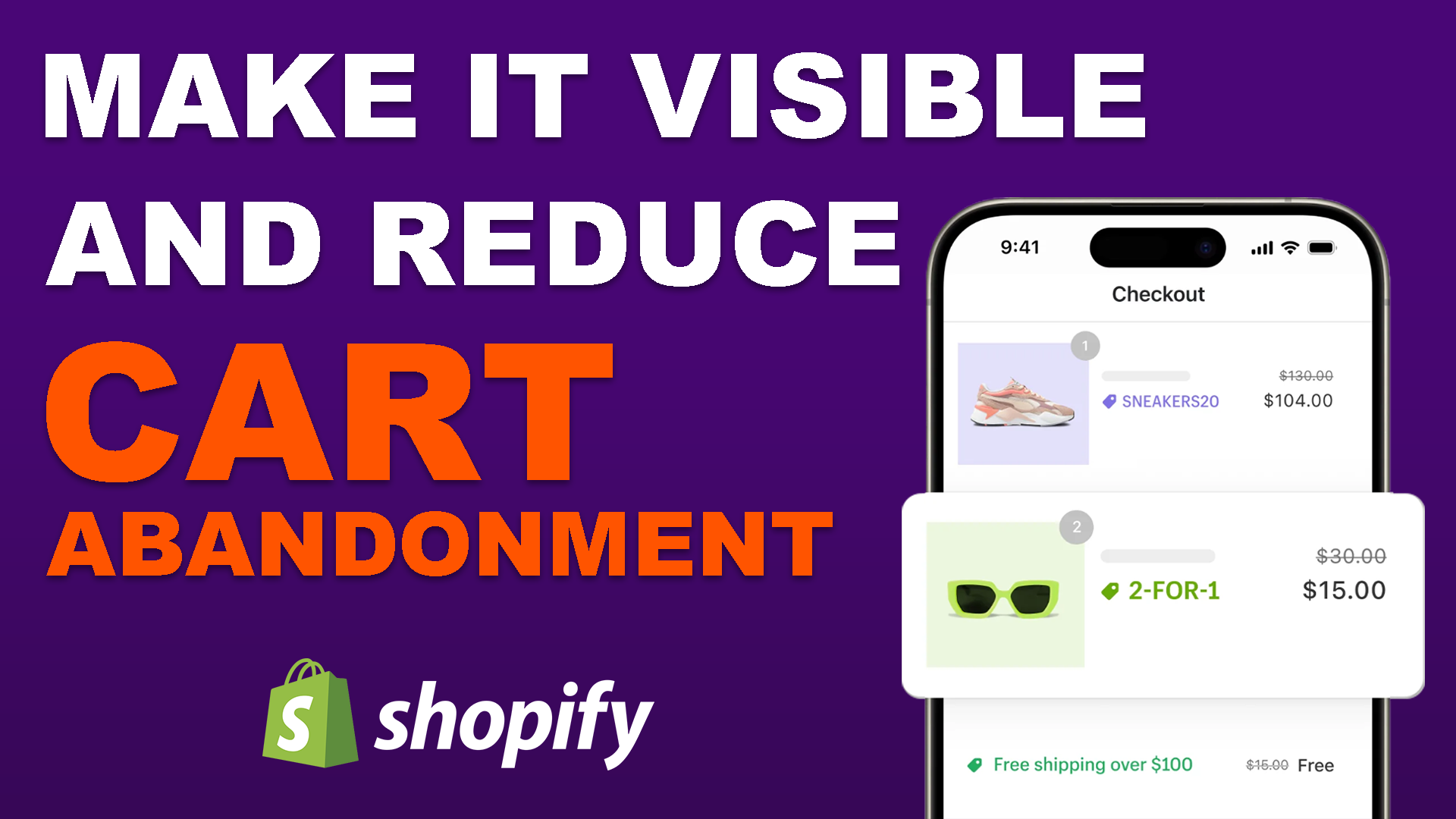
Why Your Shopify Promotion Code Isn't Working
You've set up a killer discount. Maybe it's 20% off for first-time buyers or a flash sale to clear inventory. You share it on Instagram, send out emails, and wait for the orders to roll in. But here's the frustrating part: your Shopify promotion code isn't converting the way you expected.
The problem isn't your offer. It's that your customers can't see it.
Think about it from their perspective. They land on your product page, see a price, and have no idea there's a discount waiting for them. They browse a bit, maybe add something to cart, but then leave because they assume they're paying full price. This is what we call the "invisible discount" problem, and it's quietly killing conversions on Shopify stores everywhere.
Around 70% of shoppers never even reach the cart page. That means most of your visitors are making buying decisions based on full prices, completely unaware of your Shopify discount code savings. The good news? There's a simple fix that can transform your shopping experience and boost your conversion rate almost overnight.
This guide covers everything you need to know about Shopify promotion codes: the different types available, why most stores get visibility wrong, and how to make your discounts work the way they should.
Types of Shopify Promotion Codes and When to Use Each
Before diving into the visibility problem, it helps to understand what Shopify actually offers. There are three main ways to discount products, and each one behaves differently in terms of what customers see.
Discount codes are the classic approach. You create a code like SAVE20 or WELCOME15, customers enter it at checkout, and the discount applies. These are great for tracking because you can create unique codes per channel (one for email, one for Instagram, one for influencers) and see exactly which source drove the sale. The downside is that they require manual entry, which adds friction to checkout and can trigger "coupon hunting" behavior.
Automatic discounts apply when cart conditions are met, no code needed. If you set up "20% off orders over $100," any customer who hits that threshold gets the discount automatically at checkout. These reduce friction because there's nothing to type or remember. However, like discount codes, they don't change what's displayed on your product or collection pages. The savings only appear at checkout.
Compare at price is Shopify's built-in feature for showing strikethrough pricing. You manually change the product price and enter the original in a separate field. It creates the "was $100, now $75" visual effect. But as we cover in detail in our compare at price guide, this approach requires manual bulk editing of every product and variant, creates serious operational risk, and quietly distorts your revenue reporting.
Here's the critical takeaway: discount codes and automatic discounts are the correct way to run promotions from a reporting and operational standpoint. But Shopify's own documentation confirms the limitation. From Shopify's Discount Codes FAQ: "To display discount savings with crossed-out (strikethrough) prices on product pages and collection pages, you need to use a third-party discount app." In other words, Shopify itself says you need additional tooling to make your promotions visible. That's exactly the gap this guide addresses.
Why Your Discounts Feel Invisible to Shoppers
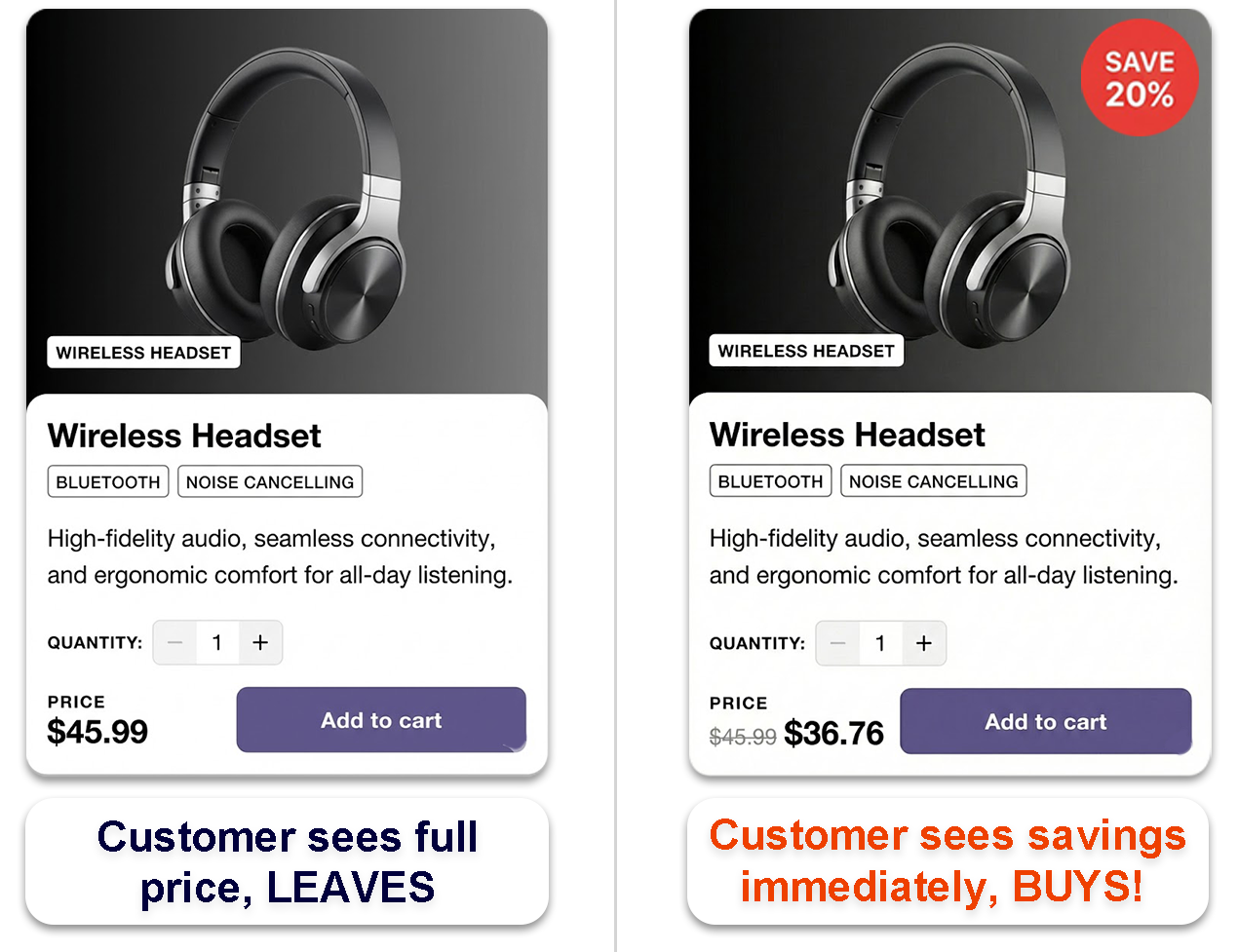
Here's a scenario you might recognize. You walk into a store with a big "SALE" sign in the window. But once inside, none of the price tags show the discounted prices. You'd have to carry everything to the register just to find out what you're actually paying. Frustrating, right?
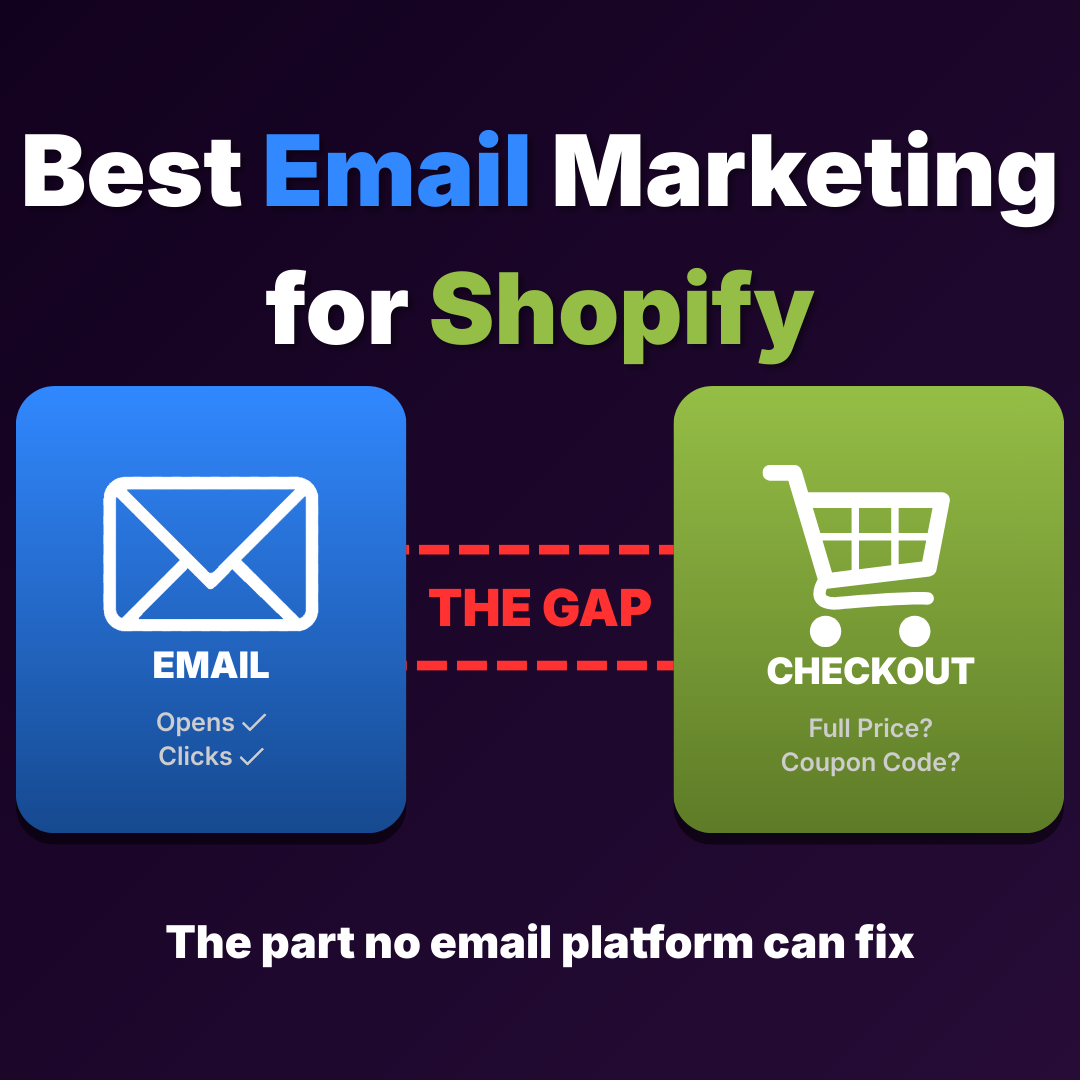
That's exactly what happens on most Shopify stores. By default, Shopify only reveals the discount code or automatic discount savings at checkout, the very last step in the user journey. But most customers never get that far. They're making snap decisions on your collection pages and product pages, where they only see your regular prices.
This creates a huge gap between what you're offering and what your customers actually see. You might have the best Shopify promo code in your industry, but if nobody sees the savings until checkout, you're essentially running a secret sale. And with around 70% of visitors never making it to the cart page, the majority of your audience is making buying decisions without knowing a deal even exists.
The impact shows up in every part of your funnel. Your bounce rate climbs because visitors see full prices and leave. Your ad spend underperforms because the promotional promise in the ad doesn't match the store experience. And your abandoned cart emails work harder than they need to because customers who do make it to checkout still face the friction of entering a code manually. All of these are symptoms of the same root cause: invisible discounts.
The Psychology Behind Visible Pricing
Retail psychology tells us something important: shoppers need to see value immediately to feel motivated to buy. Strike-through pricing, showing the original price crossed out next to the sale price, isn't just a formatting trick. It triggers a psychological response that says "this is a deal worth grabbing."
When customers see discounted prices displayed transparently throughout their shopping experience, several things happen. First, they feel a sense of urgency because deals feel temporary. Second, they trust your store more because transparent pricing builds confidence. There's no hidden discount to discover, no code to hunt for, and no surprise at checkout. Third, they're more likely to add items to their cart because the perceived value is crystal clear. They can see the exact dollar amount they're saving, and that makes the purchase decision feel smarter.
This is why physical retail has always used visible sale tags. The crossed-out price with a red sale sticker is one of the oldest and most effective conversion tools in retail history. Online stores should work the same way. But with Shopify's default setup, they don't, unless you fix the visibility gap.
Compare this to what happens when discounts are hidden. A customer browsing your collection page sees "$120" on a product. They think "that's too expensive" and leave. They never knew it was actually "$120 $160" with their active discount. That single moment of invisible pricing is where you lost the sale.
How Shopify Cart Abandonment Connects to Hidden Discounts
Let's talk numbers. The average Shopify cart abandonment rate hovers around 70%. That's a lot of lost revenue. While there are many reasons customers abandon carts (unexpected shipping costs, complicated checkouts, coupon code friction), invisible discounts play a bigger role than most merchants realize.
The tricky part is that invisible discounts create losses you can't easily measure. When someone browses your store and sees full prices everywhere, they might bounce before even creating a cart. These visitors never show up in your abandonment stats, but they're still lost sales. Your analytics show a bounce, but they don't show why the person left or that a visible discount might have kept them engaged.
Then there's the checkout drop-off. By the time a shopper reaches checkout and finally sees your Shopify promotion code applied, many have already mentally checked out. They've been browsing at full prices for five, ten, fifteen minutes. The sudden price drop at checkout can feel confusing rather than exciting. "Wait, was I about to overpay? What else am I missing?"
The solution is to reduce bounce rate by showing savings earlier: on collection pages, product pages, and in the cart itself. This keeps shoppers engaged throughout their entire journey instead of surprising them with discounts at the very end. When the savings are visible from the first click, customers move through your funnel with confidence rather than confusion.
Making Shopify Promotion Codes Visible Everywhere
So how do you actually fix this? The key is displaying discounted prices across your entire store, not just at checkout. When a customer lands on your site from an Instagram ad with a Shopify voucher code, they should immediately see the savings reflected in your pricing.
This means showing strike-through prices on your collection pages so browsers can spot deals at a glance. It means updating product pages to display both the original and discounted price prominently. And it means having a cart that shows a clear savings summary so customers feel great about their purchase before they hit checkout.
Some merchants try to do this manually by editing their theme code, but that gets messy fast, especially when you're running multiple promotions or want to change things up for different campaigns. Custom code also needs to be maintained every time your theme updates, and one wrong line of Liquid can break your entire store display.
Adsgun automates this entire process. It connects your existing Shopify discount codes and automatic discounts to your storefront display without requiring any theme edits. When you create a promotion in Shopify, Adsgun makes it visible on collection pages, product pages, and in the cart. The discount code or automatic discount stays in Shopify exactly as you set it up; Adsgun just makes it visible everywhere.
Here's what this looks like in practice. A customer clicks your Instagram ad promoting 25% off with code SUMMER25. They land on your store, and every eligible product shows the original price crossed out with the sale price displayed. The customer immediately sees the value they're getting. They don't have to wonder if the discount is real or try to calculate savings in their head. Everything is transparent from the first click, which builds trust and keeps them moving toward checkout.
Closing the Gap Between Your Marketing and Your Store
Visible discounts do more than just push sales. They're part of a broader customer experience strategy that builds trust and reduces friction across every marketing channel you use.
This matters especially for email marketing campaigns and paid ads. If you're driving traffic with a specific Shopify promotion code, your landing pages should immediately reflect that discount. Nothing kills momentum faster than a customer clicking an ad promising 25% off and then landing on a page showing full prices. That disconnect is why so many promotional campaigns underperform: the ad does its job perfectly, but the store undoes it by hiding the savings.
The same applies to abandoned cart recovery. Instead of sending an email with "Use code COMEBACK10 for 10% off" and hoping the customer remembers to enter it, send a link that auto-applies the discount. When they click through, the entire store reflects the promotional pricing. No codes to remember, no fields to find, no friction. The path from "reminder email" to "completed purchase" becomes seamless.
For influencer campaigns, this is equally powerful. Instead of giving an influencer a code for their audience to remember and type, give them a link. Their followers click through and see discounted prices immediately. No one has to pause the video to write down "INFLUENCER20" and then manually enter it at checkout ten minutes later.
Adsgun handles all of these scenarios because it works with any source that sends traffic to your store. Whether customers arrive from email, paid social, organic search, or an influencer link, they see the same consistent discounted pricing throughout their shopping experience.
The Reporting Advantage of Real Shopify Discounts
There's a side of promotion code visibility that most guides skip entirely, and it has nothing to do with what customers see. It's about what you see in your reports.
When you use real Shopify discount codes or automatic discounts, every transaction records properly. The product stays at its full price, the discount is tracked as a separate line item, and your Shopify Analytics shows accurate gross revenue, discount spending, and net revenue. You can compare campaigns: did the 20% off sitewide sale outperform last month's buy-one-get-one? With proper discount tracking, the answer is in your data.
But when stores can't make their real discounts visible, they often fall back to compare at price as a workaround. And that's where things go wrong. Compare at price changes the actual product selling price, so Shopify records the sale at the lower price with no discount line item. A $100 product marked down to $75 shows up as $75 in gross revenue. No record that the customer was supposed to pay $100. No visibility into how much the promotion cost you.
Scale this up and the problem becomes serious. A store running a 25% off sale on 1,000 units would see $75,000 in gross revenue with compare at price versus $100,000 gross with $25,000 in tracked discounts using real Shopify discounts. Same money in the bank, but the compare at price version makes the business look 25% smaller. Merchants on the Shopify Community have been raising this exact issue for years.
Because Adsgun works with real Shopify discounts and not compare at price, you get both: visible pricing that converts AND clean reporting that informs your next decision.
Practical Steps to Boost Sales with Visible Promotions
Ready to stop losing customers to invisible discounts? Here are actionable steps you can take today. (For more comprehensive tactics, check out our full guide on how to push sales on your Shopify store.)
Audit your current discount visibility. Click through your own store as if you were a new customer using one of your Shopify coupons. Can you see the savings on collection pages? On product pages? Does the cart show a breakdown of what you're saving? If the answer is no at any point, you've found your problem.
Close the gap between your ads and your store. If your Facebook ad says "25% off everything this weekend," customers expect to see 25% off the moment they land. When that expectation is met instantly with crossed-out prices and visible savings, bounce rates drop. When it's not met, customers leave. A single disconnect between ad promise and store display can waste your entire ad budget.
Show a savings summary in the cart. A customer with three items in their cart who sees "You're saving $47 on this order" feels good about checking out. That single line of reinforcement can be the difference between a completed purchase and an abandoned cart.
Pair visibility with urgency. Visible discounts become even more effective when combined with time pressure. A product showing "$120 $160" alongside "Sale ends Sunday" gives customers both a reason to buy (the savings) and a reason to buy now (the deadline). For BOGO promotions, displaying the free item badge alongside the pricing is equally effective at converting browsers into buyers.
Use one tool for all channels. Adsgun integrates with your existing Shopify discount codes and displays the savings across your entire site. It works with any sales channel, from Facebook to TikTok to email to Google Ads, and requires no theme editing to set up.
Measuring the Impact on Your Shopify Conversion Rate
Once you make your discounts visible, you should see improvements in several key metrics. Your Shopify conversion rate should increase as more browsers become buyers. Your cart abandonment rate should drop as customers feel more confident about their purchases. And your overall revenue per visitor should climb as people realize they're getting a deal worth acting on.
Track these numbers before and after implementing visible pricing. Many merchants report 20% or higher increases in conversions simply by making their existing discounts more visible. That's not about running bigger sales; it's about making sure customers actually see the sales you're already running.
Here are the specific metrics to watch: conversion rate by page (collection vs. product vs. checkout), cart abandonment rate, bounce rate on promotional landing pages, revenue per session, and discount redemption rate. If you're using real Shopify discounts with proper tracking, all of these are available in your Shopify Analytics dashboard.
Frequently Asked Questions
What is a Shopify promotion code?
A Shopify promotion code (also called a discount code, promo code, voucher code, or coupon code) is a code that customers enter at checkout to receive a discount on their order. Shopify supports percentage discounts, fixed amount discounts, free shipping codes, and buy-X-get-Y promotions. You create them in the Discounts section of your Shopify admin. The key limitation is that these codes only apply their savings at checkout. Without a third-party app, the discounted prices aren't visible on your product or collection pages.
Why aren't my Shopify discount codes showing on product pages?
By design, Shopify discount codes and automatic discounts only reveal their savings at checkout. The product and collection pages show full prices regardless of any active promotions. Shopify's own documentation confirms that to display strike-through pricing for discount codes, you need either a third-party app or custom theme development. This is the core problem Adsgun solves: it connects your existing Shopify discounts to your storefront display so customers see the savings everywhere, not just at checkout.
What's the difference between Shopify discount codes and automatic discounts?
Discount codes require customers to enter a specific code at checkout (like SAVE20). They're useful for tracking which marketing channel drove the sale. Automatic discounts apply when cart conditions are met with no code needed (like "20% off orders over $100"). They reduce checkout friction but offer less attribution. Both types share the same visibility limitation: neither one changes what's displayed on product or collection pages without additional tooling.
Should I use discount codes or compare at price for my Shopify sale?
Real Shopify discount codes (or automatic discounts) are the better choice for promotions. Compare at price requires manual bulk editing of every product and variant, needs to be reverted after the sale ends, and records sales at the lower price with no discount tracking in your reports. Real discounts keep your gross revenue accurate, track discount spending separately, and can be managed from a single promotion in your Shopify admin. The only drawback, visible pricing, is solved by using a tool like Adsgun to display the savings across your store.
Can I show strike-through pricing for Shopify discount codes without coding?
Yes. Apps like Adsgun connect directly to your existing Shopify discount codes and automatic discounts and display the savings on collection pages, product pages, and in the cart. No theme code editing is required. The app works with any Shopify theme and can be set up in minutes.
How do I auto-apply a Shopify discount code through a link?
Shopify supports shareable discount links that auto-apply a code when clicked. The format is yourstore.com/discount/CODE. You can also add a redirect: yourstore.com/discount/CODE?redirect=/collections/sale. When combined with Adsgun, the customer not only gets the code auto-applied but also sees the discounted prices displayed throughout the store, creating a completely frictionless promotional experience.
Does making discounts visible really increase conversions?
Yes. Many merchants report 20% or higher improvements in conversion rates after making their existing discounts visible on product and collection pages. The logic is straightforward: customers who can see they're getting a deal from the first click are more likely to buy than customers who only discover the savings at checkout. Strike-through pricing creates urgency, builds trust through transparency, and keeps visitors engaged throughout their shopping journey.
Wrapping Up
The gap between offering a discount and customers actually seeing it is costing you sales every single day. By making your shopify promotion code savings visible throughout the entire shopping journey (from collection pages to product pages to cart) you remove a major source of friction and give customers the confidence they need to complete their purchase.
The best part? You don't need to reinvent your promotional strategy. You probably already have great offers in place. The fix is simply making sure those offers are impossible to miss.
Want to explore how automatic discount visibility could work for your store? Check out tools like Adsgun that handle this automatically, or dive into your theme settings to start making manual adjustments. Either way, your future customers will thank you for the transparency, and your sales numbers will reflect the change.The Bottom Line
The gap between offering a discount and customers actually seeing it is costing you sales every single day. By making your Shopify promotion code savings visible throughout the entire shopping journey, from collection pages to product pages to cart, you remove a major source of friction and give customers the confidence they need to complete their purchase.
The best part? You don't need to reinvent your promotional strategy. You probably already have great offers in place. The fix is simply making sure those offers are impossible to miss. Use real Shopify discounts (not compare at price) to keep your reporting clean, and make them visible with a tool like Adsgun so customers see the value from the first click.
Your promotions are working. Now make sure your customers can actually see them.


.png)