
Shopify Percentage Discount Not Showing on Product Page: Here’s Why
Shopify percentage discount not showing on product pages is by design, not a bug. Your automatic discount works at checkout but stays invisible while customers browse. Here's why and how Adsgun fixes it.
Shopify Percentage Discount Not Showing: The Full Price Problem
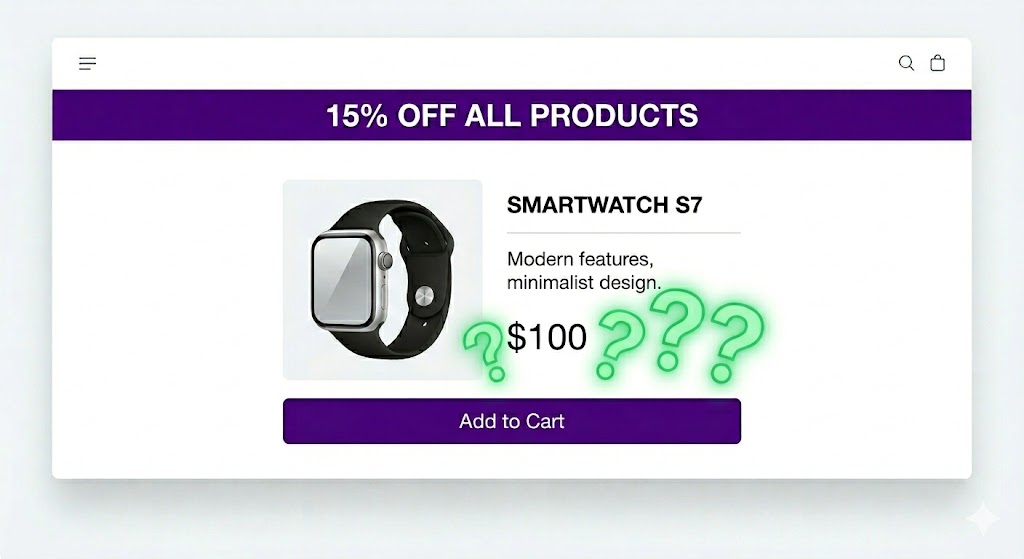
Shopify percentage discount not showing on product pages is one of the most common merchant frustrations. You set up a 15% off automatic discount, add a banner, and customers see the promotion, but the product price stays at $100 with no indication of what they’ll actually pay. The discount is real, but it’s invisible until checkout. Here’s why that happens and how to fix it.
Customers have to do the math themselves. What’s 15% of $100? If they’re on mobile, in a hurry, or just distracted, they won’t bother. They assume the price is too high and leave. This is the same reason Shopify discounts don’t show until checkout across every discount type, not just percentage-based ones.
Why Shopify Doesn’t Calculate Percentage Discounts on Product Pages
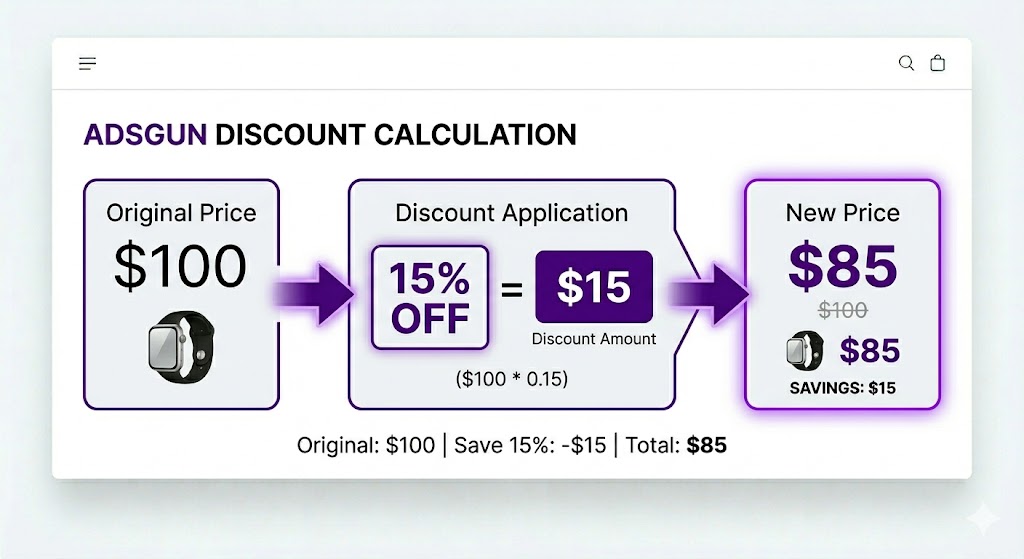
A percentage discount like “15% off” is calculated at checkout based on the cart total. It applies to eligible products at that moment. But on a product page, Shopify doesn’t know:
- What will be in the cart when the customer checks out
- Whether the customer is eligible for the discount (customer tag, location, etc.)
- Whether other discounts or promotions will interact with this one
- What the final price will be after all discounts stack
So Shopify plays it safe and doesn’t show a calculated price on the product page. It only applies the discount at checkout when all that information is available.
This is technically sound, but it’s terrible for conversion because customers don’t see the deal until they’ve already committed to the purchase. The same logic applies to Shopify automatic discounts not showing on product pages generally, percentage-based or otherwise.
Compare at Price Doesn’t Help (And You Might Already Know This)
Why Compare at Price Can’t Solve the Percentage Discount Problem
You might be thinking: “Can’t I just set a compare at price to show the discounted price?”
You could, but it would be manual, inaccurate, and unmaintainable. You’d have to calculate 15% off for each product and update compare at price one by one. Compare at price is a static number, but the actual discount might vary by product, variant, or customer. And if you change the discount percentage from 15% to 20%, you’d have to recalculate and update every single product from scratch.
Compare at price works for static discounts. It was never designed to reflect live percentage discount logic. For a deeper explanation of how it actually works, see the full guide to compare at price on Shopify.
Why This Costs You Revenue
Consider a simple scenario. You sell t-shirts for $25 each and run a “20% off everything” automatic discount.
Without Adsgun, a customer sees the “20% OFF” banner, then sees the t-shirt priced at $25 with no strike-through. They don’t realize $25 is the pre-discount price. They do rough math, get confused, and leave.
With Adsgun, they see the same banner and immediately see $25 crossed out with $20 below it. No math required. The deal is obvious. That clarity is what drives the conversion.
How Adsgun Makes Your Percentage Discount Showing Everywhere
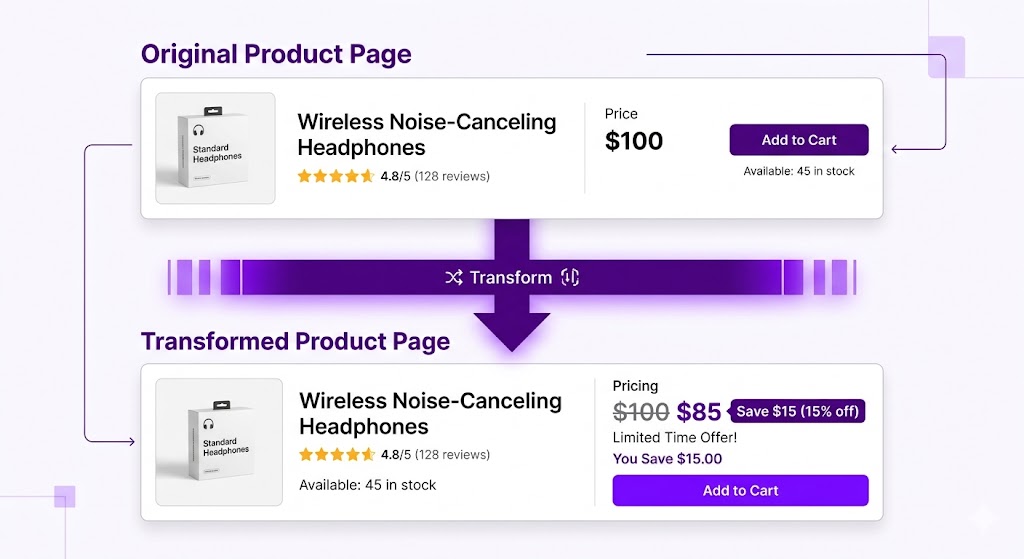
Adsgun reads your automatic discount (15% off), looks at each product’s price, calculates the discounted price in real time, and displays it as strike-through pricing across product pages, collections, cart, and checkout.
For a $100 product with 15% off, Adsgun shows $100 crossed out with $85 and “SAVE $15” displayed automatically. If you change the discount from 15% to 20%, Adsgun recalculates all prices instantly. No manual updates, no compare at price to set, no developer needed.
This works across your entire catalog. Even if you have 10,000 SKUs, the Shopify percentage discount not showing problem is solved across all of them at once. The same approach also works for discount codes not showing on product pages, where Adsgun reads the code from the URL and displays the calculated price before checkout.
Real-Time Updates
Here’s another advantage: if you change the discount percentage mid-day, the prices update in real time across your entire store.
Say it’s 9am and you’re running 15% off. At 2pm you decide to boost it to 20% for the afternoon. You update the discount in Shopify. Instantly:
- All product pages show the new 20% off price
- Customer pages update
- Cart pages update
- No manual work, no cache to clear, no compare at price to recalculate
This kind of flexibility is what Shopify’s native discount system doesn’t support on the storefront. You get the full power of Shopify’s discount engine combined with visible pricing at every stage of the customer journey.
The Scheduler: Automated Discount Timing
Adsgun’s scheduler lets you set discounts to activate and deactivate automatically on a recurring schedule. Every Friday at 6pm, activate a “Weekend Flash Sale: 30% Off.” Every Saturday at 11:59pm, it reverts to your regular promotion automatically.
Your product pages reflect the correct discount at every hour of every day, with zero manual intervention. Customers always see the right price, whether it’s a regular sale or a flash promotion.
Ready to Fix This?
Your percentage discounts are working, but if customers can’t see the actual price on product pages, they’re not converting. Make the discount visible from the first second they land on your store.
Try Adsgun free for 7 days. Show calculated strike-through prices on every product page, updated in real time as your discounts change.




